Chapter 3 -- Installation--The Interface 1000 Personalization Label
3 - 16
The Interface 1000 Personalization Label
Introduction to the Interface 1000 Personalization Label
Modern electrochemical testing often involves replicate tests designed to measure and/or minimize the effect
of irreproducibility in the measurements. As an example, most electrochemical corrosion tests use a minimum
of 3 replicate samples and cells. Corrosion rate variability of ± 25% sample to sample is quite common.
Multiple potentiostat systems are often used to speed up the testing process. If the multiple potentiostats can
be randomly located in the lab, potentiostat identification can be a problem. The user may need to know "Is
the potentiostat on the left of my computer the 2nd or 3rd potentiostat in the system"?
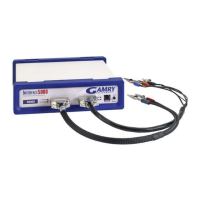
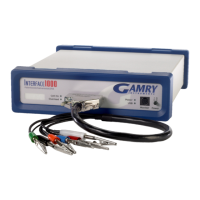
The Interface 1000 includes a personalization label that makes each unit visually unique. This allows you to
know exactly which potentiostat will be used for each test. By default, each Interface 1000 ships with a label
containing the instrument's Serial Number (S/N XXXXX). Other labels are easily placed in the instrument's
Personalization Label area. In a system containing 8 potentiostats, the potentiostats might be labeled Pstat 1,
Pstat 2, Pstat 3, ... Pstat 8.
Simple paper labels are inserted in an area behind the clear plastic outer layer of the front panel. The paper is
behind the plastic, so it is not affected by the lab environment. Best of all, the labels can be edited and
printed so personal labels, like Bob's Stat are also possible.
Label Sheet Provided With Each Interface 1000.
Every Interface 1000 is shipped with a preprinted label sheet containing:
• Instructions on how to change the label
• Several copies of the default label - the instrument's Serial Number
• The first eight letters of the Greek alphabet - Alpha through Theta
• The eight planets in the solar system - Mercury through Neptune
• Several blank white labels
• Pstat 1 through Pstat 16 on a blue background
• Pstat 1 through Pstat 8 on a red background
Any of these labels can be cut from the sheet and inserted as the Interface 1000 Personalization Label. The
white labels are provided to allow the user to hand write a label.
Label Files on the Gamry Website
If you want a professional looking label not found on the label sheet provided with your Interface 1000, the
label files on the Gamry website www.gamry.com can be useful. These files can be found in the Downloads
tab of the Interface 1000 Product page. There are two files in Microsoft Excel™ format. One file is formatted
for American/British 8 1/2 x 11 inch paper and the other is formatted for Metric A4 paper.
After you download one of these files, you can open and edit it. If you don't have Microsoft Office on your
computer, free Excel compatible spreadsheet programs are available on the Internet. These free programs will
probably work well for simple edits and printing.
Each label is contained in one Excel cell. In addition to changing the text in a cell you can change the font, the
font size, and colors of the cell. You should not change the cell's size. The area toward the right side of each
cell appears in the Interface 1000 front panel.
Once you are happy with your edits, you can print the Excel file on any color printer. A heavy grade of paper
is preferred, although labels printed on standard weight copier, inkjet or laser printer paper have been used.
The default instrument label sheet was printed on 120 g/m
2
paper (the US/British equivalent is 32 pound bond
paper).
Procedure to Change a Label
Follow these steps to change a label.


 To Next Page