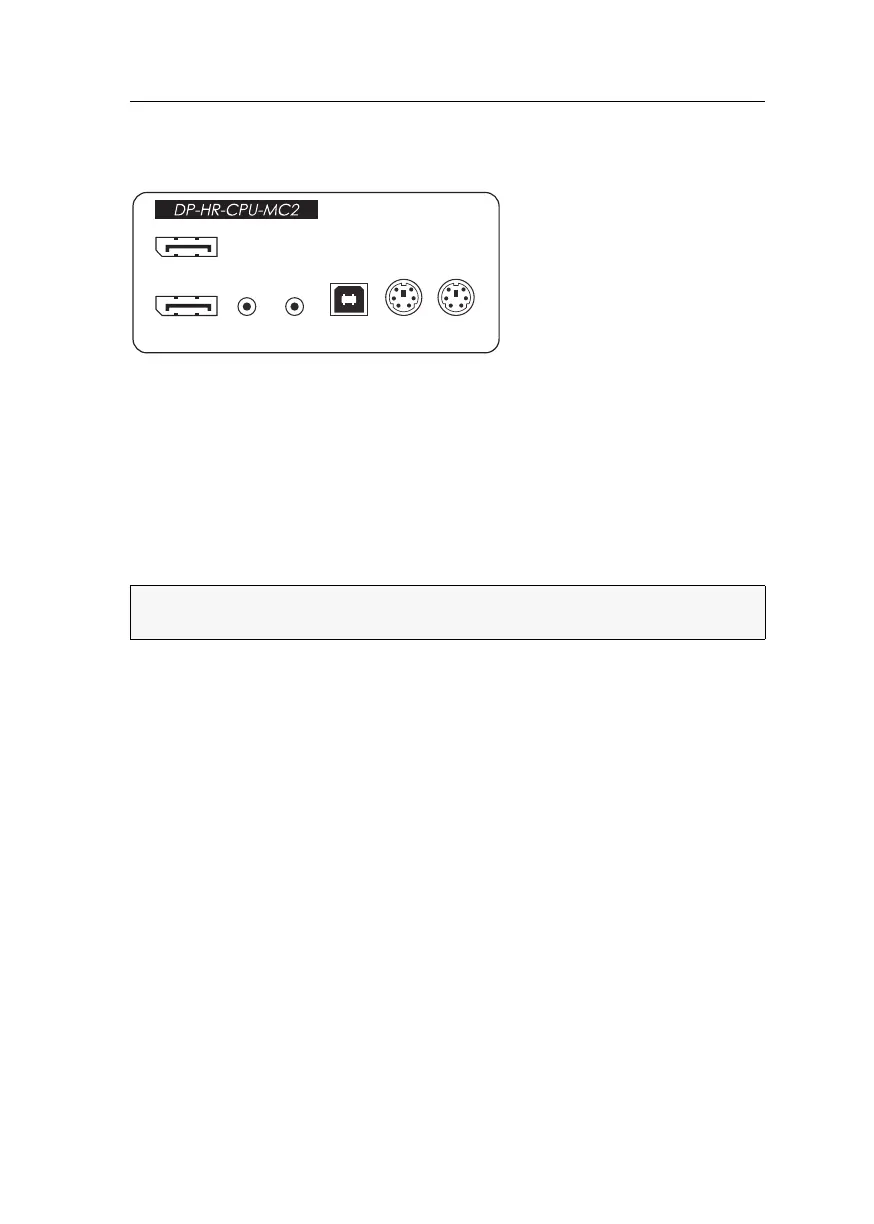
Computer module »DP-HR-CPU-MC2«
Computer and console modules (DP-HR) · 16
Installation
Connecting the computer
DP CPU 1: Use one of the supplied video cables to connect the computer’s first Display
Port video output to this interface.
DP CPU 2: Use one of the supplied video cables to connect the computer’s second Dis-
play Port video output to this interface.
Line In: Use one of the supplied audio cables to connect the computer’s Line Out
interface to this interface.
Line Out: Use one of the supplied audio cables to connect the computer’s Line In inter-
face to this interface.
USB K/M: Use the USB device cable to connect one of the computer’s USB interfaces
to this interface.
Keyb.: Use the purple plug of an optional Twin-PS/2 cable to connect the computer’s
PS/2 keyboard interface to this interface.
Mouse: Use the green plug of an optional Twin-PS/2 cable to connect the computer’s
PS/2 mouse interface to this interface.
NOTE:
Keyboard and mouse signals can be transmitted to the computer using either
the PS/2 interfaces or the USB interface.
MouseKeyb.
USB K/M
Line In
Line Out
DP CPU 1
DP CPU 2


 To Next Page
 Loading...



