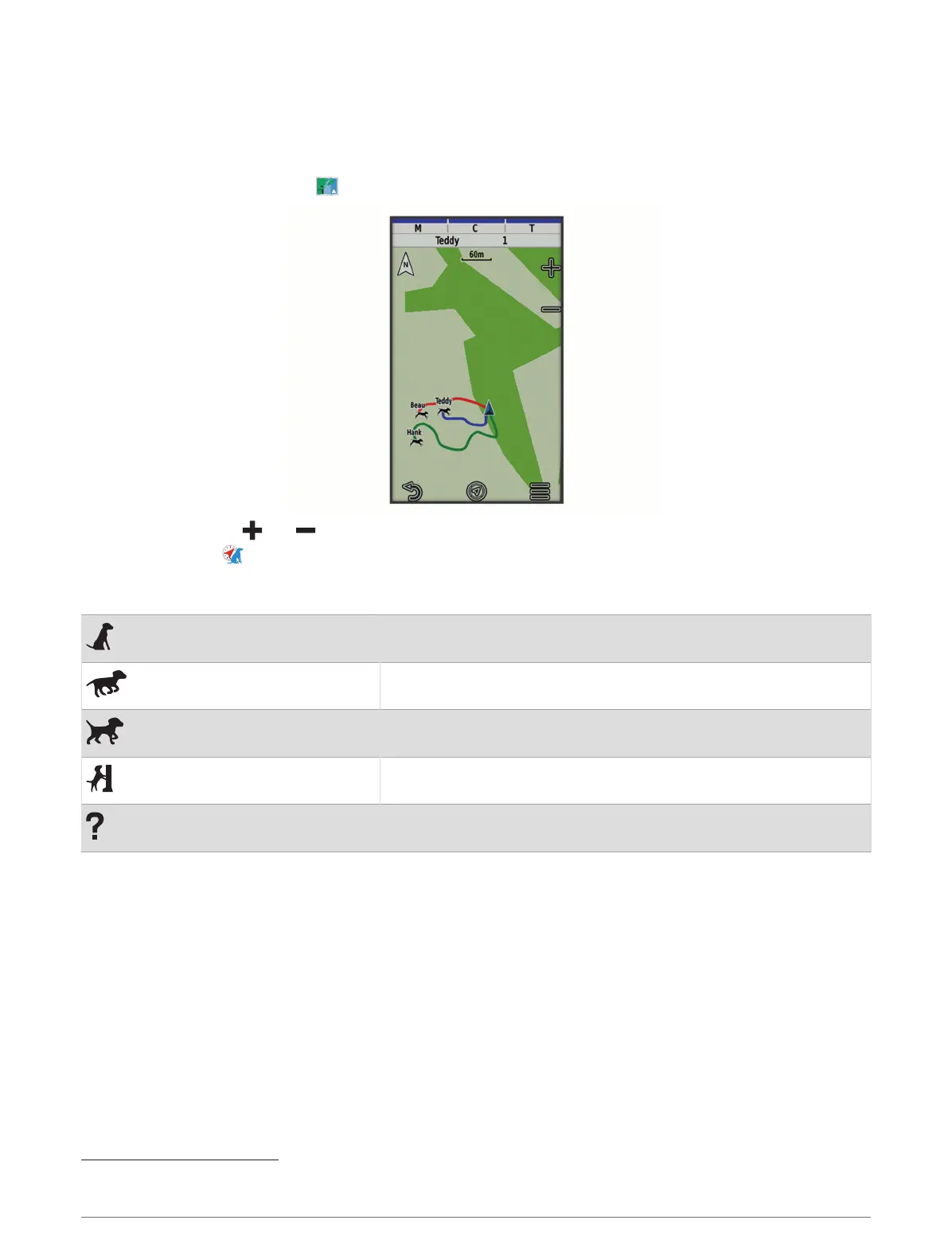
Tracking Your Dog on the Map
Before you can track a dog on the map, you must add it to the handheld device (Adding a Dog to the Alpha
Navigator Using Wireless Pairing, page7).
You can view the dog's location on the map.
1 From the home screen, select .
2 If necessary, select and to zoom in and out of the map.
TIP: You can select to track the dog using the dog tracking compass (Dog Tracking Compass, page14).
Dog Status Icons
Sitting
Running
On point
Treed
Unknown
1
1
The unknown status icon indicates that the handheld device cannot communicate with the dog collar device.
Dog Tracking 13














 To Next Page