Saving Energy While Charging the Device
You can turn off the device display and all other features while charging.
1 Connect your device to an external power source.
The remaining battery capacity appears.
2 Hold the power key for 4 to 5 seconds.
The display turns off, and the device goes into a low power, battery charging mode.
3 Charge the device completely.
Data Management
The device has a memory card slot for additional data storage.
NOTE: The device is compatible with Windows
®
7 and newer, and Mac
®
OS 10.7 and newer.
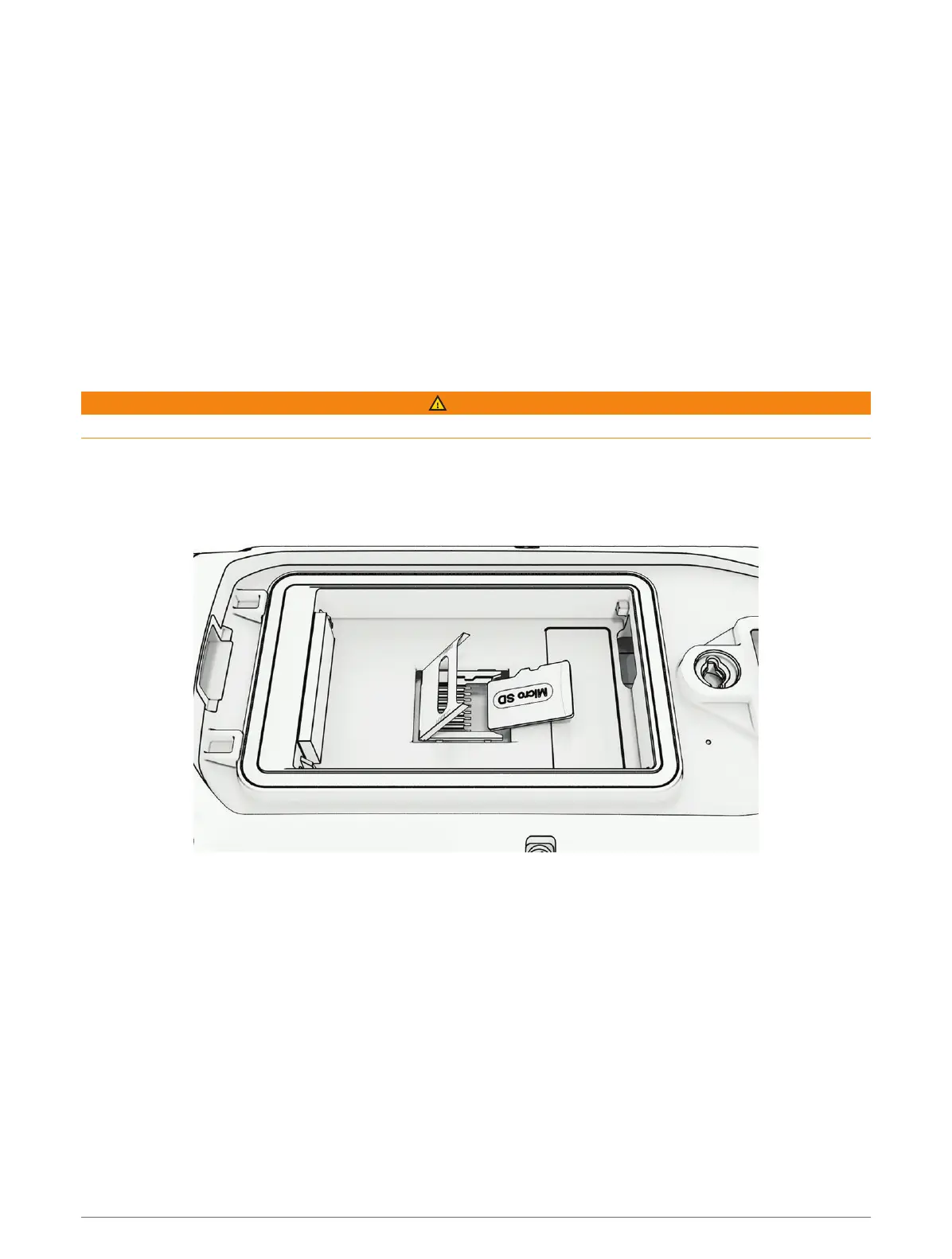
Installing a Memory Card
WARNING
Do not use a sharp object to remove user-replaceable batteries.
You can install a microSD memory card in the handheld device for additional storage or pre-loaded maps.
1 Turn the D-ring counter-clockwise, and pull up to remove the cover.
2 Remove the battery.
3 Slide the card holder to the left and lift up.
4 Place the memory card with the gold contacts facing down.
5 Close the card holder.
6 Slide the card holder to the right to lock it.
7 Replace the battery and cover.
Device Information 43















 To Next Page