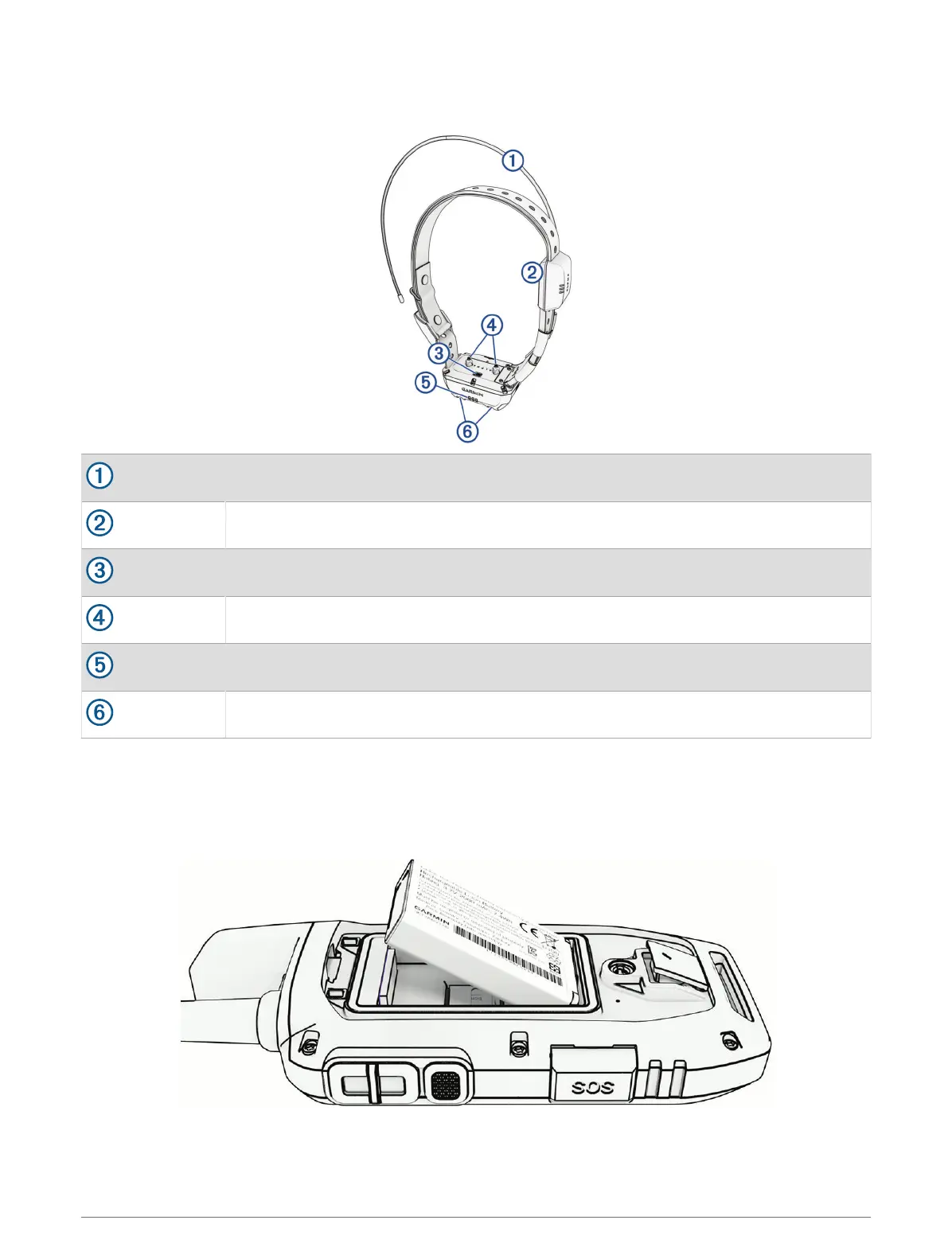
Dog Collar Device
NOTE: Your dog collar device may look different than the device pictured.
VHF antenna
GPS antenna
Power button
Contact points
Status LED
Flashing beacon LEDs
Installing the Battery Pack
1 Turn the D-ring counter-clockwise, and pull up to remove the cover.
2 Locate the metal contacts on the end of the lithium-ion battery.
3 Insert the battery into the compartment, contacts first.
4 Press the battery into place.
5 Replace the battery cover, and turn the D-ring clockwise.
Getting Started 3














 To Next Page