Wireless Sharing
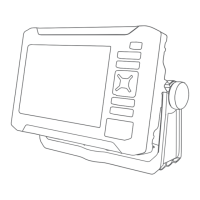
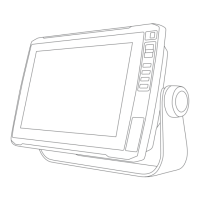
You can connect two ECHOMAP UHD2 devices wirelessly to share user data and sonar (Connecting Two
ECHOMAP UHD2 Devices to Share User Data and Sonar, page11). The first time you open the wireless network
settings, you are prompted to set up the wireless network on the host device. After you set up the network, you
can also connect the device to other wireless devices, such as your phone, to use the ActiveCaptain app (Getting
Started with the ActiveCaptain App, page9).
Setting Up the Wi‑Fi Network
This device can host a Wi‑Fi network to which you can connect wireless devices such as another chartplotter or
your phone. The first time you access the wireless network settings, you are prompted to set up the network.
1 Select > Communications > Wi-Fi Network > Wi-Fi > On > OK.
2 If necessary, enter a name for this wireless network.
3 Enter a password.
You will need this password to access the wireless network from a wireless device, such as your phone. The
password is case-sensitive.
Connecting Two ECHOMAP UHD2 Devices to Share User Data and Sonar
You can connect two ECHOMAP UHD2 devices to share user data and sonar wirelessly.
User data is shared automatically between the two devices while they are connected. Sonar sharing may require
you to select a sonar source (Sonar Sharing, page11).
To connect the two devices, you must designate one device as the host and the other device as the client. You
can only connect two ECHOMAP UHD2 devices at a time. The host device can be connected to other wireless
devices like your phone or tablet while it is connected with a ECHOMAP UHD2 device.
NOTE: A ECHOMAP UHD2 6/7/9 sv device cannot connect to a ECHOMAP UHD2 5/7 cv set as the host device.
You must set up the ECHOMAP UHD2 6/7/9 sv device as the host in this situation.
1 Ensure the two ECHOMAP UHD2 devices are within range, 32m (105ft.), and turn on both devices.
2 On the ECHOMAP UHD2 that will host the network, set up the Wi‑Fi network (Setting Up the Wi‑Fi Network,
page11).
3 On the ECHOMAP UHD2 host device, select > Communications > Wi-Fi Network > Wi-Fi > On > Host >
Pair Chartplotter > Start.
4 On the ECHOMAP UHD2 client device, select > Communications > Wi-Fi Network > Wi-Fi > On > Client >
Pair Host > Start.
5 Select OK after devices connect successfully.
To unpair the devices and remove the wireless credentials so they do not attempt to connect in the future, on
the client device select > Communications > Wi-Fi Network > Unpair.
If you cannot connect the two devices, troubleshoot the connection and try again (Troubleshooting the Wireless
Connection, page12).
Sonar Sharing
Two ECHOMAP UHD2 devices connected over the Wi‑Fi network can share sonar (Connecting Two ECHOMAP
UHD2 Devices to Share User Data and Sonar, page11).
If both of the ECHOMAP UHD2 devices have a transducer connected, each device uses its own sonar source
automatically. You can switch the sonar source manually to the other device (Selecting a Sonar Source,
page44).
If only one ECHOMAP UHD2 device has a transducer connected, that device is the sonar source for both
devices.
Wireless Sharing 11





 To Next Page