Purchasing a Chart Subscription with ActiveCaptain
1 Connect your mobile device to the internet and open the ActiveCaptain app.
2 Select Chart > > My Charts > Add a Chart Subscription.
3 Select a chart.
4 Select Subscribe Now.
NOTE: It might take a few hours to display the new subscription.
Renewing Your Subscription
Your cartography subscription expires after one year. After the subscription expires, you can continue using the
downloaded charts, but you are not able to download the latest chart updates or additional content.
1 Connect your mobile device to the internet and open the ActiveCaptain app.
2 Select Chart > > My Charts.
3 Select the chart to renew.
4 Select Renew Now.
NOTE: It might take a few hours to display the renewed subscription.
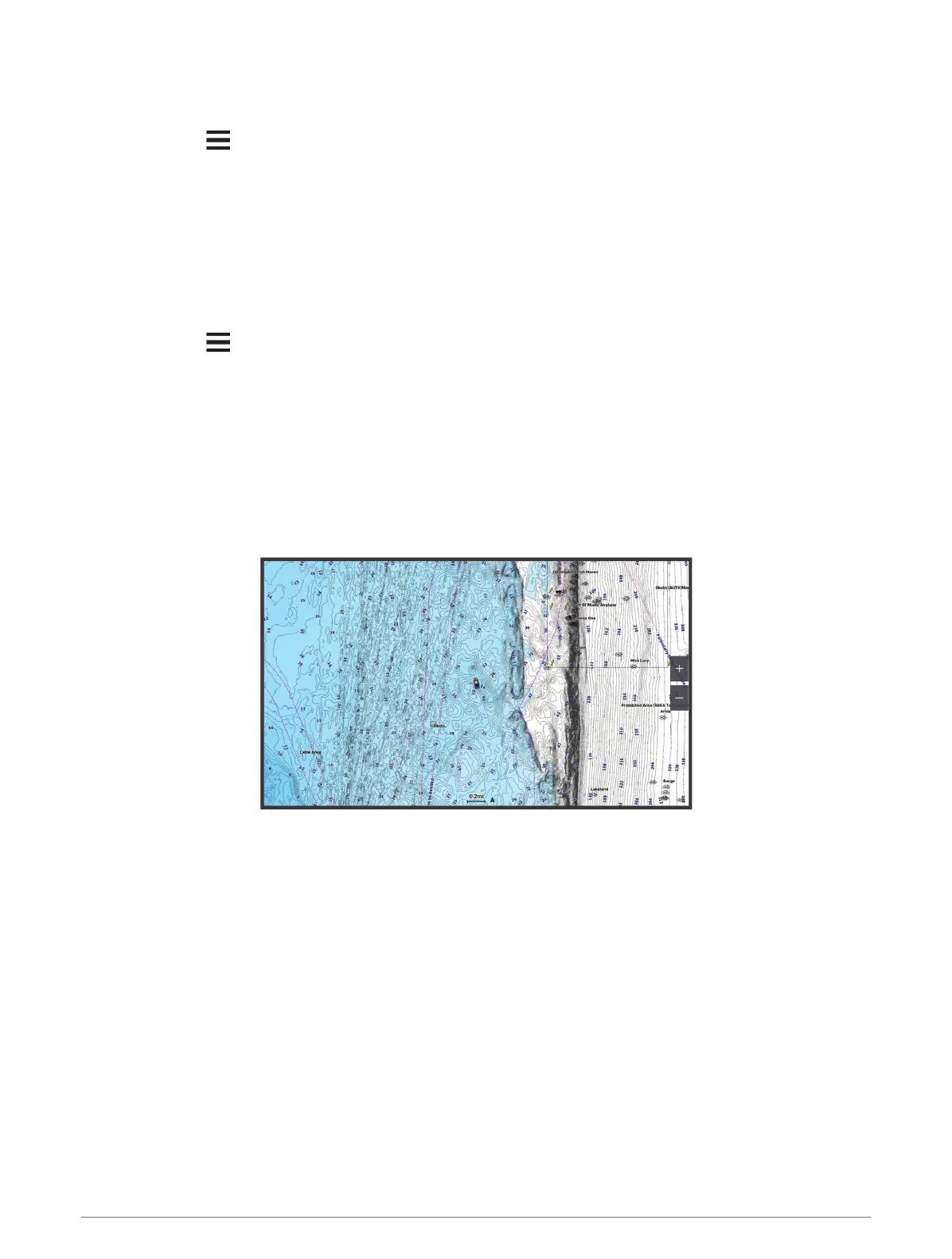
Navigation Chart and Fishing Chart
NOTE: The Fishing chart is available with premium charts, in some areas.
The Nav. Chart is optimized for navigation. You can plan a course, view map information, and use the chart as a
navigational aid. To open the Nav. Chart, select Charts > Nav. Chart.
The Fishing Chart provides a detailed view with more bottom detail and fishing content. This chart is optimized
for use when fishing. To open the Fishing Chart, select Charts > Fishing Chart.
14 Charts and 3D Chart Views





 To Next Page