Introduction
WARNING
See the Important Safety and Product Information guide in the product box for product warnings and other
important information.
Getting Started
1 Install the batteries (Installing AA Batteries, page2).
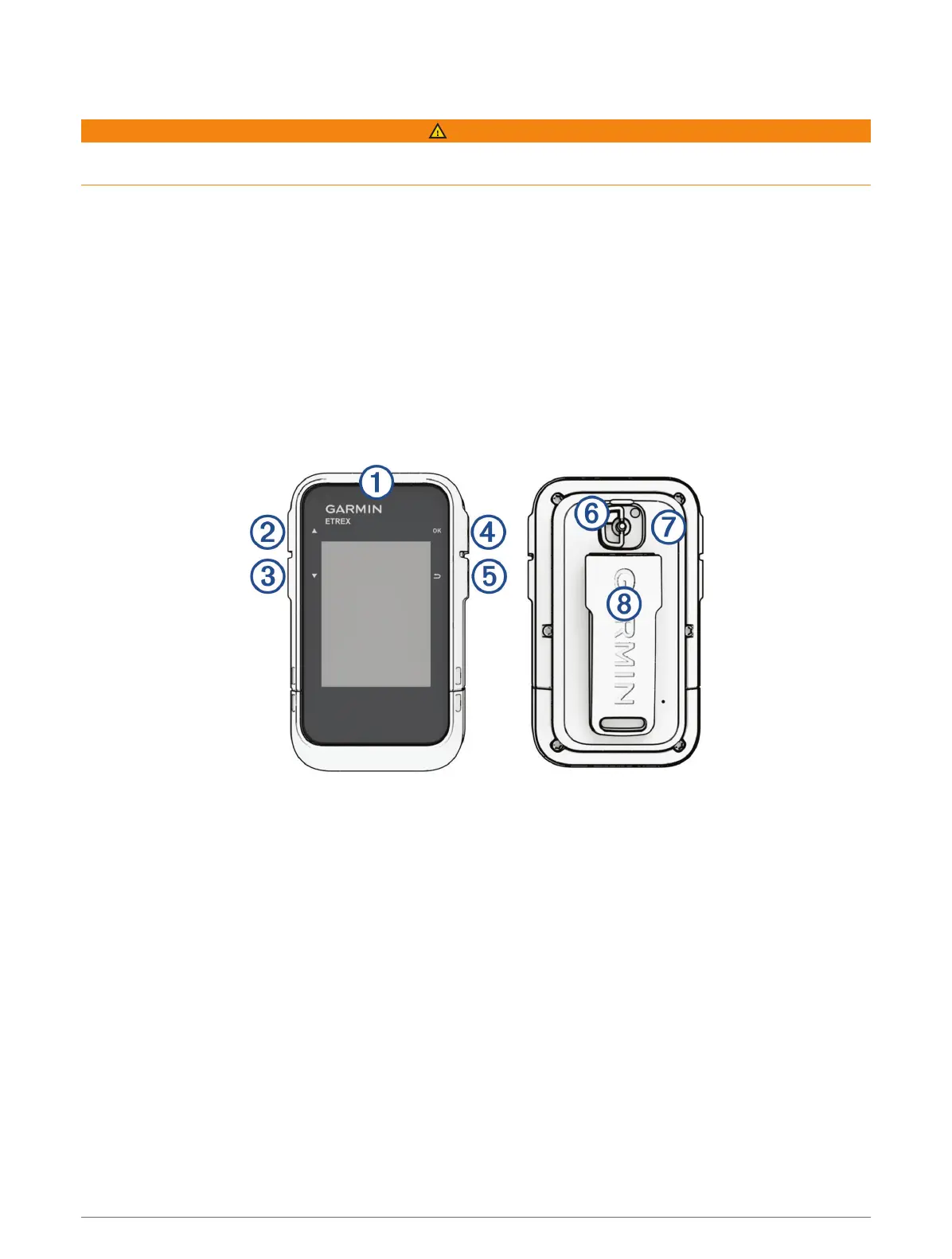
2 Turn on the device and select your language (Device Overview, page1).
3 Pair your phone with the Garmin Explore
™
app (Pairing Your Phone, page3).
The app allows you to receive notifications, view weather forecasts, search for live geocache data, and more.
4 Go outdoors to an open area and wait while the device locates satellites.
When the device acquires satellite signals, it automatically starts tracking your path and recording it as an
activity.
5 Navigate to a destination (Navigating to a Destination, page12).
Device Overview
Introduction 1













 To Next Page