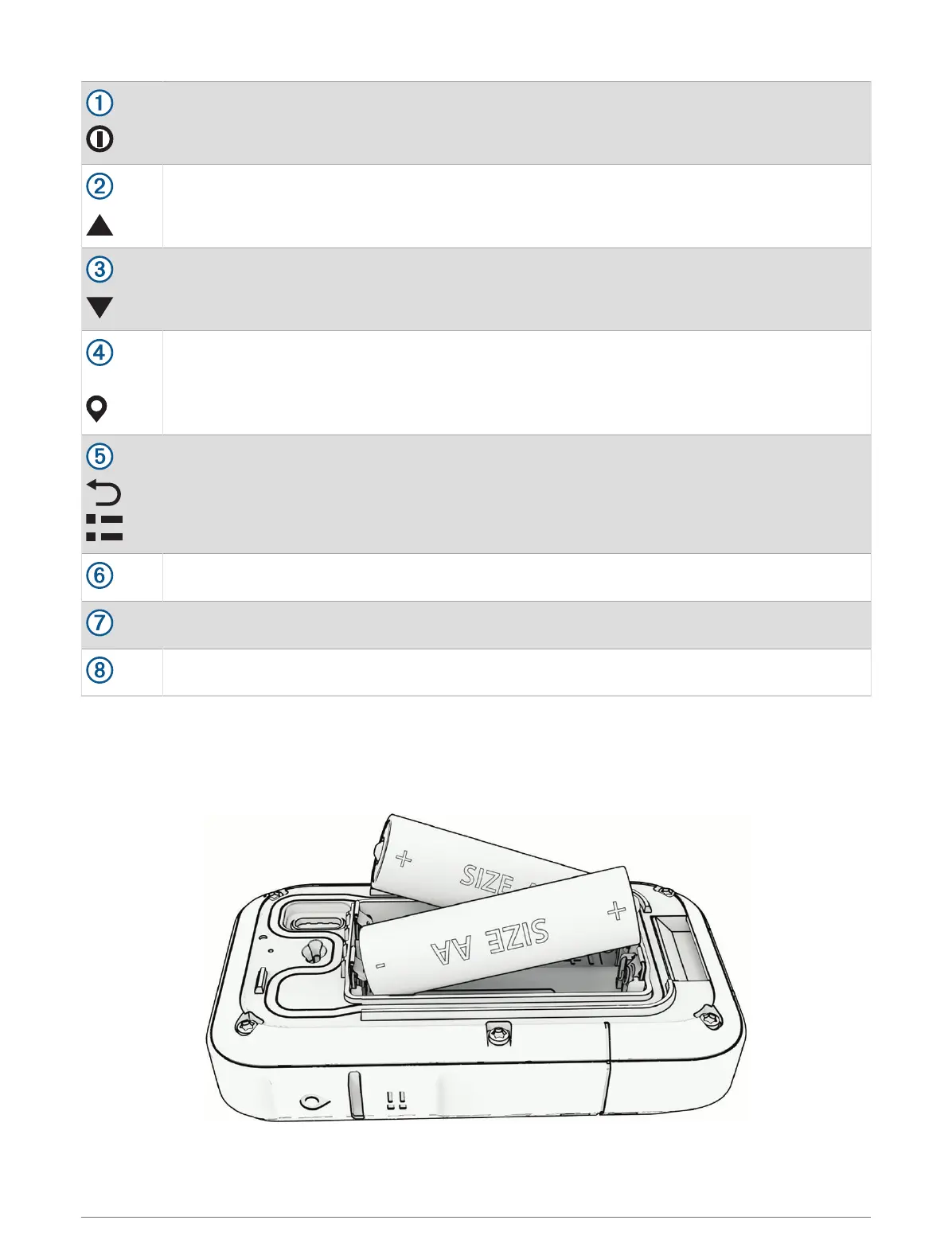
Hold to turn the device on.
Hold to open the power menu.
Press to turn the backlight on or off.
Press to scroll through menus, options, and settings.
Press to scroll through menus, options, and settings.
OK
Press to choose an option or open the menu for a page.
Hold to save your current location as a waypoint.
Press to return to the previous page.
Hold to view the glance loop.
Battery cover D-ring.
USB port (under battery door).
Mounting spine.
Installing AA Batteries
The handheld device operates on two AA batteries (not included).
1 Turn the D-ring counter-clockwise, and pull up to remove the cover.
2 Insert two AA batteries, observing polarity.
3 Replace the battery cover, and turn the D-ring clockwise.
2 Introduction













 To Next Page