190-00870-02 Rev. A
Garmin G950 Pilot’s Guide for the Pilatus PC-6
103
AUDIO PANEL AND CNS
SYSTEM
OVERVIEW
FLIGHT
INSTRUMENTS
EIS
AUDIO PANEL
& CNS
FLIGHT
MANAGEMENT
HAZARD
AVOIDANCE
AFCS
ADDITIONAL
FEATURES
APPENDICES INDEX
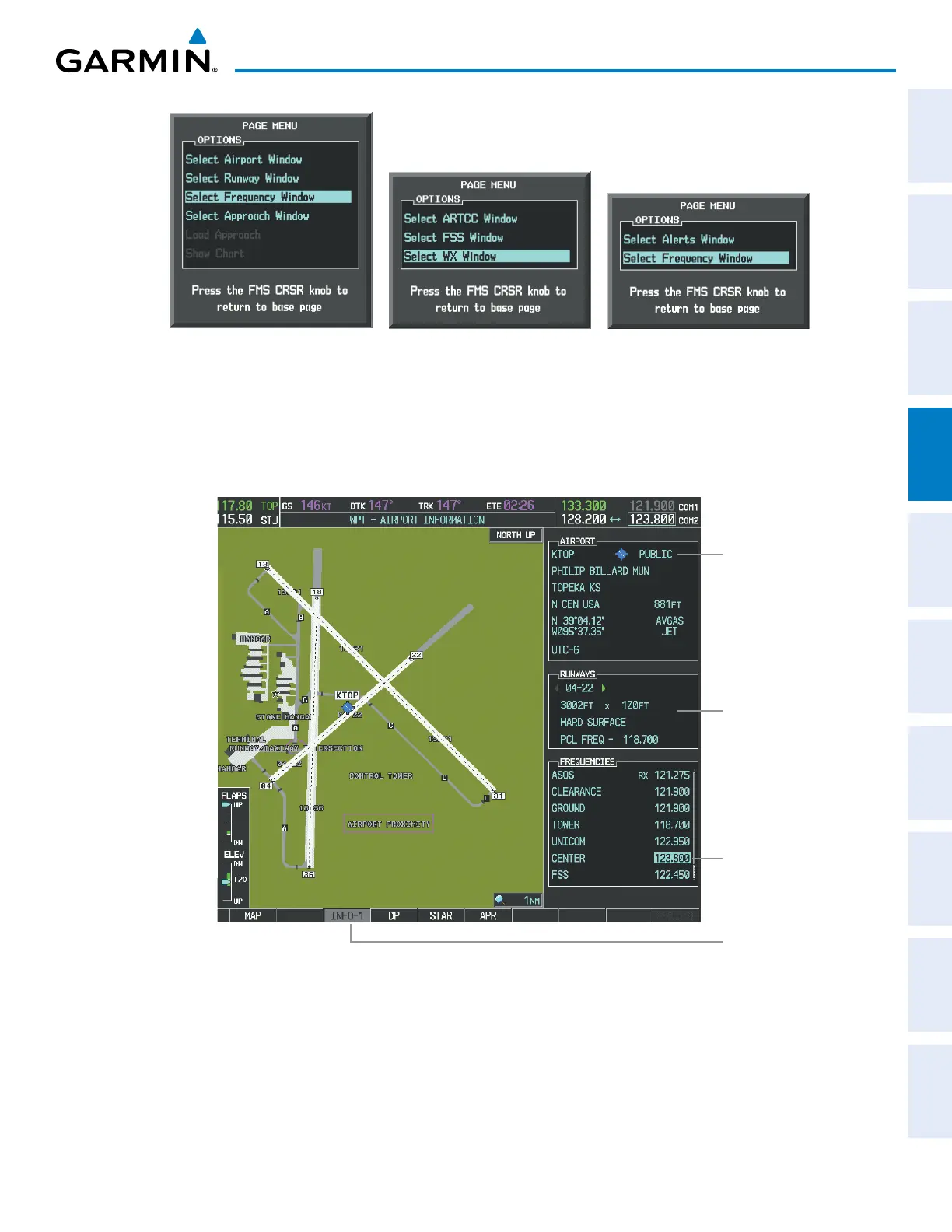
Figure 4-10 Nearest Pages Menus
Nearest Airspaces MenuNearest Airports Menu Nearest Frequencies Menu
On the WPT - Airport Information Page, the cursor can be placed on the frequency field by pressing the
FMS Knob and scrolling through the list. The frequency is transferred to the COM Standby Field with the
ENT Key.
Press
ENT
Key to load
frequency into COM
Standby Field. Cursor
then advances to the
next frequency.
Select
INFO
Softkey for
AIRPORT, RUNWAYS,
and FREQUENCIES
Windows
Selected Airport
Identifier and
Information
Runway
Information
Figure 4-11 WPT – Airport Information Page



 To Next Page