Garmin G950 Pilot’s Guide for the Pilatus PC-6
190-00870-02 Rev. A236
FLIGHT MANAGEMENT
SYSTEM
OVERVIEW
FLIGHT
INSTRUMENTS
EIS
AUDIO PANEL
& CNS
FLIGHT
MANAGEMENT
HAZARD
AVOIDANCE
AFCS
ADDITIONAL
FEATURES
APPENDICESINDEX
DEPARTURES
A Departure Procedure (DP) is loaded at the departure airport in the flight plan. Only one departure can be
loaded at a time in a flight plan. If a departure is loaded when another departure is already in the active flight
plan, the new departure replaces the previous departure. The route is defined by selection of a departure, the
transition waypoints, and a runway.
LOADING A DEPARTURE INTO THE ACTIVE FLIGHT PLAN
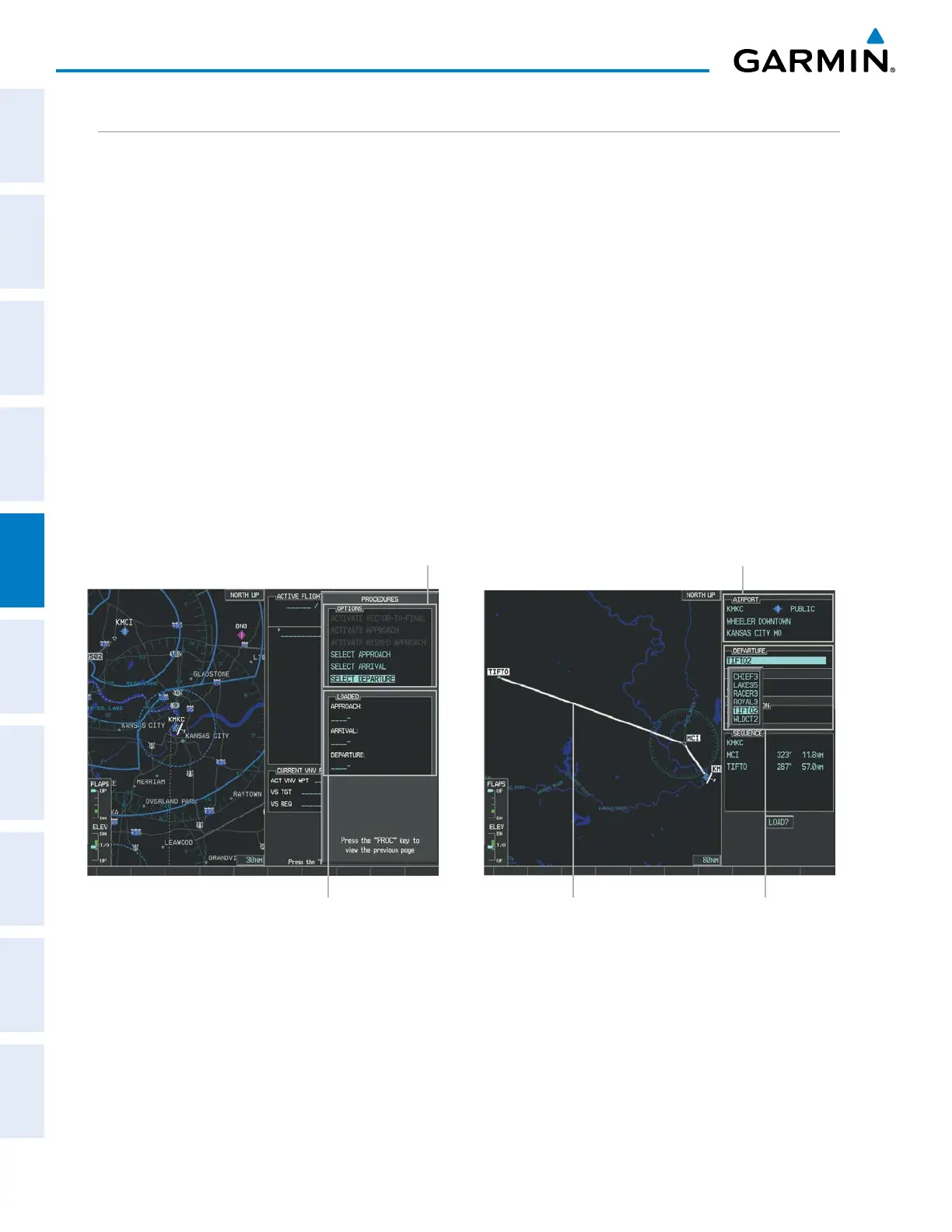
Loading a departure into the active flight plan using the PROC Key:
1) Press the PROC Key. The Procedures Window is displayed.
2) Highlight ‘SELECT DEPARTURE’.
3) Press the ENT Key. The Departure Loading Page is displayed.
4) Select a departure from the list and press the ENT Key.
5) Select a runway (if required) and press the ENT Key.
6) Select a transition (if required) and press the ENT Key. ‘LOAD?’ is highlighted.
7) Press the ENT Key to load the departure procedure.
Figure 5-96 Departure Selection
Departure Airport
Departure Preview
Available Procedure Actions
Departure Choices
Loaded Procedures



 To Next Page