190-00870-02 Rev. A
Garmin G950 Pilot’s Guide for the Pilatus PC-6
43
SYSTEM OVERVIEW
SYSTEM
OVERVIEW
FLIGHT
INSTRUMENTS
EIS
AUDIO PANEL
& CNS
FLIGHT
MANAGEMENT
HAZARD
AVOIDANCE
AFCS
ADDITIONAL
FEATURES
APPENDICES INDEX
SYSTEM UTILITIES
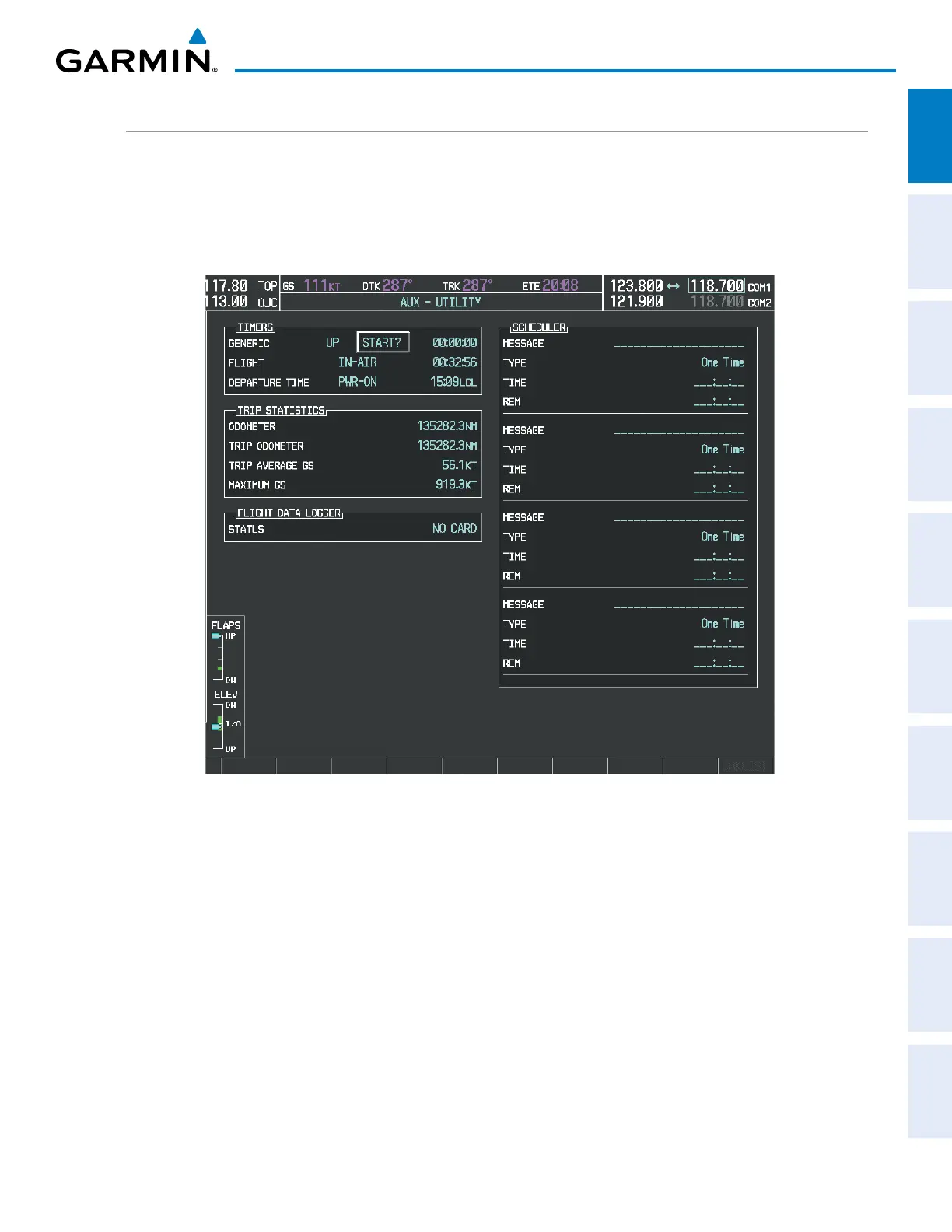
For flight planning purposes, timers, trip statistics, and a scheduler feature are provided on the AUX - Utility
Page. The timers available include a stopwatch-like generic timer, a total time in flight timer, and a record of the
time of departure. Trip statistics—odometer, trip odometer, and average trip and maximum groundspeeds—are
displayed from the time of the last reset. A scheduler feature is also provided so the pilot can enter reminder
messages to be displayed at specified intervals in the Alerts Window on the PFD (see Figure 1-32).
Figure 1-31 Utility Page
TIMERS
The generic timer can be set to count up or down from a specified time (HH:MM:SS). When the countdown
on the timer reaches zero the digits begin to count up from zero. If the timer is reset before reaching zero
on a countdown, the digits are reset to the initial value. If the timer is counting up when reset, the digits are
zeroed.
Setting the generic timer:
1) Use the FMS Knob to select the AUX - Utility Page.
2) Press the FMS Knob momentarily to activate the flashing cursor.
3) Turn the small FMS Knob to select the timer counting direction (UP/DN) and press the ENT Key.



 To Next Page