Garmin G950 Pilot’s Guide for the Pilatus PC-6
190-00870-02 Rev. A162
FLIGHT MANAGEMENT
SYSTEM
OVERVIEW
FLIGHT
INSTRUMENTS
EIS
AUDIO PANEL
& CNS
FLIGHT
MANAGEMENT
HAZARD
AVOIDANCE
AFCS
ADDITIONAL
FEATURES
APPENDICESINDEX
SELECTED ALTITUDE INTERCEPT ARC
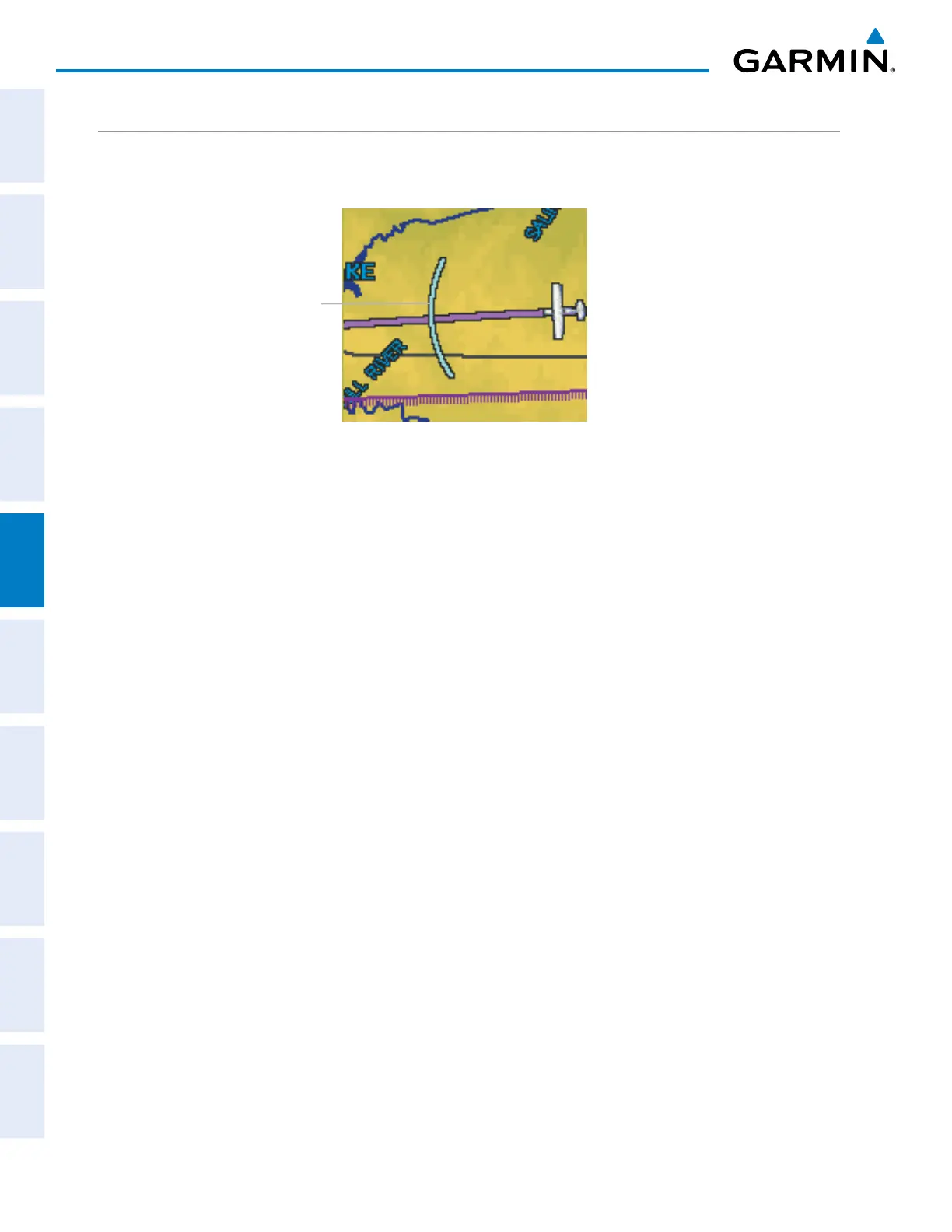
The map can display the location along the current track where the aircraft will intercept the selected altitude.
The location will be shown as a cyan arc when the aircraft is actuallly climbing or descending.
Figure 5-30 Navigation Map - Range to Altitude Arc
Range to
Altitude Arc
Displaying/removing the selected altitude intercept arc:
1) Press the MENU Key with the Navigation Map Page displayed. The cursor flashes on the ‘Map Setup’ option.
2) Press the ENT Key. The Map Setup Menu is displayed.
3) Select the ‘Map’ group.
4) Press the ENT Key.
5) Highlight the ‘SEL ALT ARC’ field.
6) Select ‘On’ or ‘Off’.
7) Press the FMS Knob to return to the Navigation Map Page.



 To Next Page