Garmin G950 Pilot’s Guide for the Pilatus PC-6
190-00870-02 Rev. A64
FLIGHT INSTRUMENTS
SYSTEM
OVERVIEW
FLIGHT
INSTRUMENTS
EIS
AUDIO PANEL
& CNS
FLIGHT
MANAGEMENT
HAZARD
AVOIDANCE
AFCS
ADDITIONAL
FEATURES
APPENDICESINDEX
COURSE DEVIATION INDICATOR (CDI)
NOTE
: If a heading change of greater than 105˚ with respect to the course is made, the CDI on the Arc HSI
switches to the opposite side of the deviation scale and displays reverse sensing.
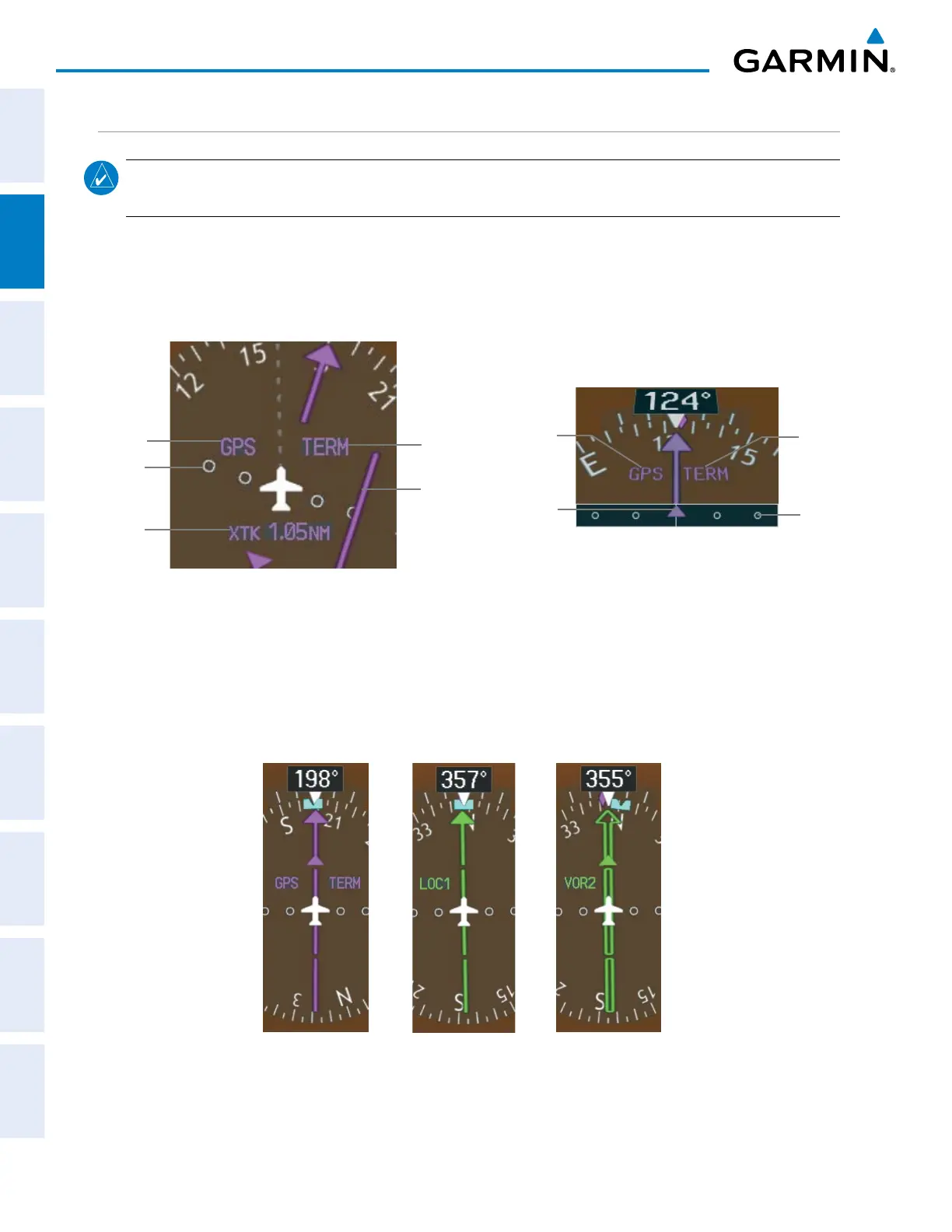
The Course Deviation Indicator (CDI) moves left or right from the course pointer along a lateral deviation
scale to display aircraft position relative to the course. If the course deviation data is not valid, the CDI is not
displayed.
Figure 2-23 Course Deviation Indicator
Crosstrack
Error
Navigation
Source
Scale
CDI
360º HSI
Flight
Phase
CDI
Navigation
Source
CDI
Scale
Flight
Phase
Arc HSI
The CDI can display two sources of navigation: GPS or NAV (VOR, localizer). Color indicates the current
navigation source: magenta (for GPS) or green (for VOR and LOC). The full scale limits for the CDI are defined
by a GPS-derived distance when coupled to GPS. When coupled to a VOR or localizer (LOC), the CDI has the
same angular limits as a mechanical CDI. If the CDI exceeds the maximum deviation on the scale (two dots)
while coupled to GPS, the crosstrack error (XTK) is displayed below the white aircraft symbol.
Figure 2-24 Navigation Sources



 To Next Page