190-00870-02 Rev. A
Garmin G950 Pilot’s Guide for the Pilatus PC-6
71
FLIGHT INSTRUMENTS
SYSTEM
OVERVIEW
FLIGHT
INSTRUMENTS
EIS
AUDIO PANEL
& CNS
FLIGHT
MANAGEMENT
HAZARD
AVOIDANCE
AFCS
ADDITIONAL
FEATURES
APPENDICES INDEX
2.2 SUPPLEMENTAL FLIGHT DATA
NOTE: Selecting the DFLTS Softkey (a second-level PFD softkey) turns off metric Altimeter display, the Inset
Map, and wind data display.
In addition to the flight instruments, the PFD also displays various supplemental information, including the
Outside Air Temperature (OAT), wind data, and Vertical Navigation (VNV) indications.
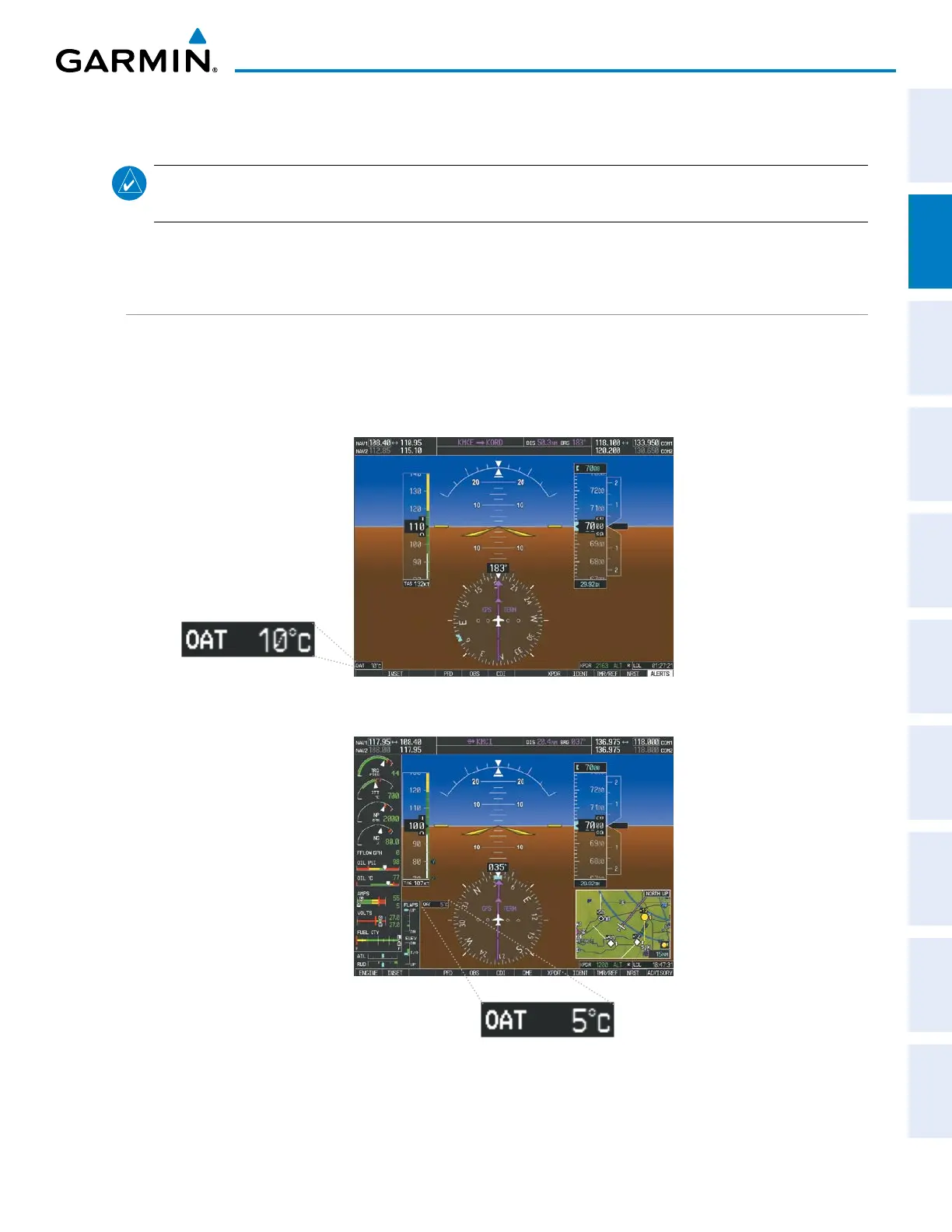
OUTSIDE AIR TEMPERATURE
The Outside Air Temperature (OAT) is displayed in degrees Celsius (°C) in the lower left of the PFD under
normal display conditions. During reversionary display conditions the OAT is displayed to the right of the flap
indicator.
Normal Display
Figure 2-32 Outside Air Temperature
Reversionary Mode with EIS



 To Next Page