190-00870-02 Rev. A
Garmin G950 Pilot’s Guide for the Pilatus PC-6
137
FLIGHT MANAGEMENT
SYSTEM
OVERVIEW
FLIGHT
INSTRUMENTS
EIS
AUDIO PANEL
& CNS
FLIGHT
MANAGEMENT
HAZARD
AVOIDANCE
AFCS
ADDITIONAL
FEATURES
APPENDICES INDEX
NOTE: When panning or reviewing active flight plan legs in a non-North Up orientation, the map does not
show the map orientation nor the wind direction and speed.
NOTE: Map orientation can only be changed on the Navigation Map Page. Any other displays that show
navigation data reflect the orientation selected for the Navigation Map Page:
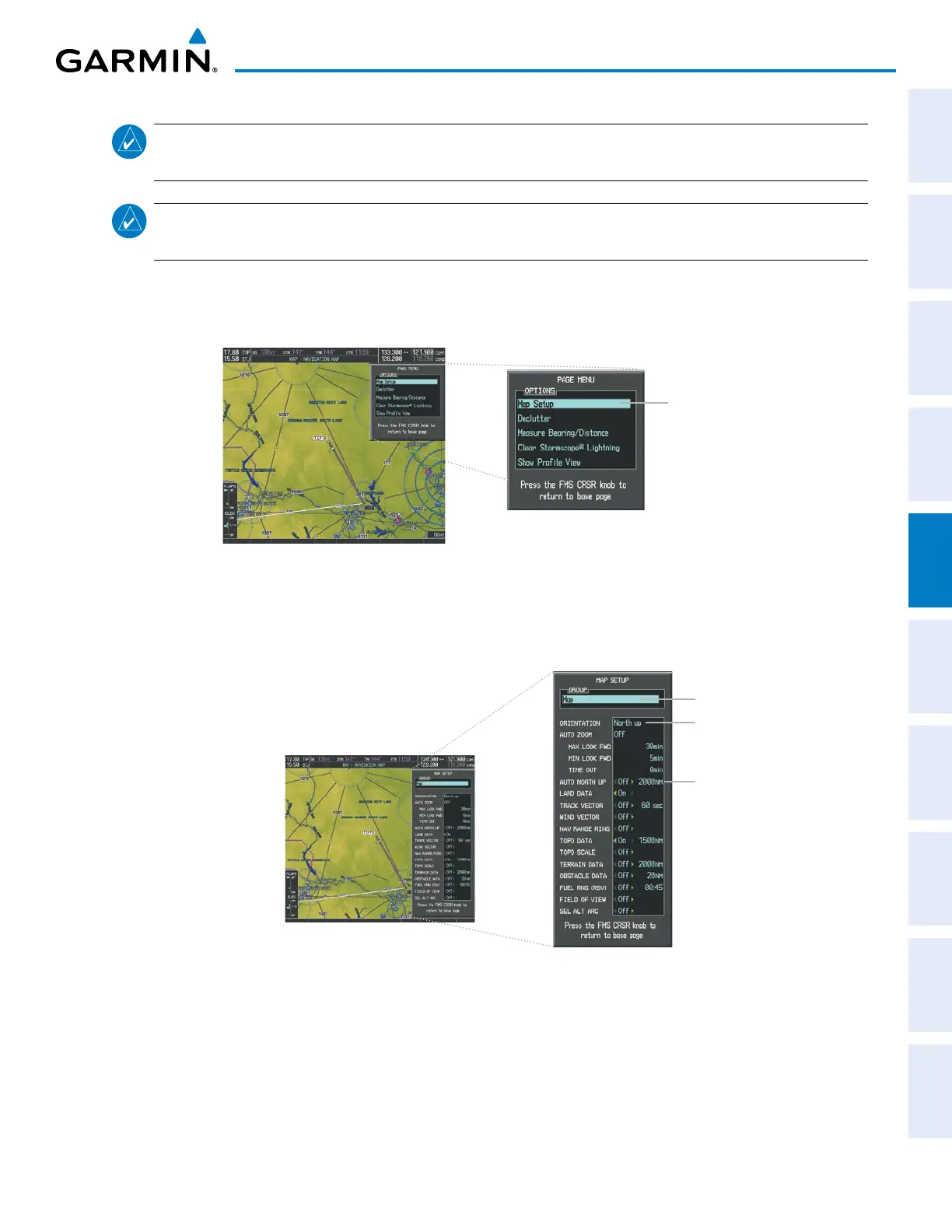
Changing the Navigation Map orientation:
1) With the Navigation Map Page displayed, press the MENU Key. The cursor flashes on the ‘Map Setup’ option.
Figure 5-4 Navigation Map Page Menu Window
Map Setup
Selection
2) Press the ENT Key to display the Map Setup Window.
3) Turn the large FMS Knob, or press the ENT Key once, to select the ‘ORIENTATION’ field.
Figure 5-5 Map Setup Menu Window - Map Group
Orientation Field
Map Group Selection
Auto North Up
- On/Off
- Minimum Range
4) Turn the small FMS Knob to select the desired orientation.
5) Press the ENT Key to select the new orientation.
6) Press the FMS Knob to return to the base page.



 To Next Page