Garmin G950 Pilot’s Guide for the Pilatus PC-6
190-00870-02 Rev. A144
FLIGHT MANAGEMENT
SYSTEM
OVERVIEW
FLIGHT
INSTRUMENTS
EIS
AUDIO PANEL
& CNS
FLIGHT
MANAGEMENT
HAZARD
AVOIDANCE
AFCS
ADDITIONAL
FEATURES
APPENDICESINDEX
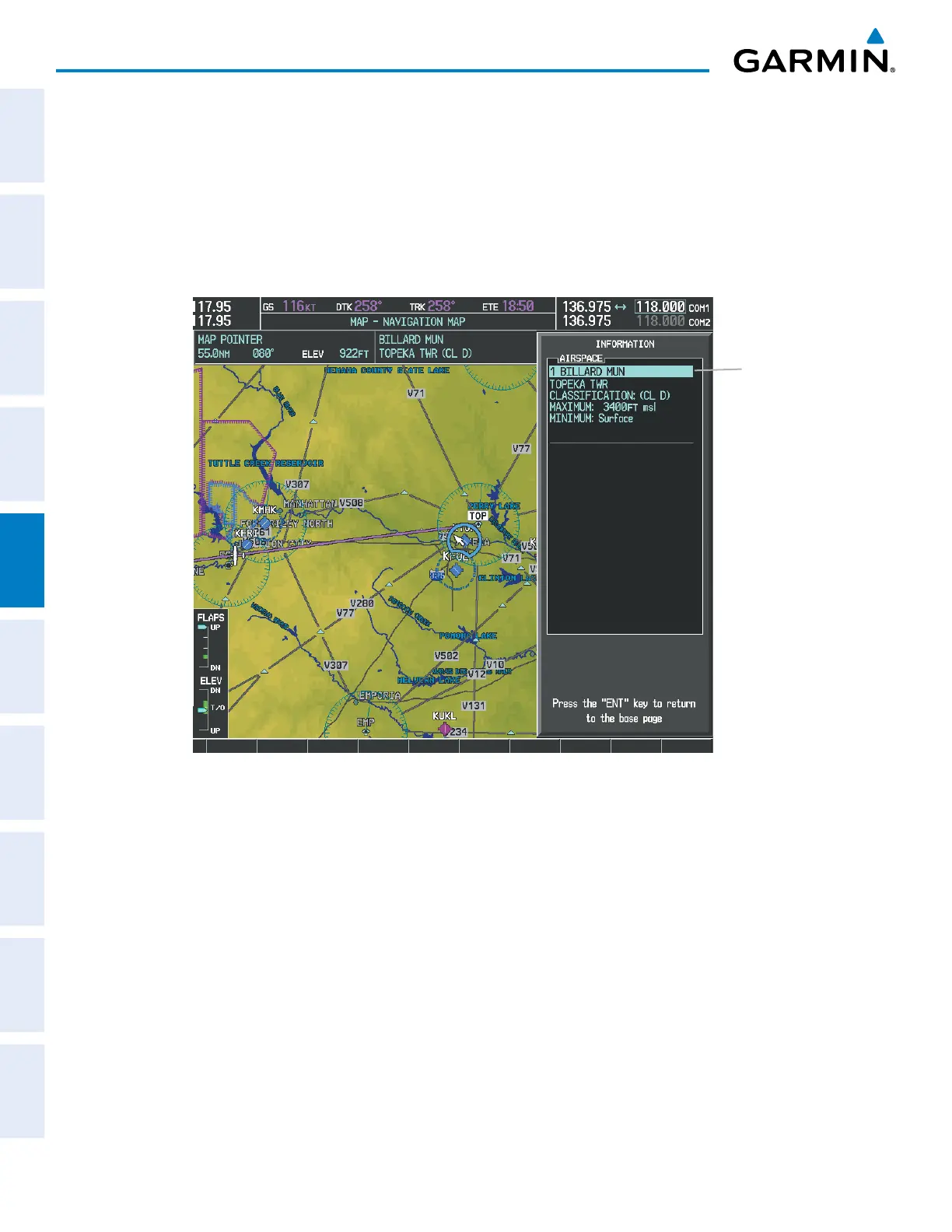
Viewing airspace information for a special-use or controlled airspace:
1) Place the Map Pointer on an open area within the boundaries of an airspace.
2) Press the ENT Key to display an options menu.
3) ‘Review Airspace?’ should already be highlighted, if not select it. Press the ENT Key to display the Airspace
Information Page for the selected airspace.
4) Press the CLR or ENT Key to exit the Airspace Information Page.
Figure 5-12 Navigation Map - Information Window - Airspace
Airspace
Information



 To Next Page