Garmin G950 Pilot’s Guide for the Pilatus PC-6
190-00870-02 Rev. A148
FLIGHT MANAGEMENT
SYSTEM
OVERVIEW
FLIGHT
INSTRUMENTS
EIS
AUDIO PANEL
& CNS
FLIGHT
MANAGEMENT
HAZARD
AVOIDANCE
AFCS
ADDITIONAL
FEATURES
APPENDICESINDEX
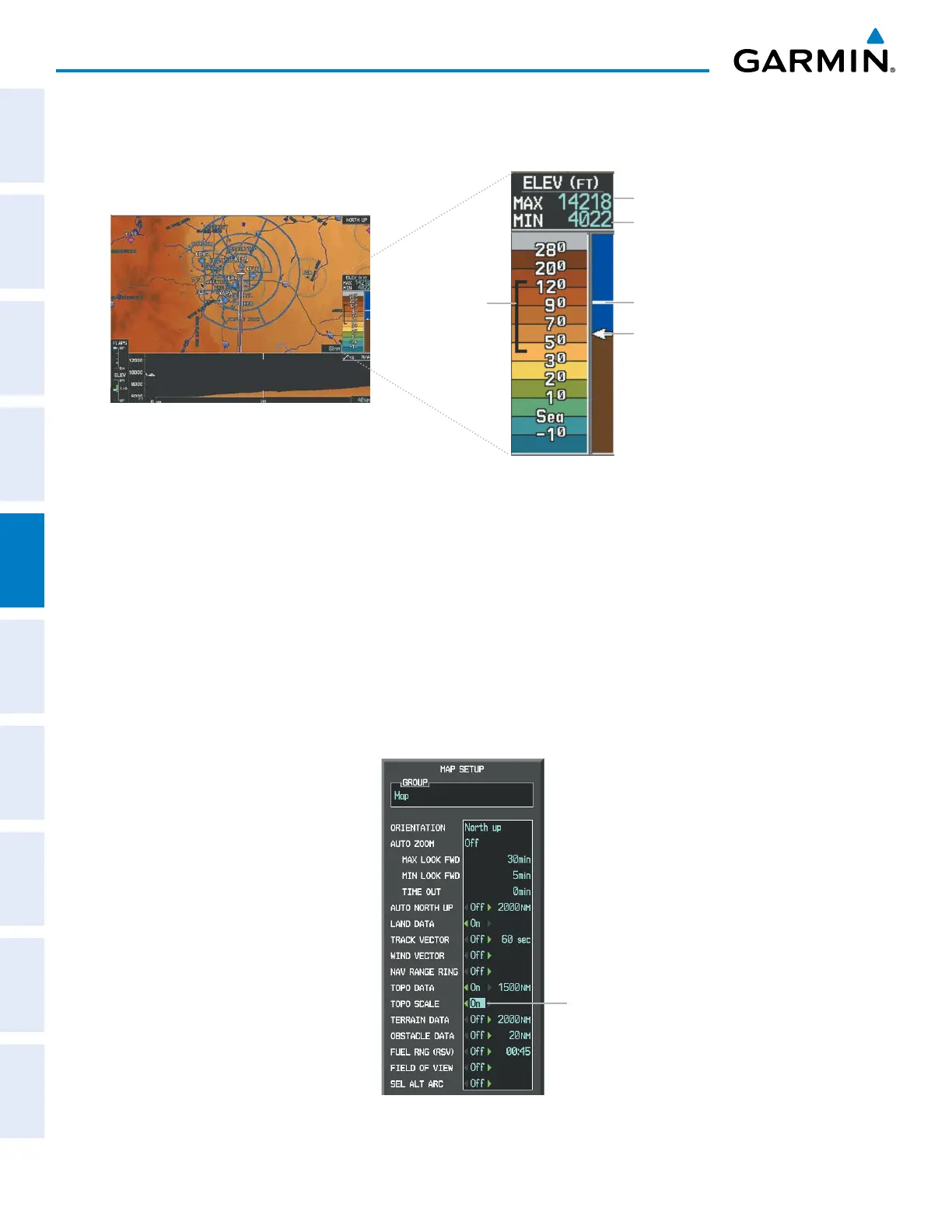
In addition, the Navigation Map can display a topographic scale (located in the lower right hand side of the
map) showing a scale of the terrain elevation and current elevation values.
Figure 5-16 Navigation Map - TOPO SCALE
Maximum Displayed Elevation
Minimum Displayed Elevation
Aircraft Altitude (MSL)
Ground Elevation at Pointer
Location (only visible when
Pointer is displayed)
Range of
Displayed
Elevations
Displaying/removing the topographic scale (TOPO SCALE):
1) Press the MENU Key with the Navigation Map Page displayed. The cursor flashes on the ‘Map Setup’ option.
2) Press the ENT Key. The Map Setup Menu is displayed.
3) Select the ‘Map’ group and press the ENT Key.
4) Highlight the ‘TOPO SCALE’ field.
5) Select ‘On’ or ‘Off’.
6) Press the FMS Knob to return to the Navigation Map Page.
Figure 5-17 Navigation Map Setup Menu - TOPO SCALE Setup
TOPO SCALE
On/Off



 To Next Page