Garmin G950 Pilot’s Guide for the Pilatus PC-6
190-00870-02 Rev. A166
FLIGHT MANAGEMENT
SYSTEM
OVERVIEW
FLIGHT
INSTRUMENTS
EIS
AUDIO PANEL
& CNS
FLIGHT
MANAGEMENT
HAZARD
AVOIDANCE
AFCS
ADDITIONAL
FEATURES
APPENDICESINDEX
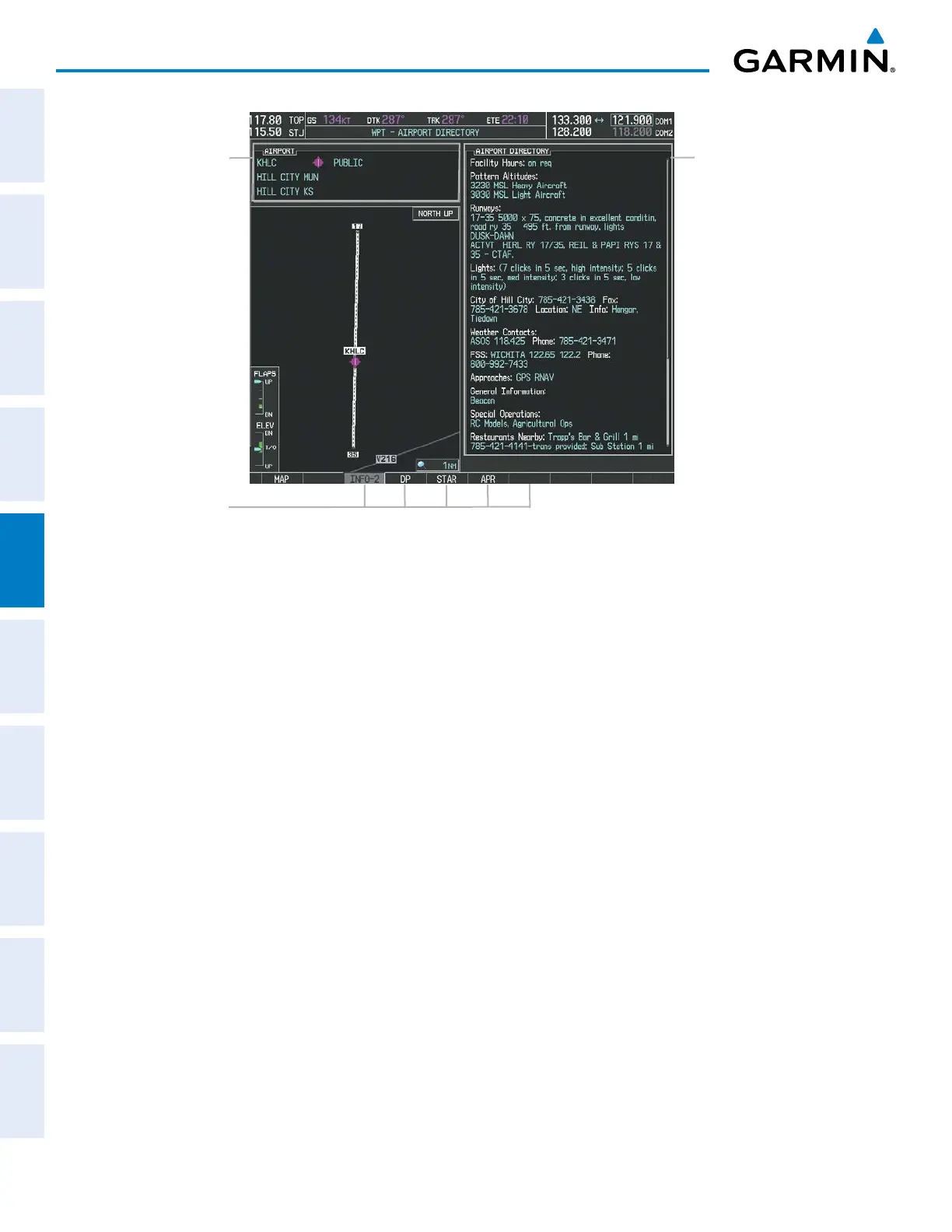
Figure 5-34 Airport Directory Page Example
Airport Information
- ID/Facility/City
- Usage Type/Region
Airport Directory
Information
Softkeys
The airport directory information is viewed on the Airport Directory Page by pressing the INFO softkey until
INFO-2 is displayed. The following are types of airport directory informantion shown (if available) on the
Airport Directory Page:
• Airport: Identifier, Site
Number, Name, City, State
• Traffic Pattern Altitudes
(TPA): Aircraft Class/Altitude
• Runway: Headings, Length,
Width, Obstructions, Surface
• Phones: Phone/Fax Numbers • Weather: Service Type,
Frequency, Phone Number
• Obstructions: General
Airport Obstructions
• Hours: Facility Hours, Light
Hours, Tower Hours, Beacon
Hours
• Flight Service Station (FSS):
FSS Name, Phone Numbers
• Special Operations at
Airport
• Location: Sectional, Magnetic
Variation
• Instrument Approaches:
Published Approach, Freq.
• Services Available: Category,
Specific Service
• Frequencies: Type/Frequency • NAVAIDS: Type, Identifier,
Frequency, Radial, Distance
• Notes: Airport Notes
• Transportation: Ground
Transportation Type Available
• Noise: Noise Abatement
Procedures
• Pilot Controlled Lighting:
High/Med/Low Clicks/Second
• Approach: Approach Facility
Name, Frequency, Frequency
Parameter
• Charts: Low Altitude Chart
Number
• FBO: Type, Frequencies,
Services, Fees, Fuel, Credit
Cards, Phone/Fax Numbers



 To Next Page