190-00870-02 Rev. A
Garmin G950 Pilot’s Guide for the Pilatus PC-6
271
FLIGHT MANAGEMENT
SYSTEM
OVERVIEW
FLIGHT
INSTRUMENTS
EIS
AUDIO PANEL
& CNS
FLIGHT
MANAGEMENT
HAZARD
AVOIDANCE
AFCS
ADDITIONAL
FEATURES
APPENDICES INDEX
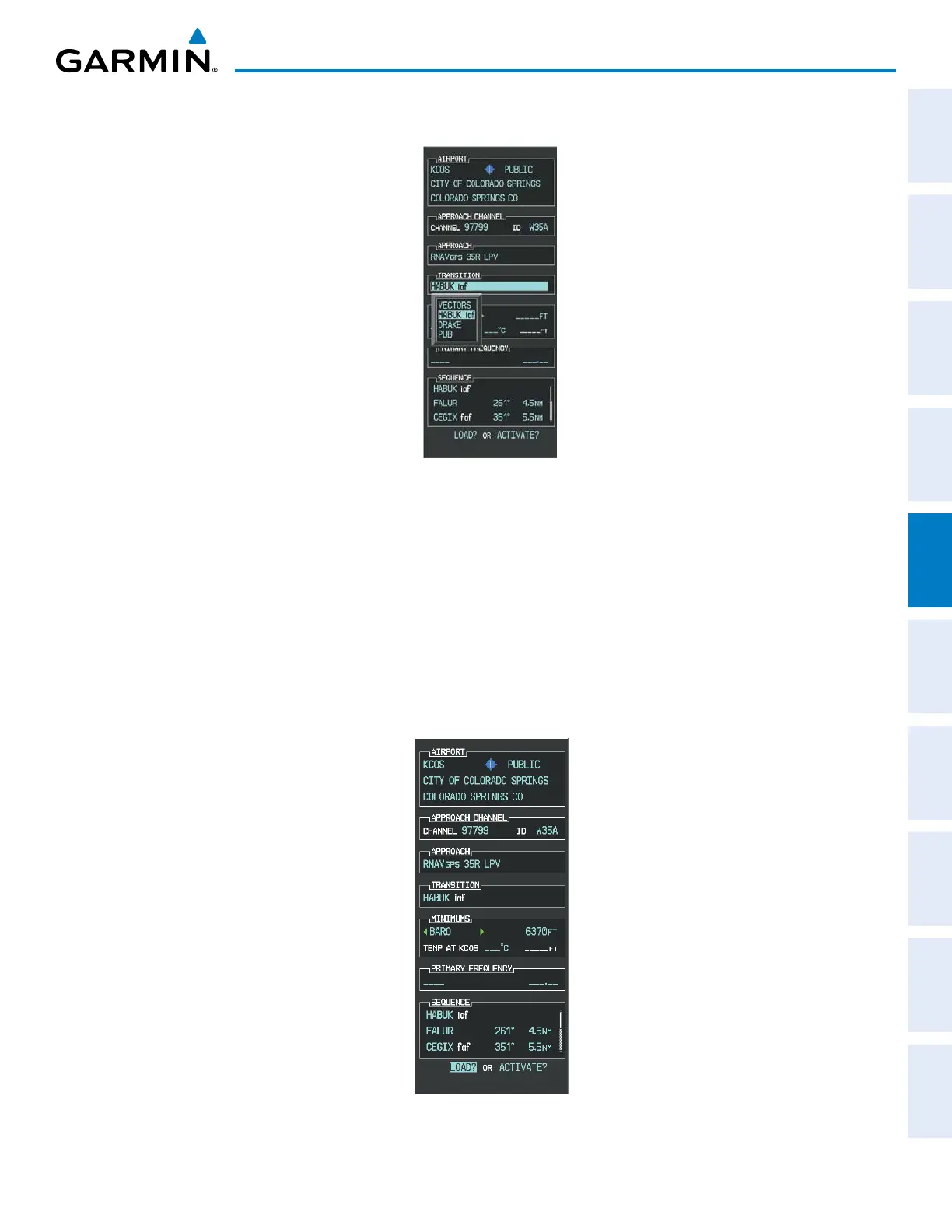
e) Press the ENT Key. A list of available transitions for the selected approach is displayed as in Figure 5-133.
Figure 5-133 List of Available Transitions
f) Turn either FMS Knob to select the desired transition. In this case, the Initial Approach Fix (IAF) at HABUK is
used.
g) Press the ENT Key.
h) Barometric Minimums (Figure 5-134)
To set ‘MINIMUMS’, turn the small FMS Knob to select ‘BARO’, and press the ENT Key. Turn the small
FMS Knob to select the altitude, and press the ENT Key.
Or:
To skip setting minimums, press the ENT Key.
Figure 5-134 Barometric Minimums Set



 To Next Page