190-00870-02 Rev. A
Garmin G950 Pilot’s Guide for the Pilatus PC-6
313
HAZARD AVOIDANCE
SYSTEM
OVERVIEW
FLIGHT
INSTRUMENTS
EIS
AUDIO PANEL
& CNS
FLIGHT
MANAGEMENT
HAZARD
AVOIDANCE
AFCS
ADDITIONAL
FEATURES
APPENDICES INDEX
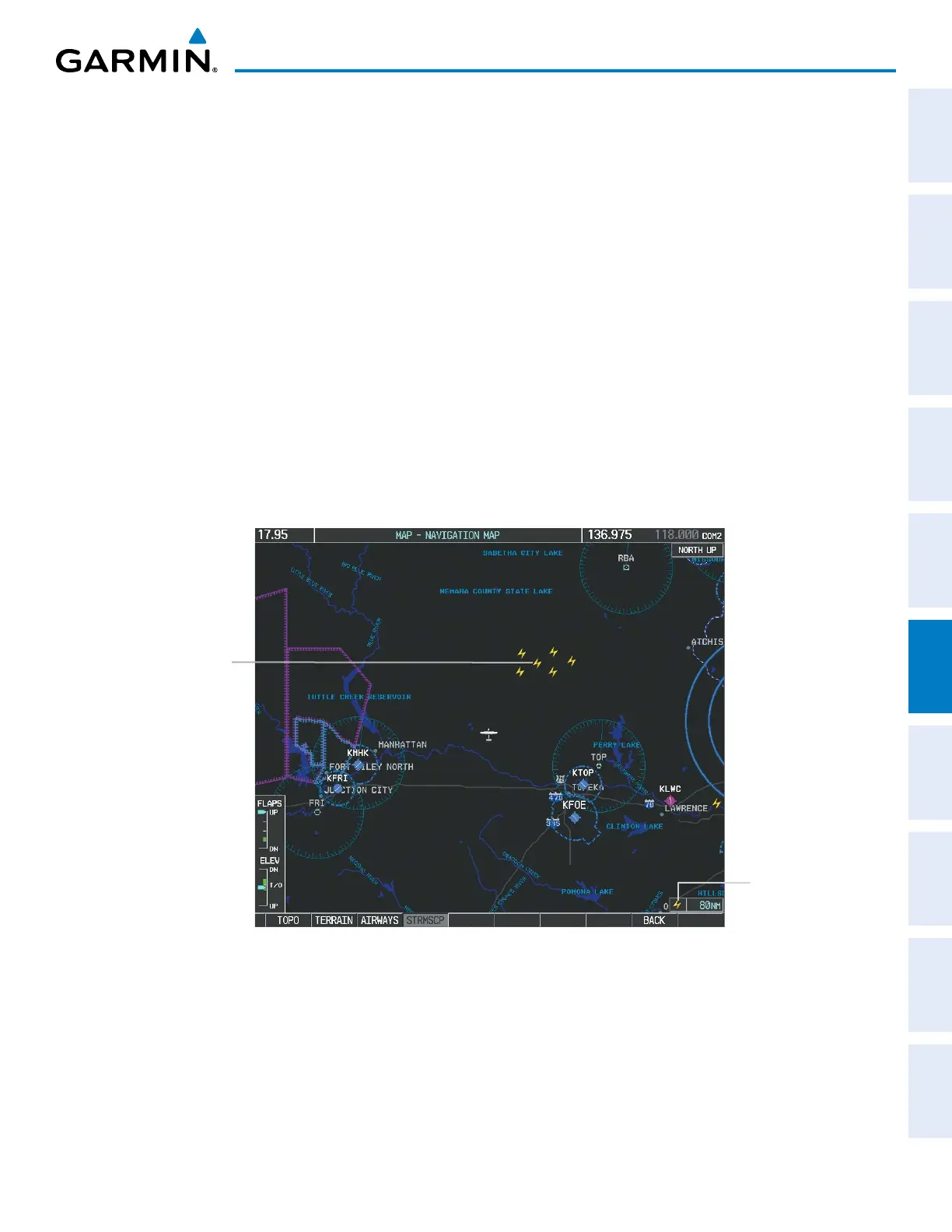
CELL AND STRIKE MODE ON THE NAVIGATION MAP
On the Navigation Map, cell mode identifies cells of lightning activity (Figure 6-24). Stormscope identifies
clusters of electrical activity that indicate cells. Strike mode indicates the approximate location of lightning
strikes.
Selecting the ‘cell’ or ‘strike’ mode on the Navigation Map:
1) Press the MENU Key.
2) With ‘Map Setup’ selected, press the ENT Key.
3) Select the ‘Weather’ group.
4) Press the ENT Key. The cursor flashes on ‘STRMSCP LTNG’.
5) Turn the
large FMS
Knob to select ‘STRMSCP MODE’.
6) Turn the
small
FMS Knob to change between ‘CELL’ and ‘STRIKE’ options. When an item is selected, press the
ENT Key.
7) Press the
FMS
knob to return to the Navigation Map Page.
Figure 6-24 Navigation Map Page with
Stormscope Lightning Data
Stormscope
Enabled
Lightning
Strikes



 To Next Page