Garmin G950 Pilot’s Guide for the Pilatus PC-6
190-00870-02 Rev A384
ADDITIONAL FEATURES
SYSTEM
OVERVIEW
FLIGHT
INSTRUMENTS
EIS
AUDIO PANEL
& CNS
FLIGHT
MANAGEMENT
HAZARD
AVOIDANCE
AFCS
ADDITIONAL
FEATURES
APPENDICESINDEX
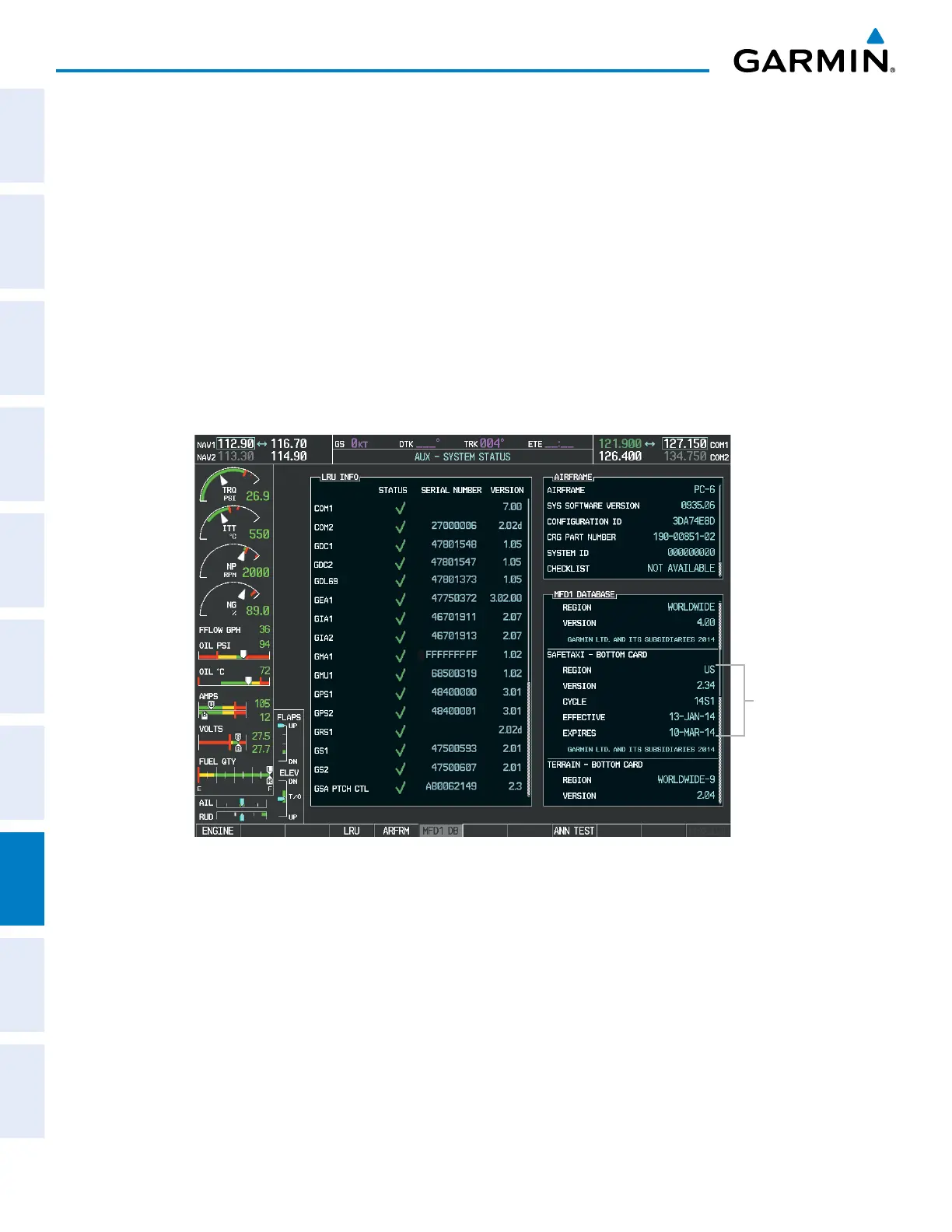
The SafeTaxi Region, Version, Cycle, Effective date and Expires date of the database cycle can also be found
on the AUX - System Status page, as seen in Figure 8-18.
Press the MFD1 DB Softkey to place the cursor in the DATABASE window. Scroll through the listed
information by turning the FMS Knob or pressing the ENT Key until the SafeTaxi database information is
shown.
The SafeTaxi database cycle number shown in the figure, 14S1, is deciphered as follows:
14 – Indicates the year 2014
S – Indicates the data is for SafeTaxi
1 – Indicates the first issue of the SafeTaxi database for the year
The SafeTaxi EFFECTIVE date 13–JAN–14 is the beginning date for the current database cycle. SafeTaxi
EXPIRES date 10–MAR–14 is the revision date for the next database cycle.
Figure 8-18 AUX – System Status Page, SafeTaxi Current Information
SafeTaxi Data
SafeTaxi information appears in cyan and yellow text. The EFFECTIVE date appears in cyan when data is
current and in yellow when the current date is before the effective date. The EXPIRES date appears in cyan
when data is current and in yellow when expired (Figures 8-18 and 8-19). NOT AVAILABLE appears in cyan
in the REGION field if SafeTaxi data is not available on the database card (Figure 8-19). An expired SafeTaxi
database is not disabled and will continue to function indefinitely.
Press the MFD1 DB Softkey a second time. The softkey label will change to PFD1 DB. The DATABASE
window will now be displaying database information for PFD1. As before, scroll through the listed information
by turning the FMS Knob or pressing the ENT Key until the SafeTaxi database information is shown.
Refer to Updating Garmin Databases in Appendix B for instructions on revising the SafeTaxi database.



 To Next Page