190-00870-02 Rev A
Garmin G950 Pilot’s Guide for the Pilatus PC-6
391
ADDITIONAL FEATURES
SYSTEM
OVERVIEW
FLIGHT
INSTRUMENTS
EIS
AUDIO PANEL
& CNS
FLIGHT
MANAGEMENT
HAZARD
AVOIDANCE
AFCS
ADDITIONAL
FEATURES
APPENDICES INDEX
Pressing the INFO-1 or INFO-2 Softkey returns to the airport diagram chart when the view is on a terminal
procedure chart. If the displayed chart is the airport diagram chart, pressing the INFO-1 or INFO-2 Softkey
returns to the Airport Information Page.
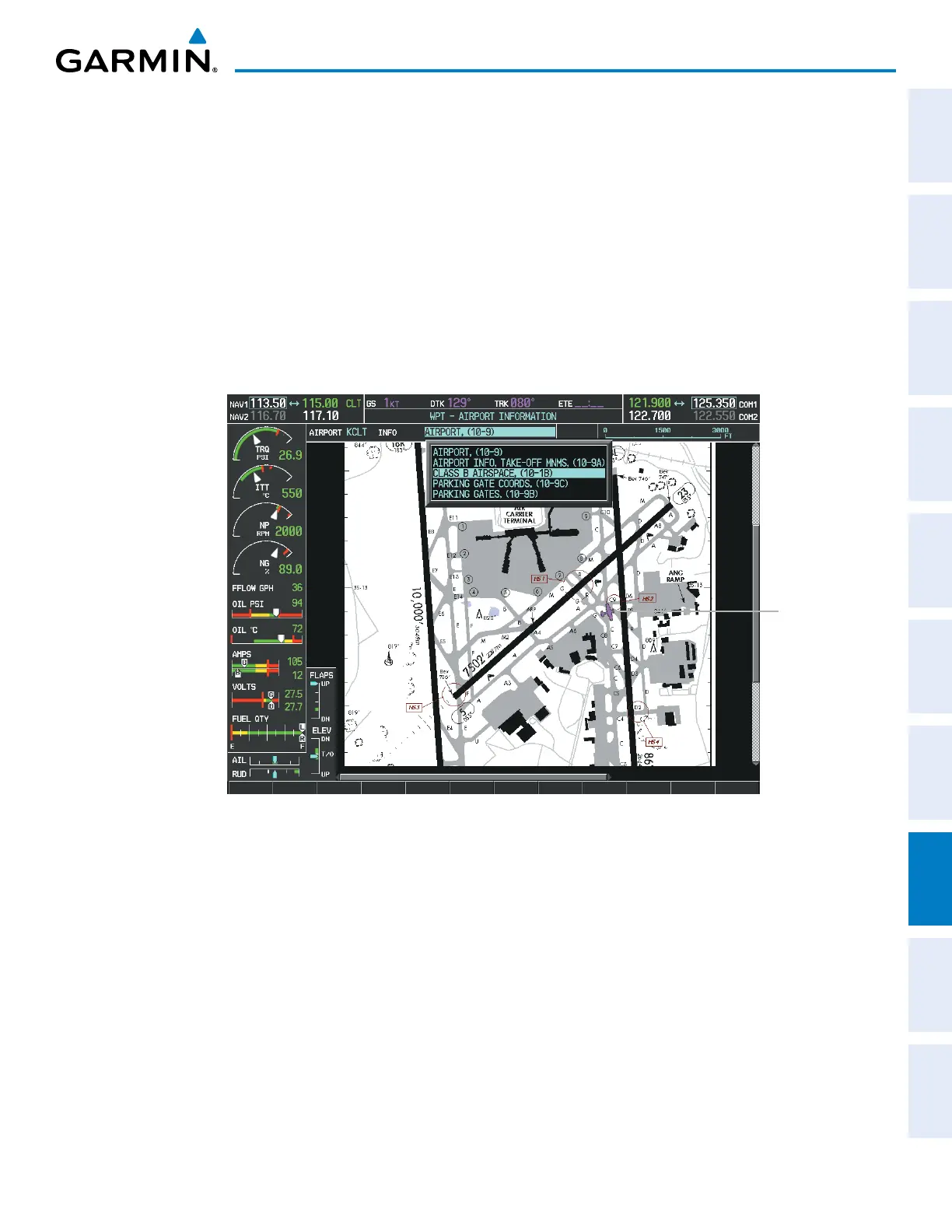
The aircraft position is shown in magenta on the ChartView diagrams when the location of the aircraft is within
the chart boundaries. In the example shown, the aircraft is turning onto Taxiway Romeo on the Charlotte, NC
(KCLT) airport.
Another source for additional airport information is from the INFO Box above the chart for certain airports.
This information source is not related to the INFO-1 or INFO-2 Softkey. When the INFO Box is selected using
the FMS Knob, the G950 softkeys are blank. The Charlotte, NC airport has five additional charts offering
information; the Airport Diagram, Take-off Minimums, Class B Airspace, Airline Parking Gate Coordinates, and
Airline Parking Gate Location. (The numbers in parentheses after the chart name are Jeppesen designators.)
Aircraft
Current
Position
Figure 8-27 Airport Information Page, INFO View, Full Screen Width



 To Next Page