GPSMAP 192C Owner’s Manual 85
USING SONAR > SONAR PAGE
To mark an underwater waypoint:
1. From the Sonar page, press MENU, highlight Show
Pointer, and press ENTER to pause the screen movement.
2. Use the ROCKER to move the cursor onto the target, such
as underwater drop offs and stumps, you want to mark. The
data window at the top of the screen displays the cursor’s
depth, coordinates, bearing and distance from your current
position.
3. Press ENTER/MARK. The New Waypoint page appears
with the waypoint’s coordinates, default three-digit name,
and pointer depth automatically filled in.
4. To change the name, symbol or depth, highlight the
appropriate field, and press ENTER. Make your changes
and press ENTER when finished.
5. When finished, highlight OK, and press ENTER.
6. To return to the standard Sonar page, press QUIT, or press
MENU, highlight Hide Pointer, and press ENTER.
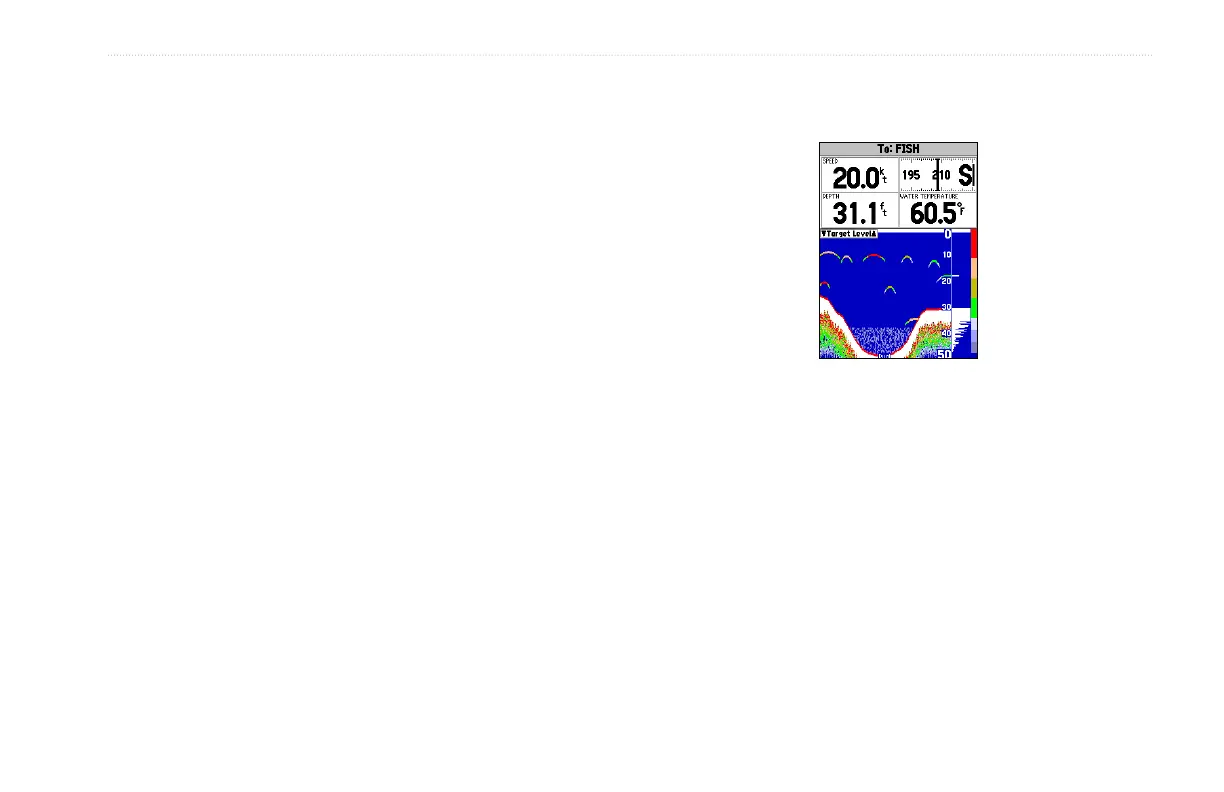
Show/Hide Numbers—toggles showing/hiding the data fields on
the sonar display.
Show Numbers Option
Change Numbers—allows you to specify the type of data
displayed in each data field. For detailed instructions on changing
the data fields, see pages 31.
Size Split—enables width adjustment of the Sonar page split
screen. This option is available only when a split screen zoom scale
is selected. Adjust the size of the split window anywhere from 1/4
to 3/4 width of the right half of the Sonar page.













 To Next Page