Viewing Additional XM Weather Information
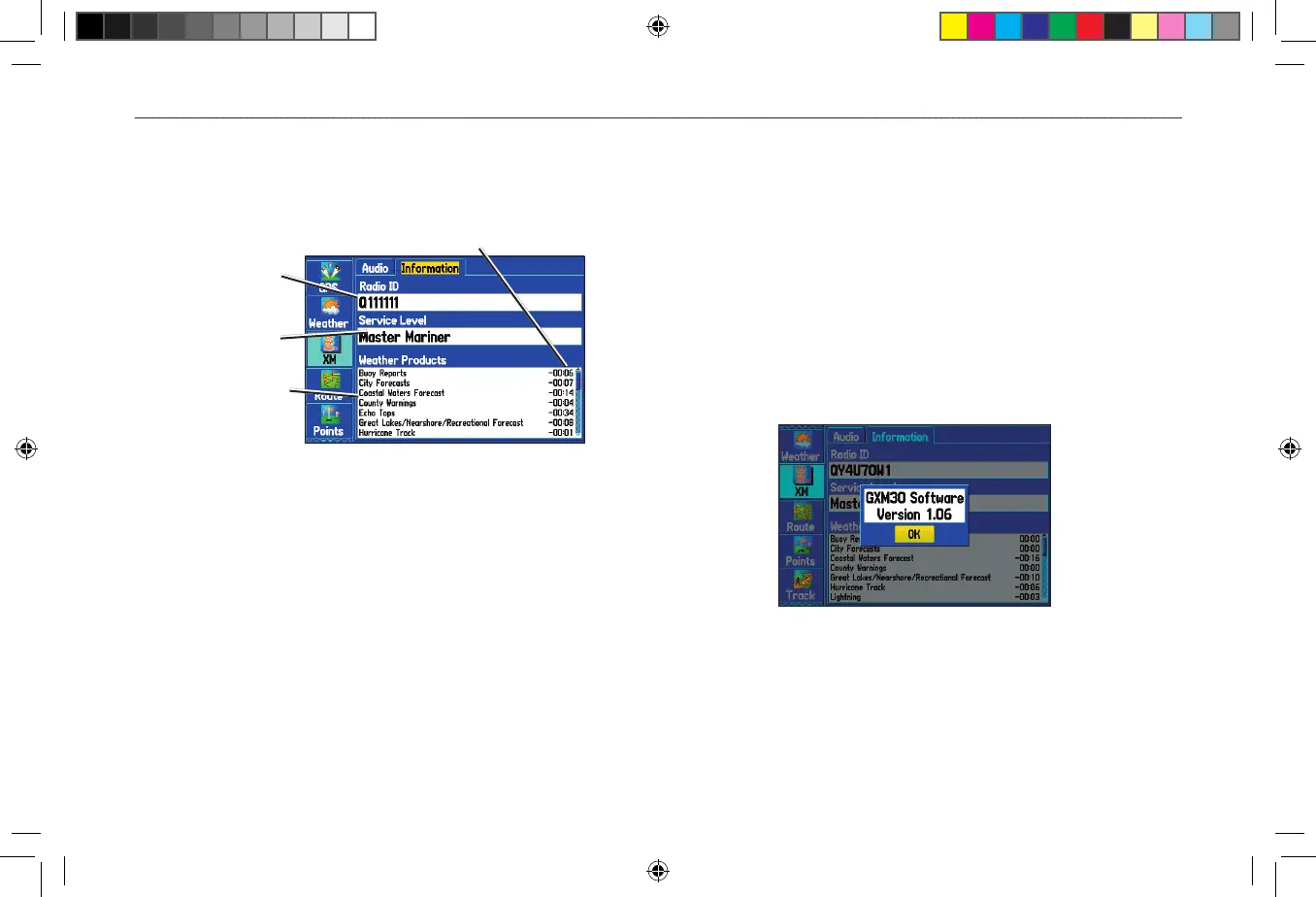
Use the Information sub tab to view the radio identification number,
service level information, and list of weather products.
Information Sub Tab
Radio ID
Subscription
package
List of available
weather features
Age (in minutes) of weather data
The Information sub tab contains the following information:
Radio ID—contains the eight-digit identification number of the
radio built into your GXM 30 antenna. You must provide this ID to
XM to start your XM Radio and XM WX Weather subscriptions.
Service Level—shows the name of the XM WX Weather
subscription plan you purchased.
Weather Products
—shows a list of all weather features you can
access based on your subscription plan. Shows the age of weather
data in minutes.
Accessing GXM 30 Antenna Information
Use the Information sub to obtain version information about your
GXM 30 antenna.
To view information about your GXM 30 antenna:
1. Highlight the XM tab on the Main Menu.
2. Select the Information sub tab.
3. Press MENU.
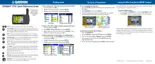
4. With Antenna Information highlighted, press ENTER. A
window appears showing the software version loaded to your
GXM 30 antenna.
5. Press ENTER to close the window.












 To Next Page