Finding Weather Information
You can use the Find Menu to access weather information for your
current location or from another location on the map. By selecting
the Weather Data option on the Find Menu, you can view the current
conditions, forecast information, sea surface conditions, and weather
bulletins. For more information about the Find Menu, see “Finding
an Item” beginning on page 17.
To find weather information for your current location:
1. From any page, press FIND.
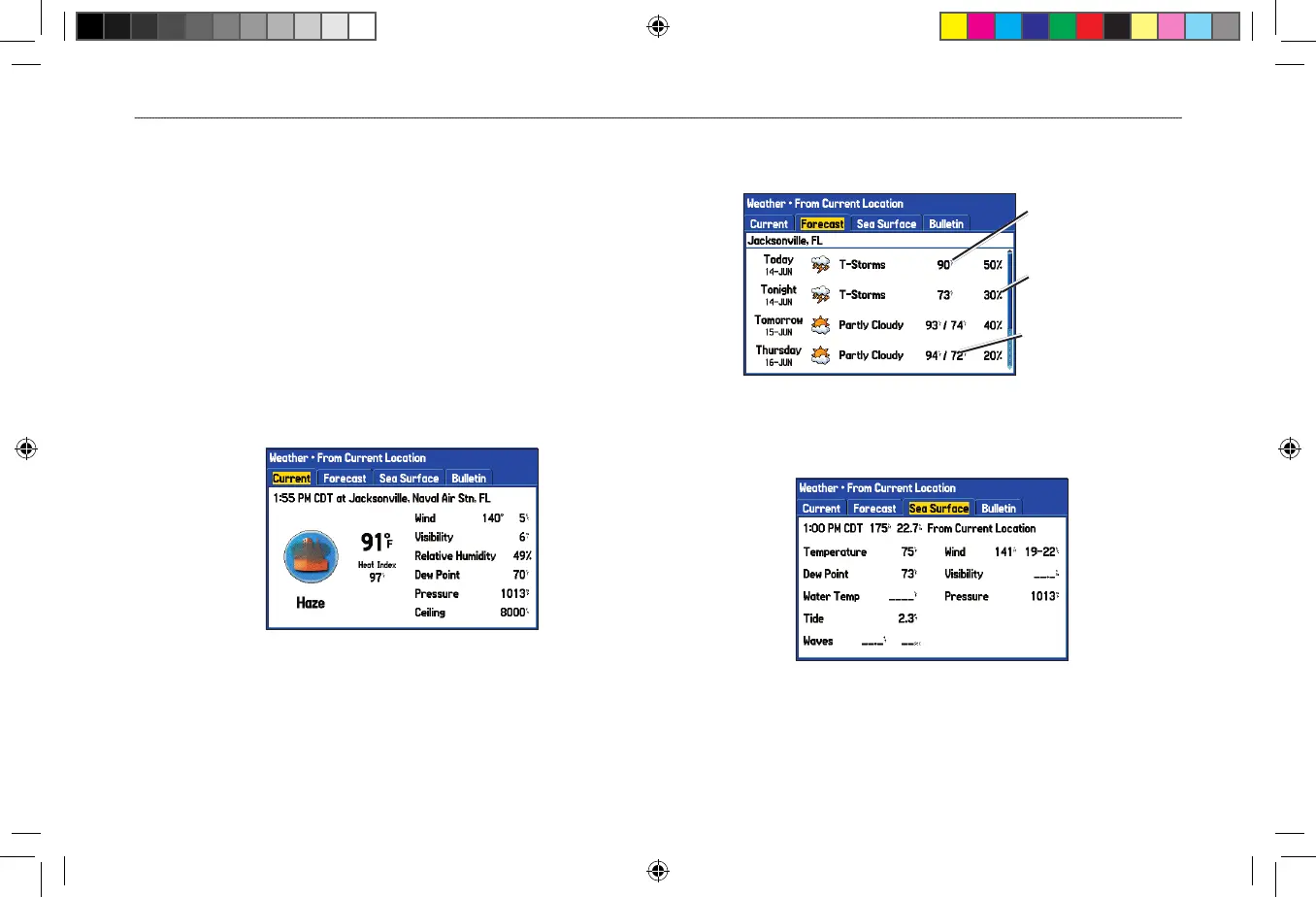
2. Select Weather Data, and press ENTER. The Weather From
Current Location Page opens.
Weather From Current Location
3. Highlight the Forecast tab to view the weather forecast for
your current location.
Weather Forecast
Forecast low
temperature
Forecast high
temperature
Chance of
precipitation
4. Highlight the Sea Surface tab to view sea surface
information.
Sea Surface Information












 To Next Page