16 GPSMAP
®
4000/5000 Series Owner’s Manual
Charts and 3D Chart Views
Heading and Projected Course of Activated AIS Targets
When heading and course over ground information are provided by an activated AIS target, the heading of the
target appears on a chart as a solid line attached to the AIS target symbol. A heading line does not appear on a
3D chart view.
The projected course of an activated AIS target appears as a dashed line on a chart or a 3D chart view. The
length of the projected course line is based on the value of the projected heading setting (page 17). If an
activated AIS target is not transmitting speed information, or if the vessel is not moving, a projected course
line does not appear. Changes in the speed, the course over ground, or the rate-of-turn information transmitted
by the vessel can impact the calculation of the projected course line.
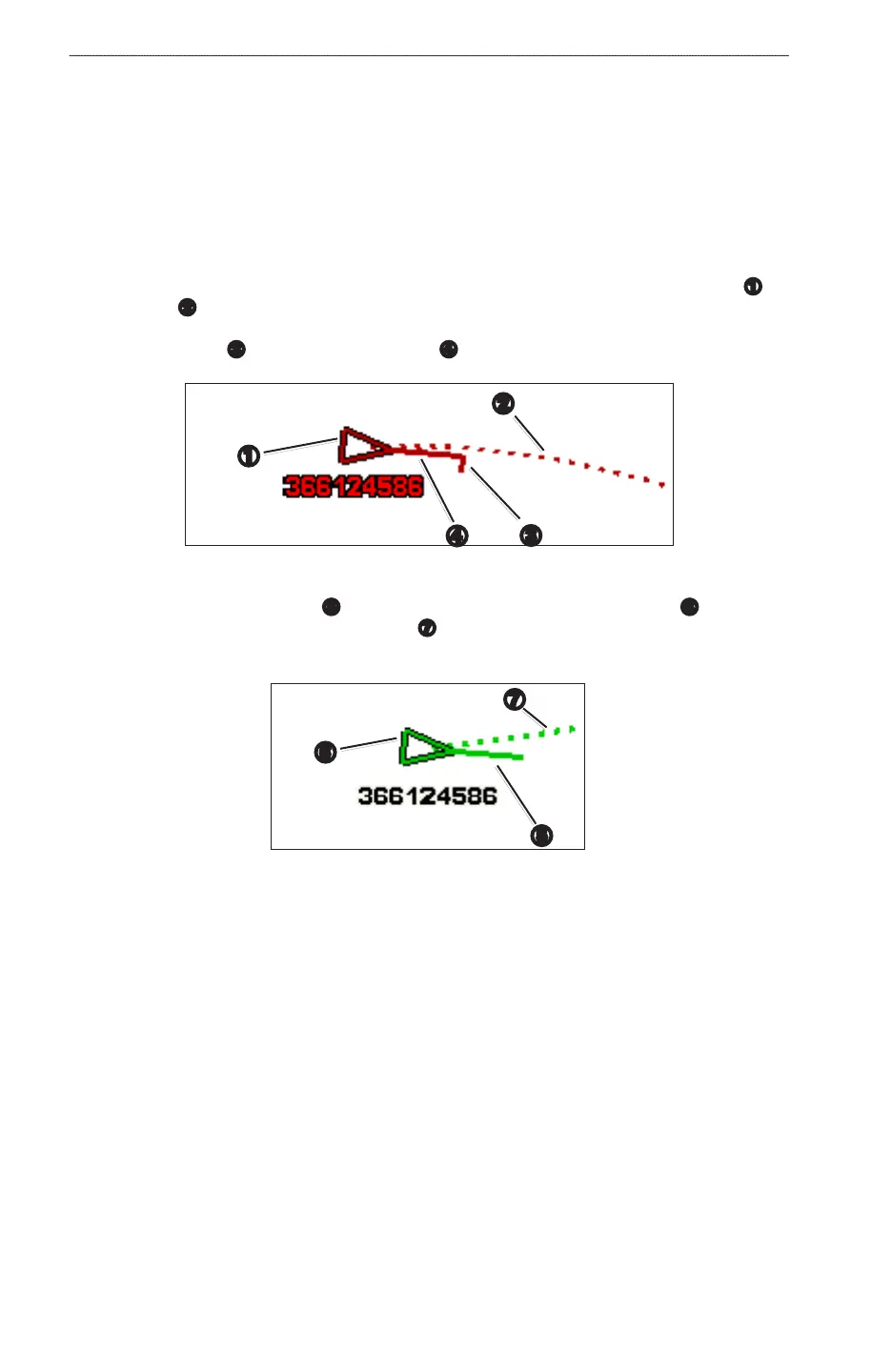
When course over ground, heading, and rate of turn information are provided by an activated AIS target
➊
, the
projected course
➋
of the target is calculated based on the course over ground and the rate of turn information.
The direction in which the target is turning, which is also based on the rate of turn information, is indicated by
the direction of the barb
➌
at the end of the heading line
➍
. The length of the barb does not change.
➍
➌
➋
➊
Target with Projected Course, Heading, and Direction of Turn
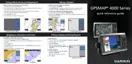
When course over ground and heading
➎
information are provided by an activated AIS target
➏
, but rate of
turn information is not provided, the projected course
➐
of the target is calculated based on the course over
ground information.
➎
➐
➏
Target with Projected Course and Heading
Turning Off AIS Reception
AIS signal reception is turned on by default.
From the Home screen, select > > >.
All AIS functionality on all charts and on all 3D chart views is disabled. This includes AIS vessel targeting
and tracking, collision alarms that result from AIS vessel targeting and tracking, and the display of
information about AIS vessels.













 To Next Page