94 GPSMAP
®
4000/5000 Series Owner’s Manual
Sonar
Setting the Fish Alarm
You can set an alarm to sound when the chartplotter detects a suspended target of the specied symbols.
1. From the Home screen, select > > > .
2. Complete an action:
• Select to sound an alarm for all sh sizes.
• Select to sound an alarm for medium and large sh only.
• Select to sound an alarm for large sh only.
Transducer Conguration
Setting the Keel Offset
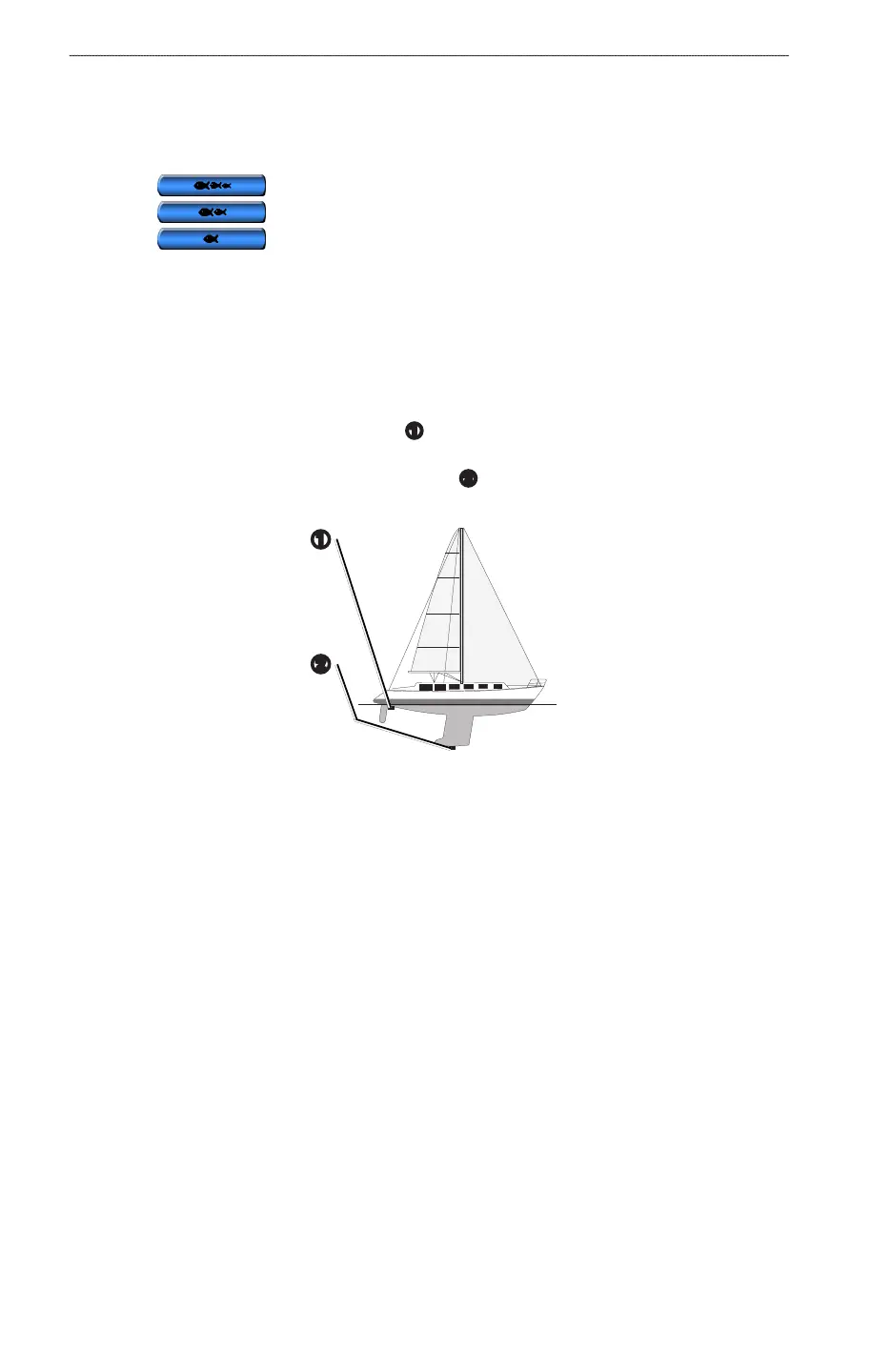
The keel offset compensates for the surface reading for the depth of a keel, making it possible to measure
depth from the bottom of the keel instead of from the transducer location. Enter a positive number to offset for
a keel. You can enter a negative number to compensate for a large vessel that may draw several feet of water.
1. Complete an action, based on the location of the transducer:
• If the transducer is installed at the water line
➊
, measure the distance from the transducer location to
the keel of the boat. Enter this value in step 3 as a positive number.
• If the transducer is installed at the bottom of the keel
➋
, measure the distance from the transducer to
the water line. Enter this value in step 3 as a negative number.
➊
➋
Keel Offset
2. From the Home screen, select > > .
3. Enter the distance measured in step 1. Ensure that you enter a positive or a negative number based on the
location of the transducer.
4. Select .













 To Next Page