96 GPSMAP
®
4000/5000 Series Owner’s Manual
Sonar
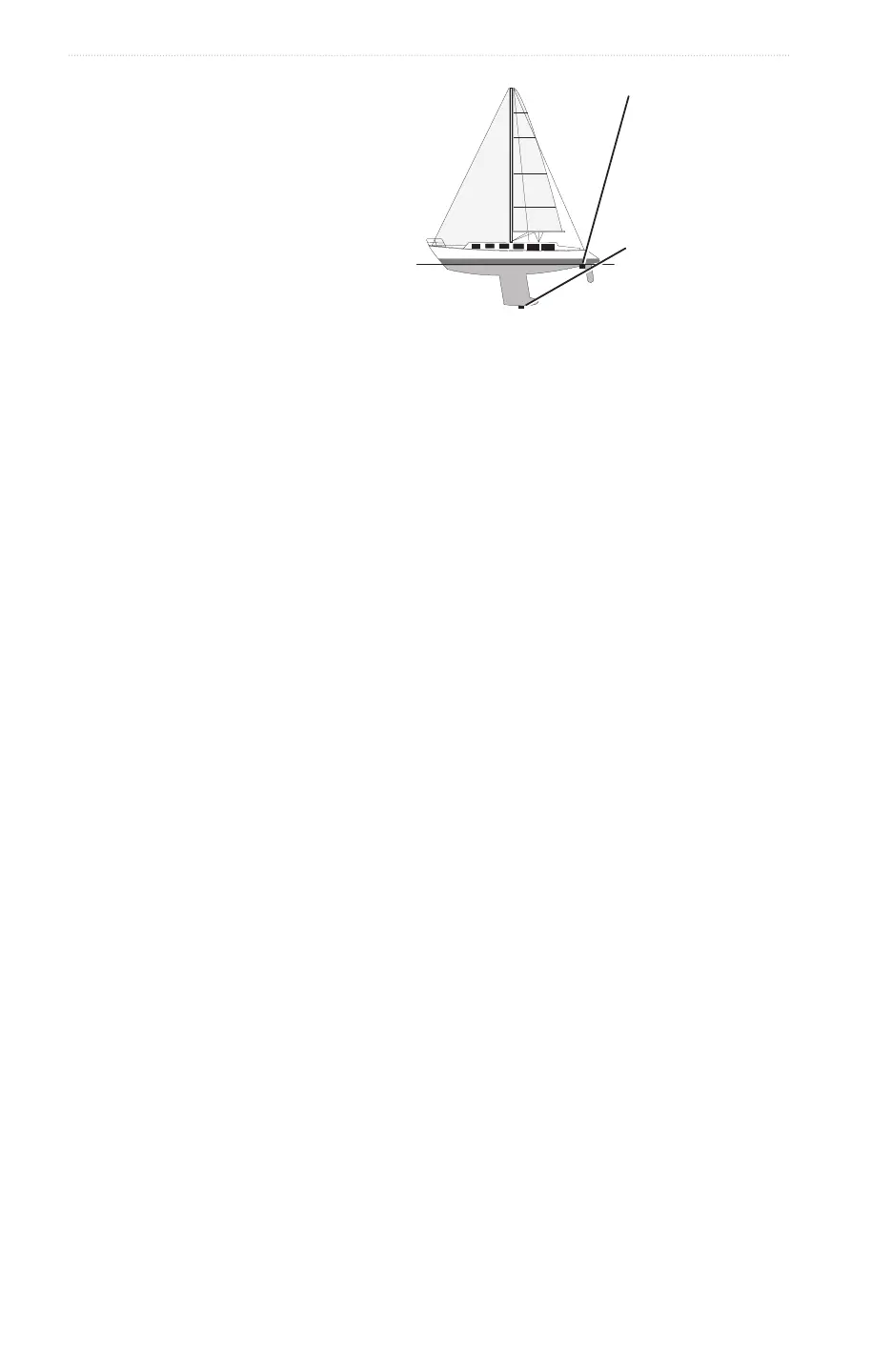
1. Measure the keel offset, based on the location of the transducer:
• If the transducer is installed at the water
line, measure the distance from the
transducer location to the keel of the boat.
Enter this value in step 3 as a positive
number.
• If the transducer is installed at the bottom
of the keel, measure the distance from the
transducer to the water line. Enter this value
in step 3 as a negative number.
2. From the Home screen, select >
> .
3. Enter the keel offset measured in step 1:
• For the GPSMAP 4000 series, use the or the to enter the distance measured
in step 1. Ensure that you enter a positive or a negative number based on the location of the transducer.
• For the GPSMAP 5000 series, use the on-screen keyboard to enter the distance measured in step 1.
Ensure that you enter a positive or a negative number based on the location of the transducer.
4. Select .
Setting the Water Temperature Offset
You must have a water-temperature sensor or a temperature-capable transducer.
The temperature offset compensates for the temperature reading from a temperature sensor.
1. Measure the water temperature using the temperature sensor or temperature-capable transducer that is
connected to the chartplotter.
2. Measure the water temperature using a different temperature sensor or thermometer that is known to be
accurate.
3. Subtract the water temperature measured in step 1 from the water temperature measured in step 2.
This is the temperature offset. Enter this value in step 5 as a positive number if the sensor connected to the
chartplotter measures the water temperature as being colder than it actually is. Enter this value in step 5
as a negative number if the sensor connected to the chartplotter measures the water temperature as being
warmer than it actually is.
4. From the Home screen, select > > .
5. Enter the temperature offset calculated in step 3:
• For the GPSMAP 4000 series, use the or the to enter the temperature offset.
• For the GPSMAP 5000 series, use the on-screen keyboard to enter the temperature offset.
6. Select .
Adjusting the Transducer Settings
: These features are available only on the GSD 24 and GSD 26.
1. From the Home screen, select .
2. Select a sonar view.
3. Select > >
4. Select one or more options:
• Select to help reduce self-interference. You can increase the transmit rate to speed up
the scroll speed, but this might also create self-interference.
• Select to reduce transducer ringing near the surface. Lower the Transmit Power to
reduce the ringing.
• Select to dene the edges of the target. A shorter lter will dene the edges of the targets.
Longer lters will create softer target edges, but may reduce noise.
• Select to view details of the transducer.
Transducer at the water
line
A (+) positive number
shows depth at the bottom
of the keel.
Transducer at the bottom
of the keel
A (-) negative number
shows depth at the surface.
Keel Offset














 To Next Page