24 GPSMAP
®
4000/5000 Series Owner’s Manual
Charts and 3D Chart Views
Fish Eye 3D Chart Appearance
Indicating the Direction of the Fish Eye 3D Chart View
1. From the Home screen, select > > > .
2. Select , , , or .
Showing a Sonar Cone on the Chart
You can show a cone that indicates the area covered by your transducer.
From the Home screen, select > > > > .
Showing Suspended Targets
From the Home screen, select > > > > .
Showing Tracks
From the Home screen, select > > > > .
Showing Data Bars
See “Data Bars” (page 56).
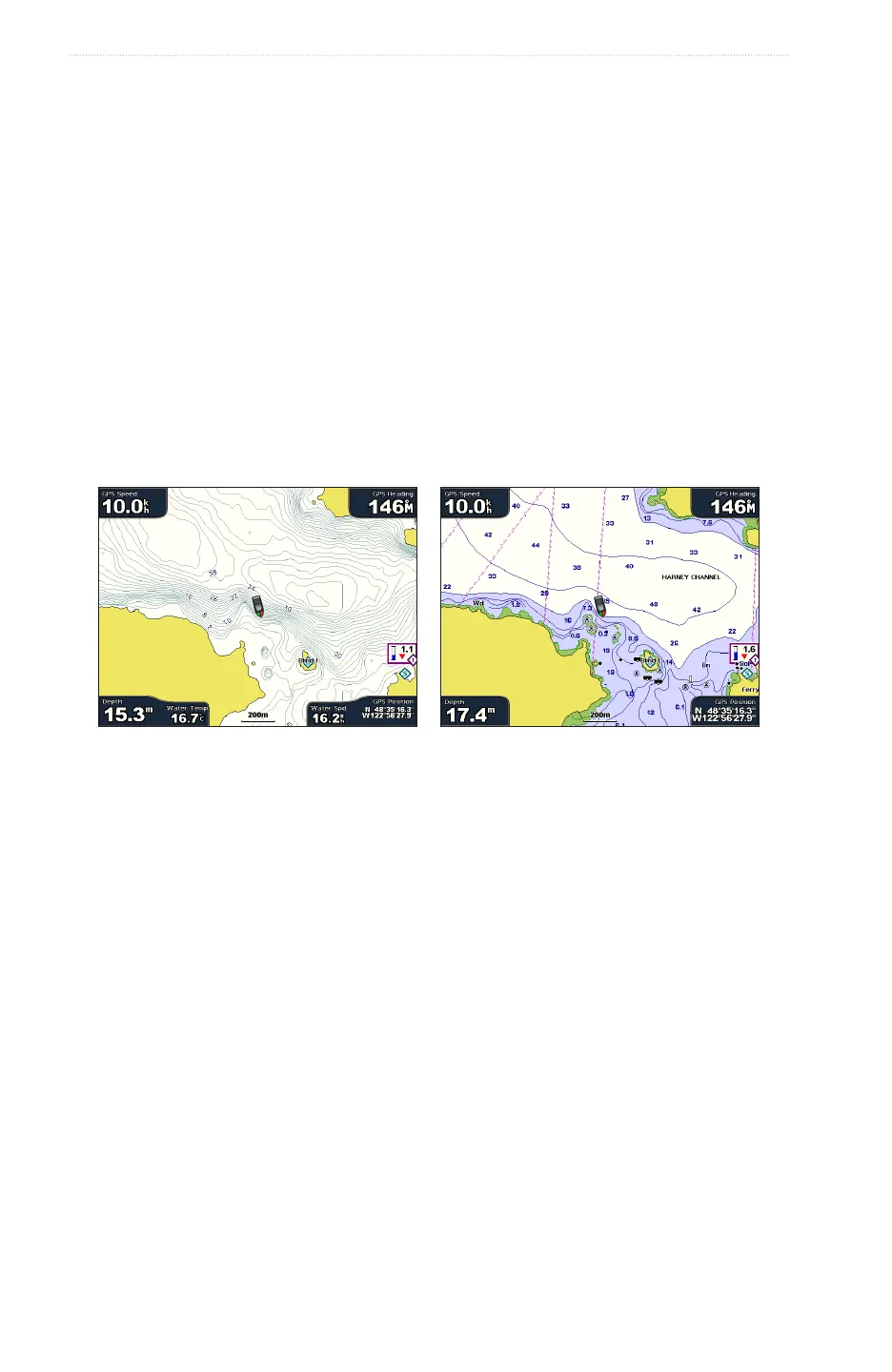
Fishing Chart
Use the Fishing Chart for a detailed view of the bottom contours and depth soundings on the chart.
Fishing Chart Navigation Chart
The Fishing Chart uses detailed bathymetric data on a preprogrammed BlueChart g2 Vision data card, and is
best for offshore deep-sea shing.
Fishing Chart Appearance
Using Waypoints
See “Waypoints” (page 32).
Using Tracks
See “Tracks” (page 36).
Showing Other Vessels
See “Conguring the Appearance of Other Vessels” (page 58).
Showing Navaids
From the Home screen, select > > > > .
Showing Data Bars
See “Data Bars” (page 56).














 To Next Page