GPSMAP
®
4000/5000 Series Owner’s Manual 9
Charts and 3D Chart Views
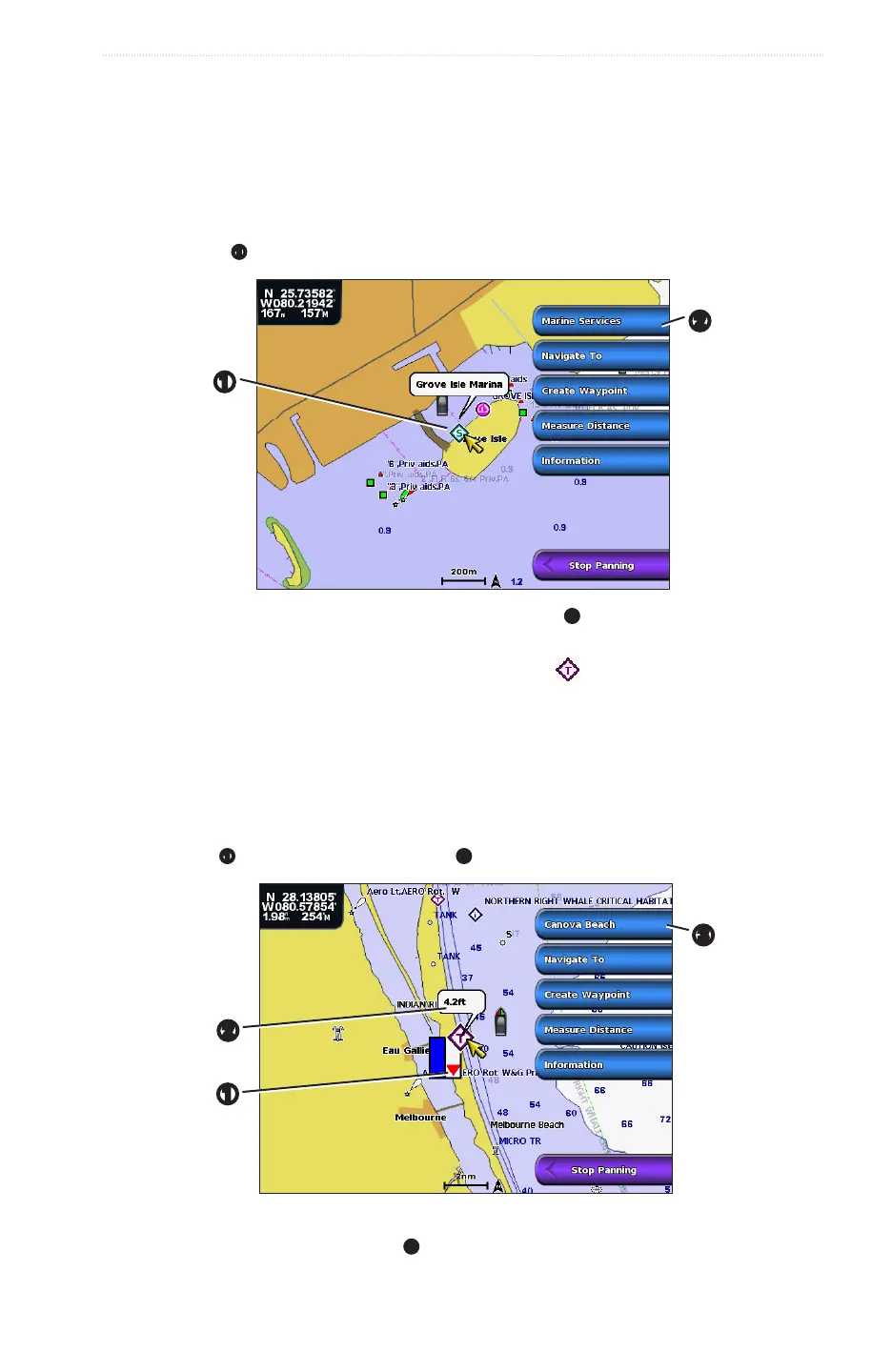
Viewing Additional Object Information
You can view information about on-screen map items, waypoints, and charts.
: Mariner’s Eye 3D and Fish Eye 3D Chart views are available only if you use a BlueChart g2 Vision
data card (page 21). The Fishing Chart is available if you use a BlueChart g2 Vision data card or a BlueChart
g2 Data card, or if your built-in map supports Fishing Charts.
1. From the Home screen, select .
2. Select a chart or a 3D chart view.
3. Select an object
➊
.
➊
➋
4. Select the button with the name of the item to view the information
➋
.
Viewing Tide Station Information
Tide-station information appears on the chart with a tide station icon ( ). You can view a detailed graph for a
tide station to help predict the tide level at different times or on different days (page 42).
: The Fishing Chart and tide station icons are available with a preprogrammed BlueChart g2 Vision data
card.
1. From the Home screen, select .
2. Select , or .
3. Select a tide station icon.
Tide direction
➊
and tide level information appear
➋
near the icon.
➌
➋
➊
4. Complete an action:
• Select the button with the station name
➌
.
• Select if more than one item is in the vicinity, and select the button with the station name.














 To Next Page