44 GPSMAP
®
4000/5000 Series Owner’s Manual
Almanac, Environmental, and On-boat Data
Celestial Information
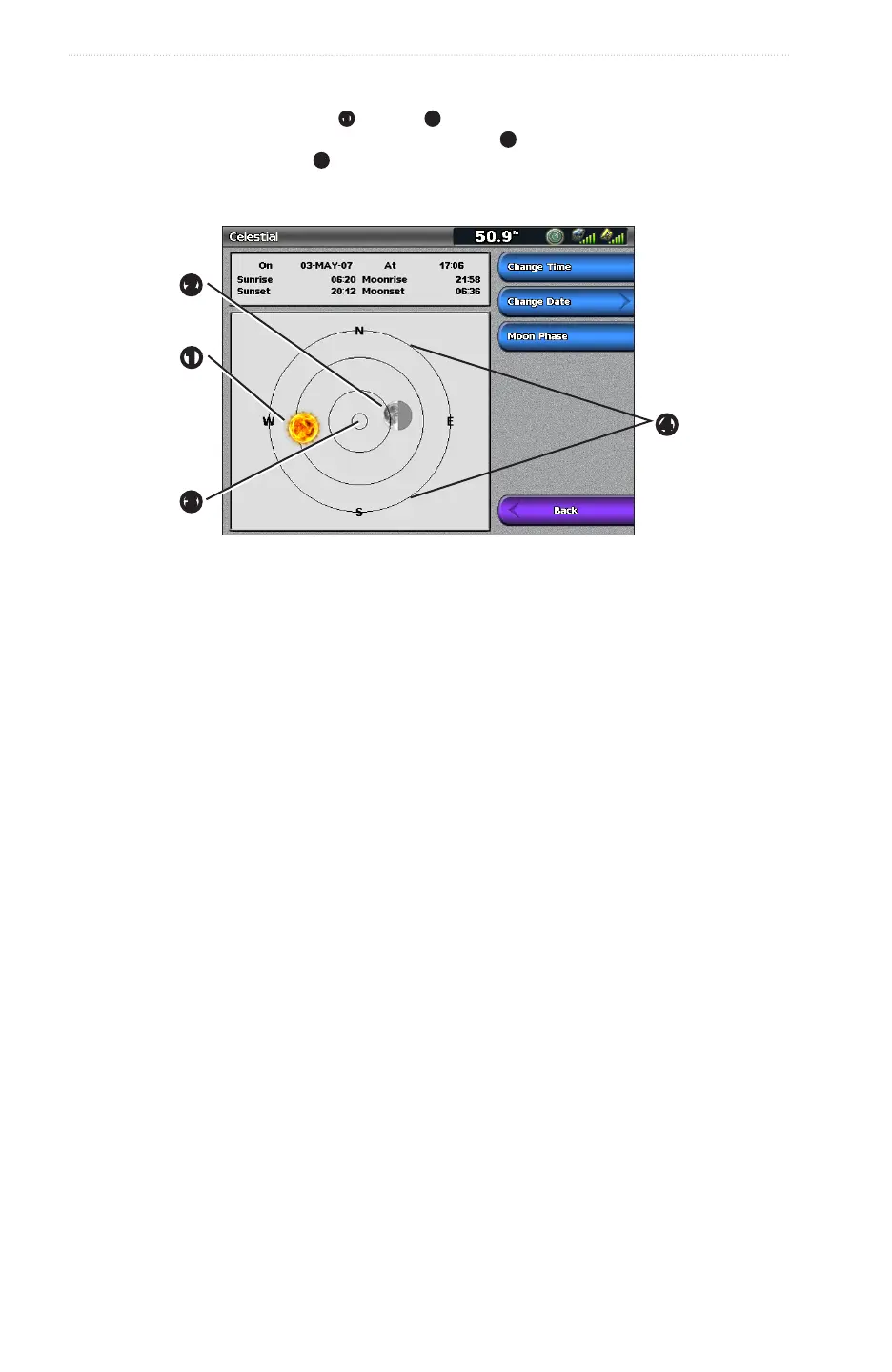
The Celestial screen shows information about sunrise, sunset, moonrise, moonset, moon phase, and the
approximate sky view location of the sun
➊
and moon
➋
. By default, the chartplotter shows celestial
information for the present date and time. The center of the screen
➌
represents the sky overhead, and the
outermost rings represent the horizon
➍
.
From the Home screen, select > > .
Celestial Information
➋
➊
➍
➌
Viewing Celestial Information for a Different Date
You can select a date and time for which to view celestial information, and you can view the moon phase for
the selected date and time.
1. From the Home screen, select > > .
2. Complete an action:
• Select to view information for a specied time on that date. Select or to enter
a new time.
• Select > to view information for a different date. Enter the date. Select .
• Select > to view information for the current date.
• Select to view the moon phase at the specied date and time. Select to return to
the Skyview when viewing the Moon Phase.
Environmental Data
Graphs of Environmental Data
You can view and congure graphs of various types of environmental data, including wind speed, wind angle,
air temperature, water temperature, atmospheric pressure, and depth. The graphs show data trends over a
length of time. You can include one or more graphs in a Combinations screen (page 27).
Various sensors, transducers, or antennas are required to capture the data displayed on the graphs. For
information about connecting the chartplotter to peripheral devices using a NMEA 2000 network, refer to
Technical Reference for Garmin NMEA 2000 Products, on the included CD.














 To Next Page