14 GPSMAP
®
4000/5000 Series Owner’s Manual
Charts and 3D Chart Views
Showing and Conguring Roses
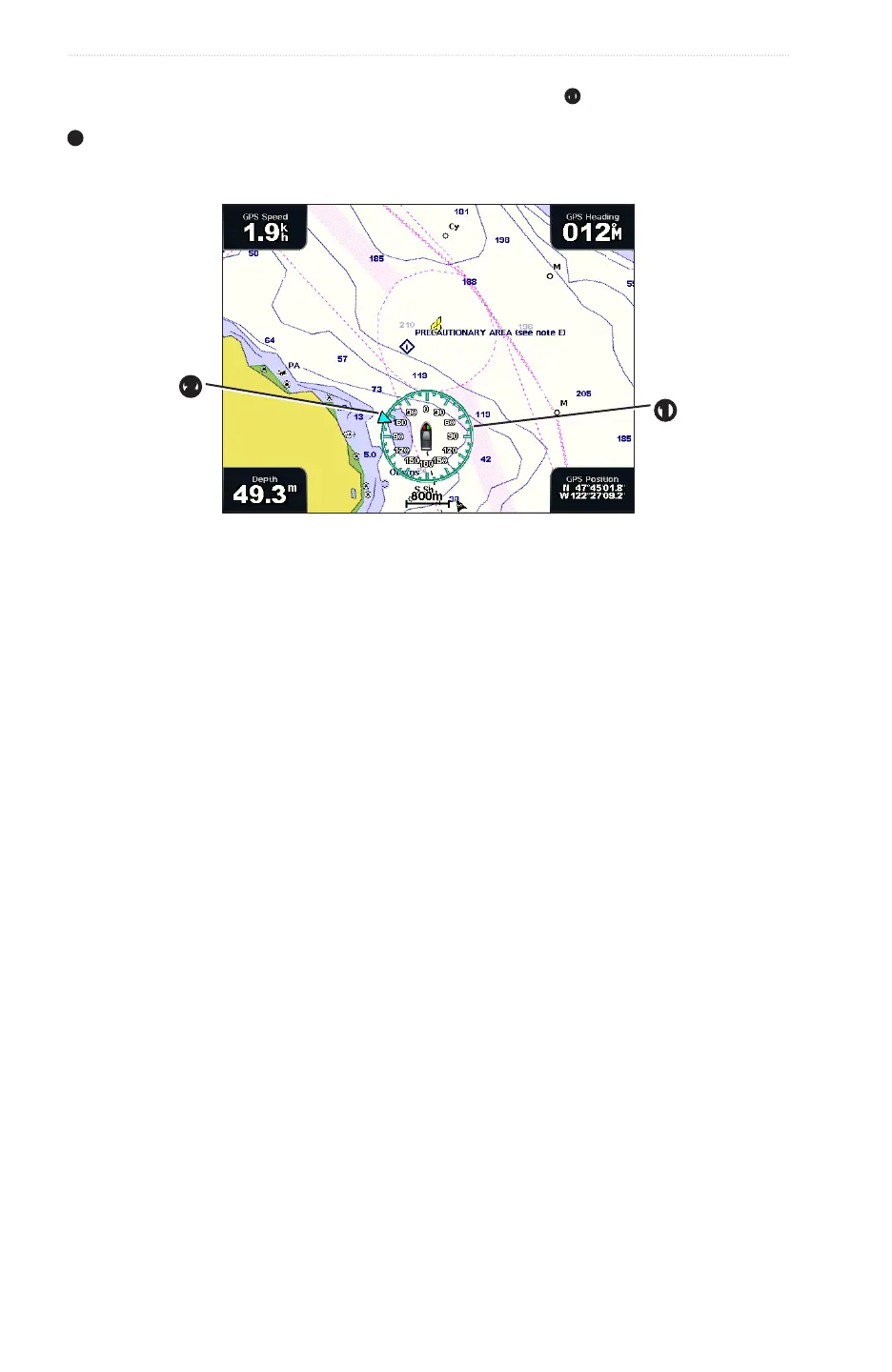
On the Navigation Chart or the Fishing Chart, you can show a compass rose
➊
around your boat, indicating
compass direction oriented to the heading of the boat. True wind direction or apparent wind direction appears
➋
if the chartplotter is connected to a compatible marine wind sensor.
: The Fishing Chart is available with a preprogrammed BlueChart g2 Vision data card.
➊
➋
1. From the Home screen, select .
2. Select or .
3. Select > > .
6. Select a type of rose , , or .
Showing Other Vessels
See “Conguring the Appearance of Other Vessels” (page 58).
Showing and Conguring Data Bars
See “Data Bars” (page 56).
Using Waypoints
See “Waypoints” (page 32).
Using Tracks
See “Tracks” (page 36).














 To Next Page