18 GPSMAP
®
4000/5000 Series Owner’s Manual
Charts and 3D Chart Views
4. Select to sound an alarm if AIS or MARPA determines that a target will intersect the safe zone
within the dened time interval (ranging from 1 to 24 minutes).
5. Select a time.
Viewing a List of AIS and MARPA Threats
: The Mariner’s Eye 3D chart view is available if you use a BlueChart g2 Vision data card. The Fishing
Chart is available if you use a BlueChart g2 Vision data card or a BlueChart g2 Data card, or if your built-in
map supports Fishing Charts.
1. From the Home screen, select .
2. Select , , , , or .
3. Select > > > .
4. Select the type of threats to include in the list (, threats only, or threats only).
Making a Call to an AIS Target
See “Making an Individual Routine Call to an AIS Target (page 100).
About AIS Search and Rescue Transmitters
AIS Search and Rescue Transmitters (AIS-SART, or SART) are self-contained devices that transmit
emergency position reports when activated. SART transmissions are different than standard AIS transmissions,
so they appear differently on the chartplotter. Instead of tracking a SART transmission for collision avoidance,
you track a SART transmission to locate and assist a vessel.
Navigating to a SART Transmission
When you receive a SART transmission, a distress signal alarm appears.
Select > to begin navigation to the SART transmision.
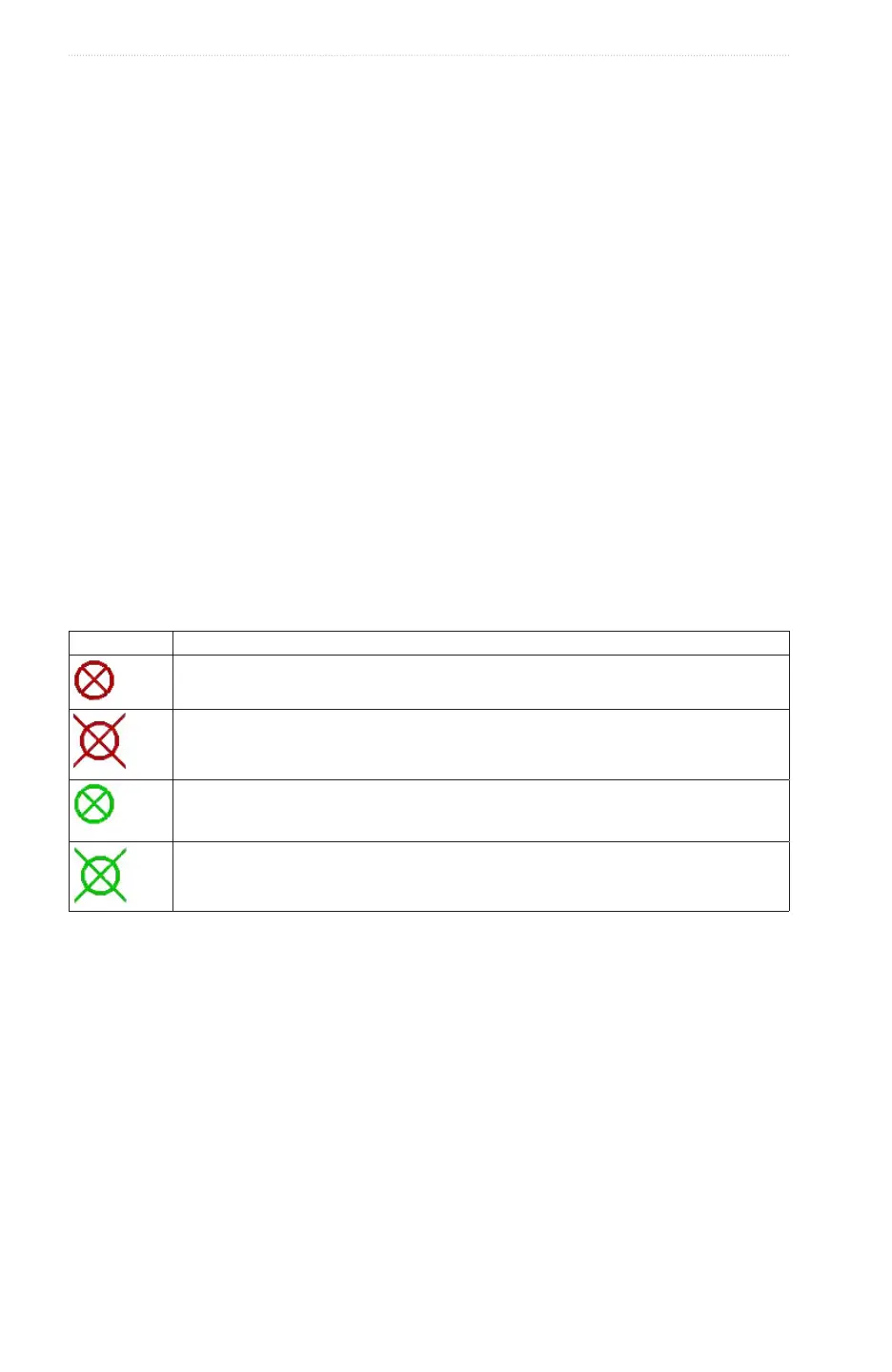
AIS-SART Targeting Symbols
Symbol Description
AIS-SART transmission� You can select this symbol to see more information about the SART
transmission and begin navigation�
AIS-SART transmission lost�
AIS-SART transmission test� This symbol appears when a vessel initiates a test of their SART
device, and does not represent a true emergency� You can disable these test symbols and
alerts�
AIS-SART transmission test lost�
Enabling AIS-SART Transmission Test Alerts
In order to avoid a large number of test alerts and symbols in crowded areas such as marinas, AIS-SART test
alerts ignored by default. To test an AIS SART device, you must enable the chartplotter to receive test alerts.
From the Home screen, select > > .














 To Next Page