28 GPSMAP
®
4000/5000 Series Owner’s Manual
Combinations
Combination Screen Data Fields
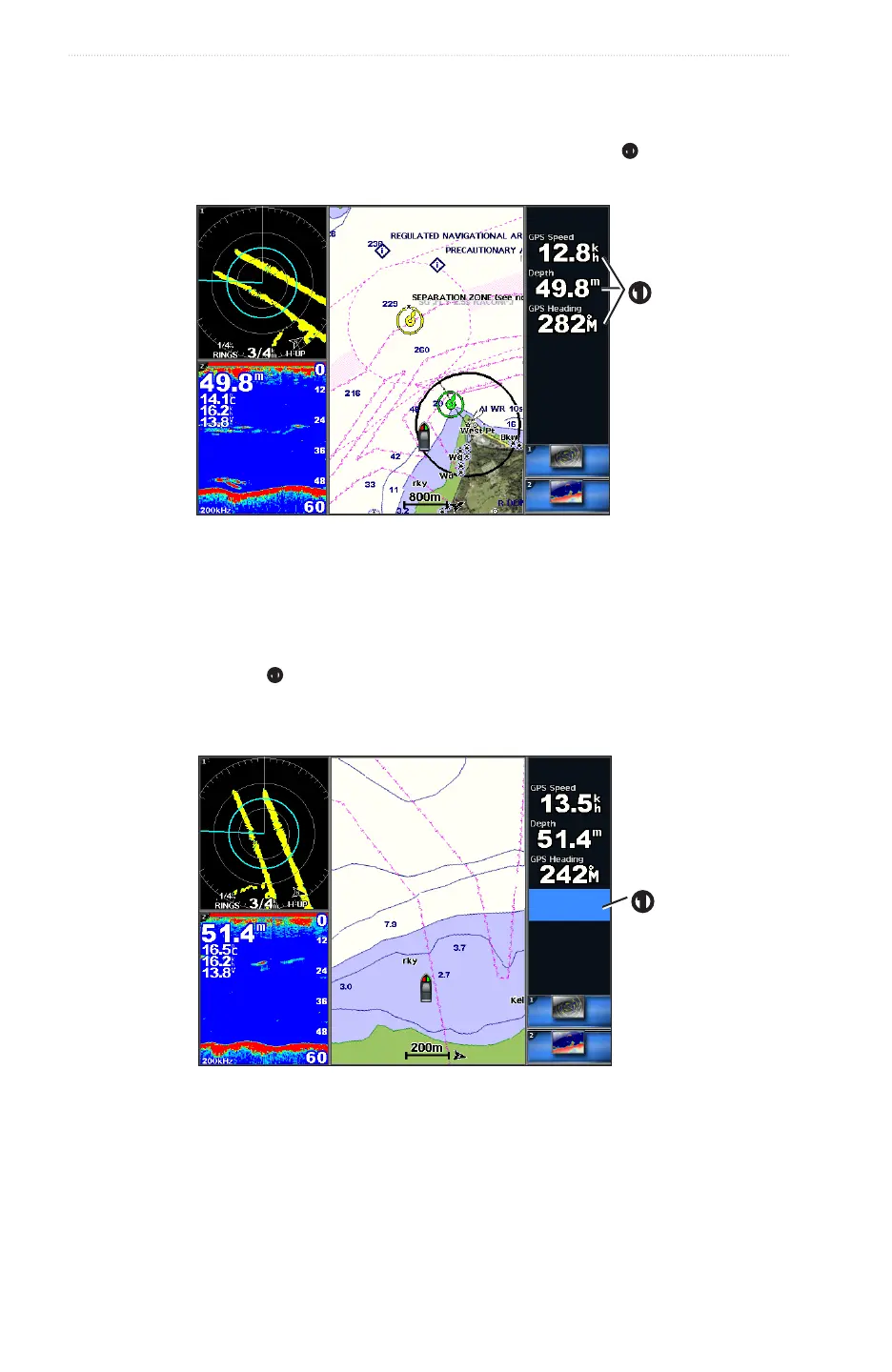
Data elds can appear on combination screens, and they provide real-time, at-a-glance information. The data
eld overlay for each combination can be congured separately.
Several combination screen data overlays are available. You can select the data elds
➊
to be shown within
each data overlay.
➊
Adding a Data Field
The Combinations screen can display up to six data elds in the GPSMAP 4000 series, and up to eight data
elds in the GPSMAP 5000 series.
1. From the Home screen, select .
2. Select a combination.
3. Select an unused data eld
➊
.
4. Select the type of data shown in the eld.
Available data options vary, based on the chartplotter and network conguration.
➊
Removing a Data Field
1. From the Home screen, select .
2. Select a combination.
3. Select a data eld that contains data.
4. Select .














 To Next Page