Using Charts
12 GPSMAP 400/500 Series Owner’s Manual
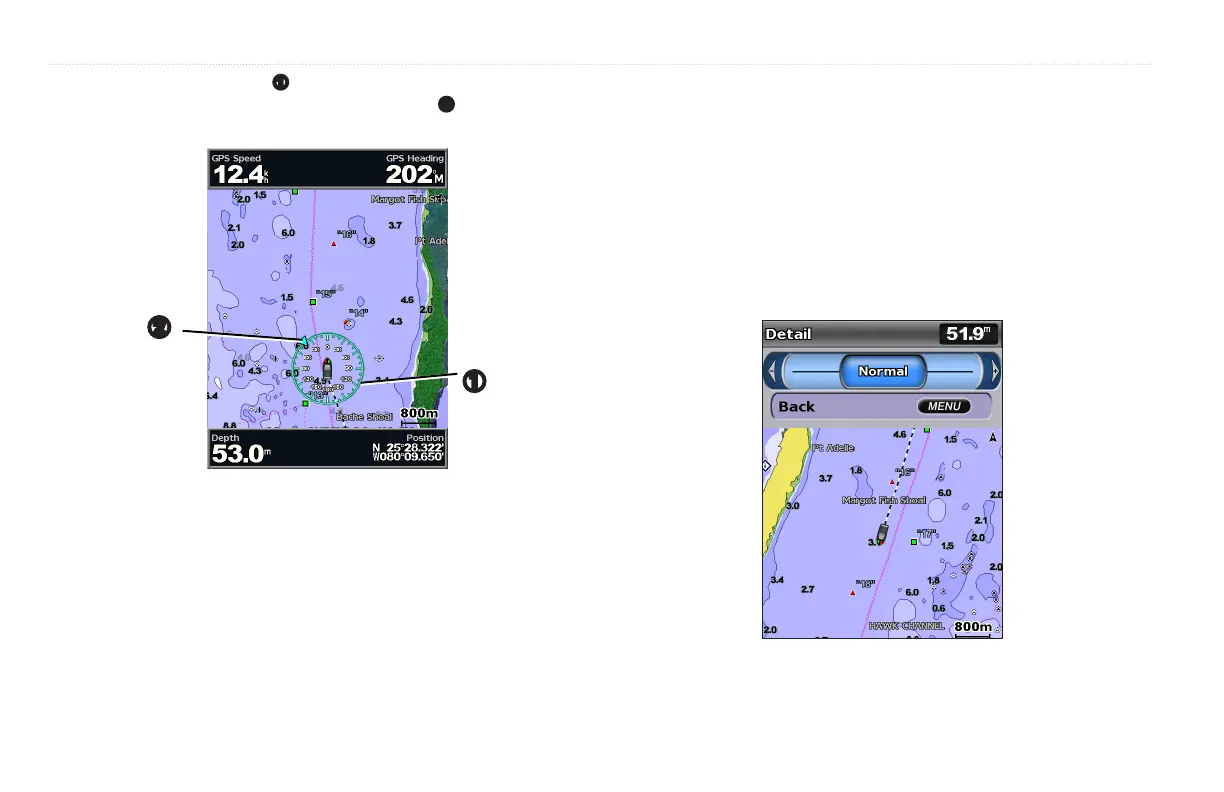
—displays a compass rose
➊
around your boat, indicating compass
direction. True wind direction or apparent wind direction
➋
displays if the unit
is connected to a compatible marine wind sensor.
➋
➊
—sets up and displays various weather parameters, including
precipitation (NEXRAD), cloud cover, visibility, WX buoys, and the weather
legend. Sea temperature and sh species can be displayed on the Fishing chart.
See the GPSMAP 400/500 Series Weather Supplement for more information.
If is set to , none of the weather options will be visible
on the chart.
From the Home screen, select > > >
> .
—changes the perspective of the map display.
• —sets the top of the map display to a north heading.
• —sets the map display to the current track heading.
• —sets the map so the direction of navigation is always up. The
heading line appears vertically on the screen if shown.
—adjusts the amount of detail shown on the map at different zoom
levels.
• Press left on the to decrease map detail.
• Press right on the to increase map detail.
—draws an extension line from the bow of the boat in the
direction of travel.













 To Next Page