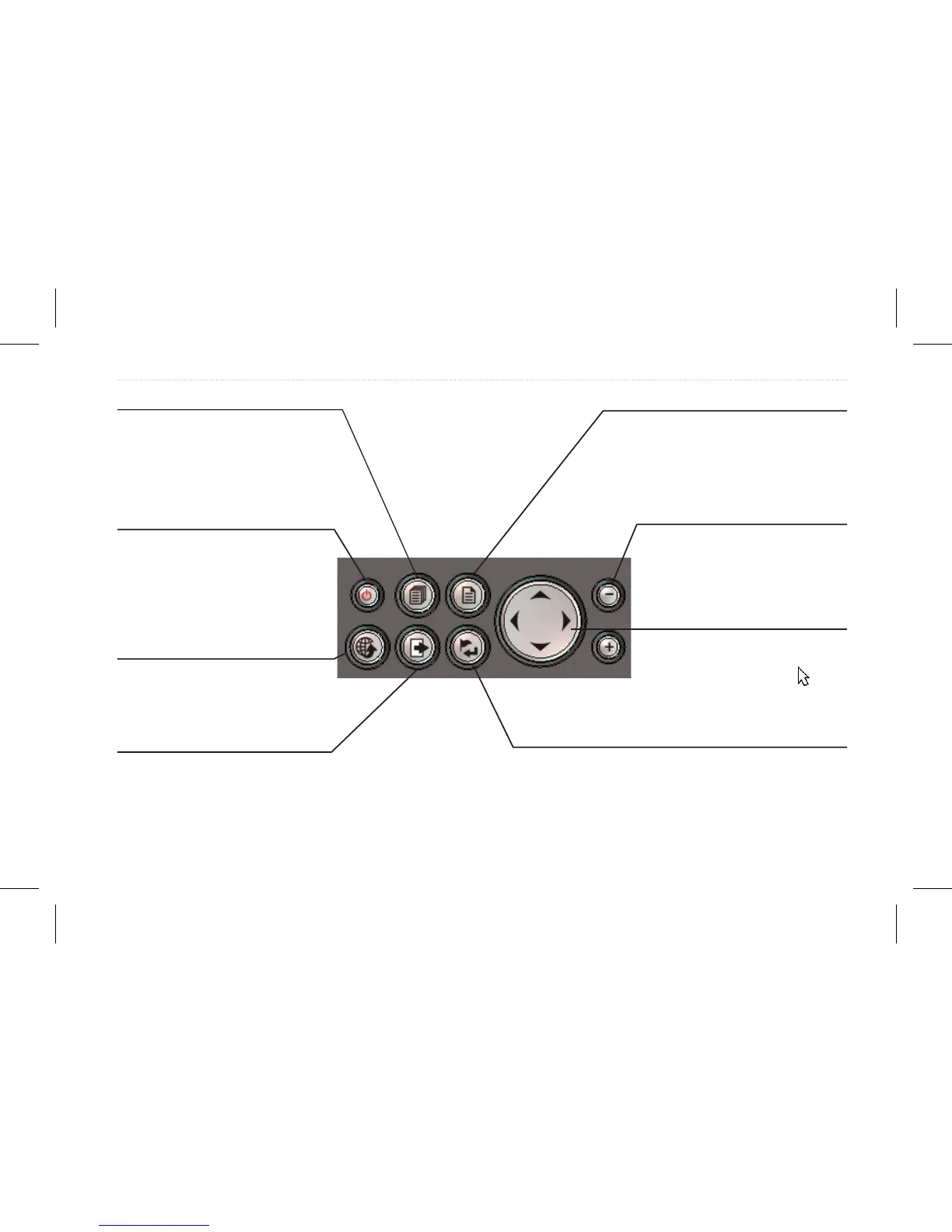
Zoom IN and Zoom OUT Keys
• Press to adjust map zoom range.
PAGE Key
• Press to cycle through the pages.
Quit Key
• Press to cancel an unintended
function.
MARK/
Enter Key
• Press to select a highlighted
option.
• Press and hold to mark your
current location as a waypoint.
NAV/MOB Key
• Press to display the Navigate
Menu.
• Press and hold to navigate to a man
overboard (MOB) location.
Menu Key
• Press to display the options
Menu
for the current page.
• Press twice to open the Main
menu.
POWER Key
• Press and hold to turn the unit on
or off.
• Press and release to adjust the
backlighting.
Rocker
• Press up, down, left, or right to
highlight options and to
Enter
data, or to pan the arrow
on the
Map Page.
GPSMAP 580/585 Owner’s Manual 7
Getting Started














 To Next Page