Selecting Options and Entering Data
Select options and enter data by using the Rocker and Enter key.
To select and activate an option:
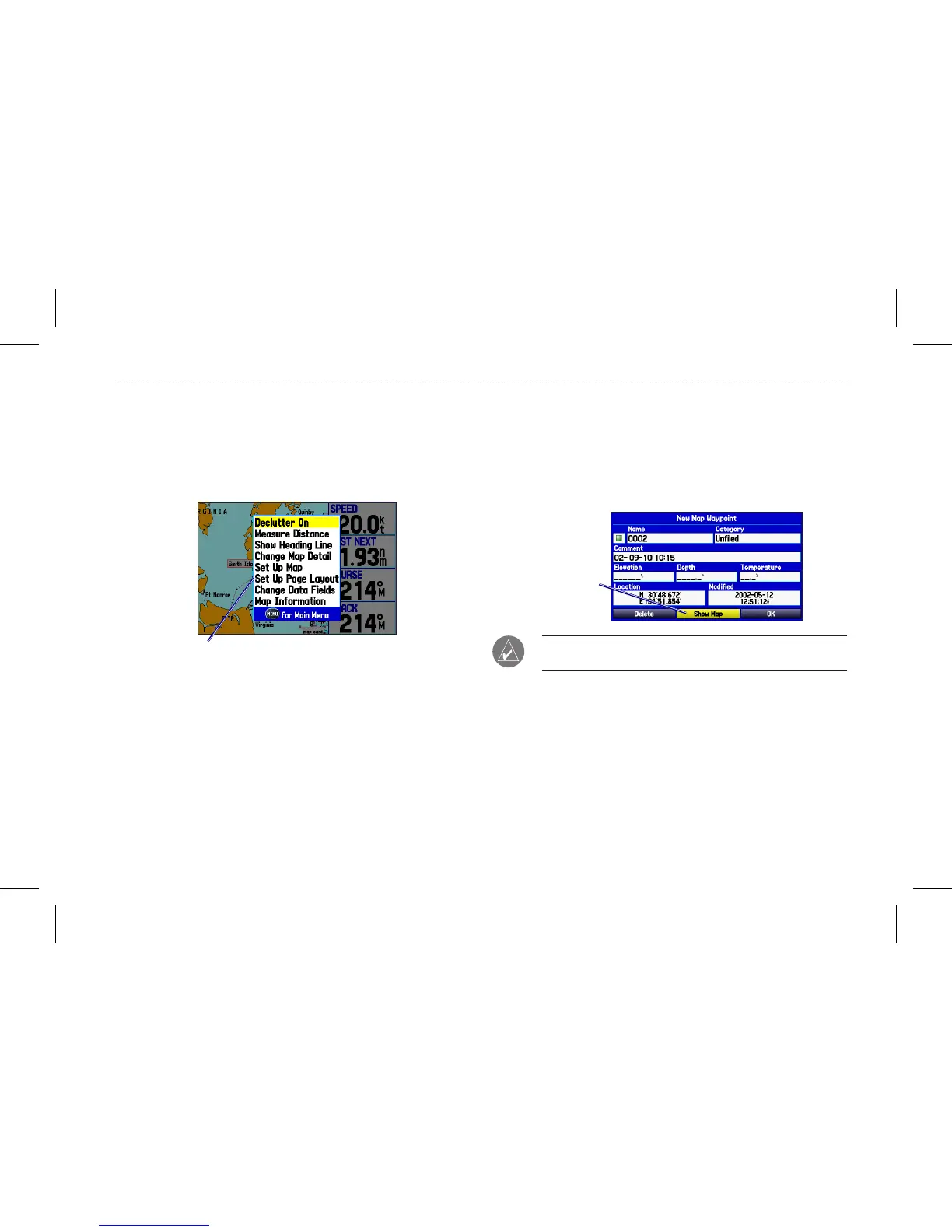
1. From any page, press Menu. An options menu shows a list of
optional features specic to that page.
Selecting an option from an options Menu
2. Use the Rocker to move the highlight up, down, right, or left
on the menu to the option you want to select.
3. Press Enter to select the feature. Another window with more
options might appear. If so, select an option, and press Enter
again.
To exit a menu or return to the previous setting:
Press Quit. The Quit key moves backward through your
steps. Press Quit repeatedly to return to the starting page.
To select an on-screen button:
On a page with on-screen buttons, use the Rocker to
highlight an on-screen button, and press Enter.
On-screen
button
To mark your current location as a waypoint, press and hold
Enter/Mark until the New Waypoint Page opens.
To enter data in a data eld:
1. Use the Rocker to highlight the data eld you want, and
press Enter to select the eld.
2. Press up or down on the Rocker to select characters.
GPSMAP 580/585 Owner’s Manual 9
Getting Started














 To Next Page