6
GPSmap 76C
Getting Started
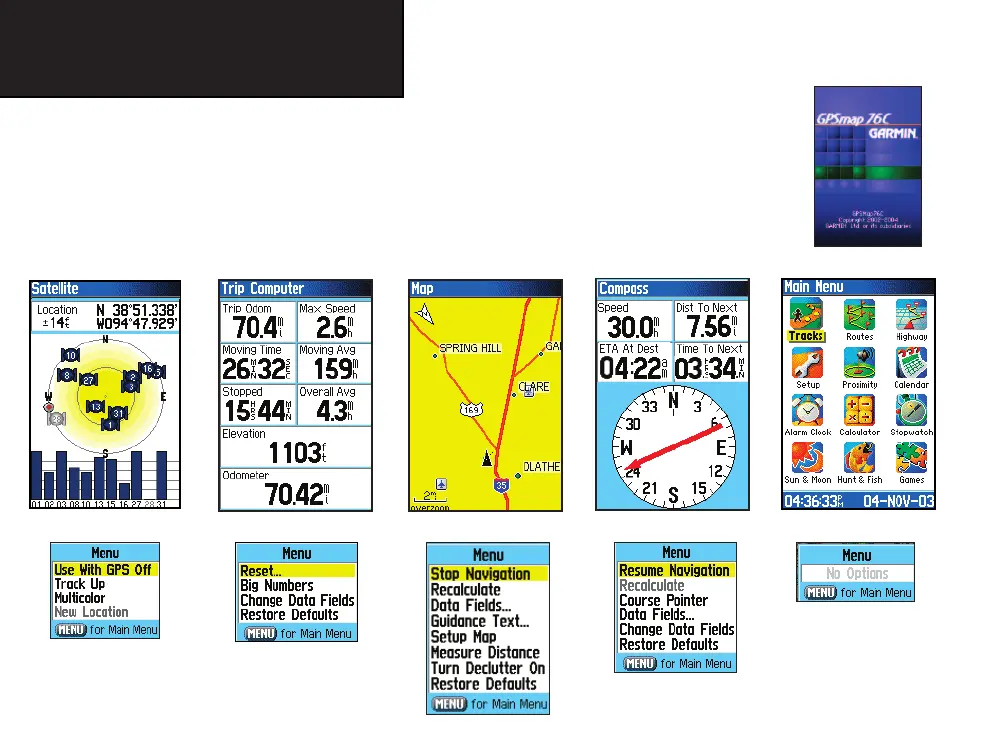
The Main Page Sequence
Whenever you turn on the GPSmap 76C, the Power On Page is followed by the Satellite Page, which is
the fi rst of the Main Pages in sequence.
T
o view each Main Page:
1. Press and release the PAGE key, repeatedly, to cycle through the pages.
2. With a Page displayed, press the MENU key to display the list of options for that page.
Satellite Page
Trip Computer Page Map Page Compass Page Main Menu
There are no Main Menu
Options at the Main Page
level
Compass Page
Options
Map Page Options
Trip Computer Page
Options
Satellite Page Options
Power On Page
GPSmap 76C Owner's Guide copy.indd 6 3/25/2004, 11:29:23 AM













 To Next Page