11
GPSmap 76C
GPS Navigation
The Map Page
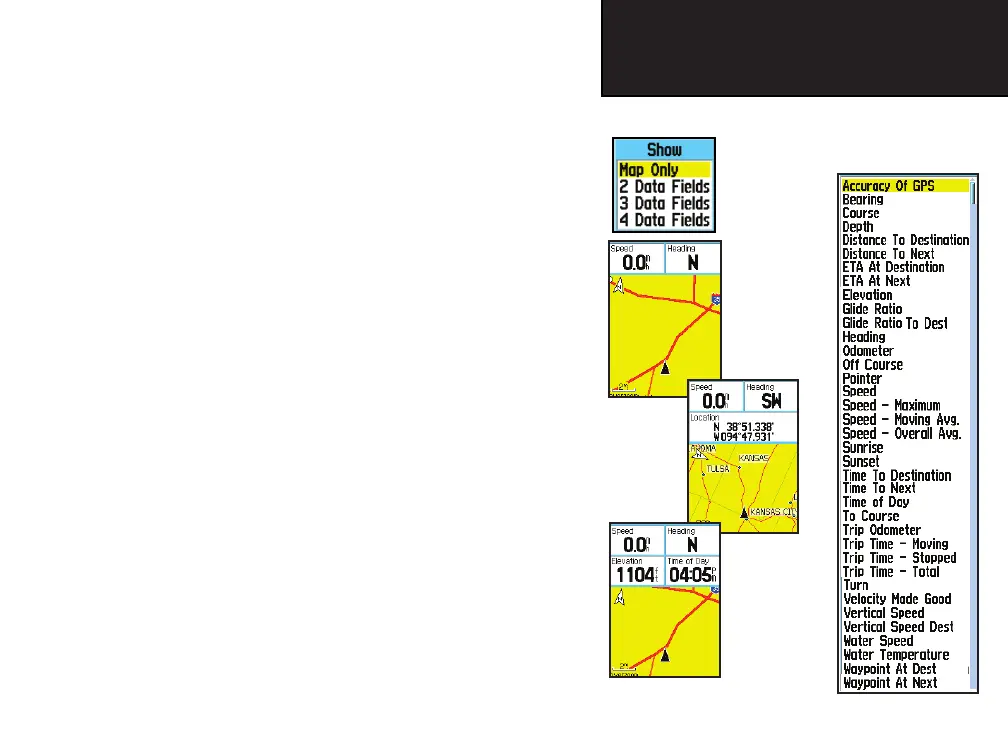
Two Data
Fields
Data Field
Sub-Menu
Four Data Fields
List of
Data Field
Options
Three Data
Fields
To display Data Fields:
1. With Map Page Options Menu displayed, use the ROCKER
key to highlight the Data Field option and press ENTER.
2. Observe the sub-menu options: “Map Only”, “2 Data Fields”
“3 Data Fields”, and “4 Data Fields”.
You can choose to leave the Map Page as is (full page map),
or add two, three, or four navigation data fi elds.
3. Highlight your choice and press ENTER.
To change Data Fields:
1. Display the data fi elds, a “Change Data Fields” option appears
on the options menu when you press the MENU key.
2. Select this option and pressing the ENTER key to highlight the
fi rst data fi eld.
3. Press ENTER again to select from a list of types of navigation
data to display in that fi eld.
4. After making your selection and entry, use the ROCKER key to
move to the next fi eld and repeat the process.
Some Data Field Options are related to the display of data received
from other devices interfaced to the GPSmap 76C, for an explanation
of what each option represents, see page 72 of the Appendices.
GPSmap 76C Owner's Guide copy.indd 11 3/25/2004, 11:29:31 AM













 To Next Page