30
GPSmap 76C
Searching for a Marine Point
The Find Marine Point feature allows you to search for the marine
Tide Prediction Stations provided in the marine basemap contained in
your GPSmap 76C . When detailed marine map data has been down-
loaded from MapSource Marine Charts you can also view marine items
such as marinas, navaids, wrecks, and obstructions.
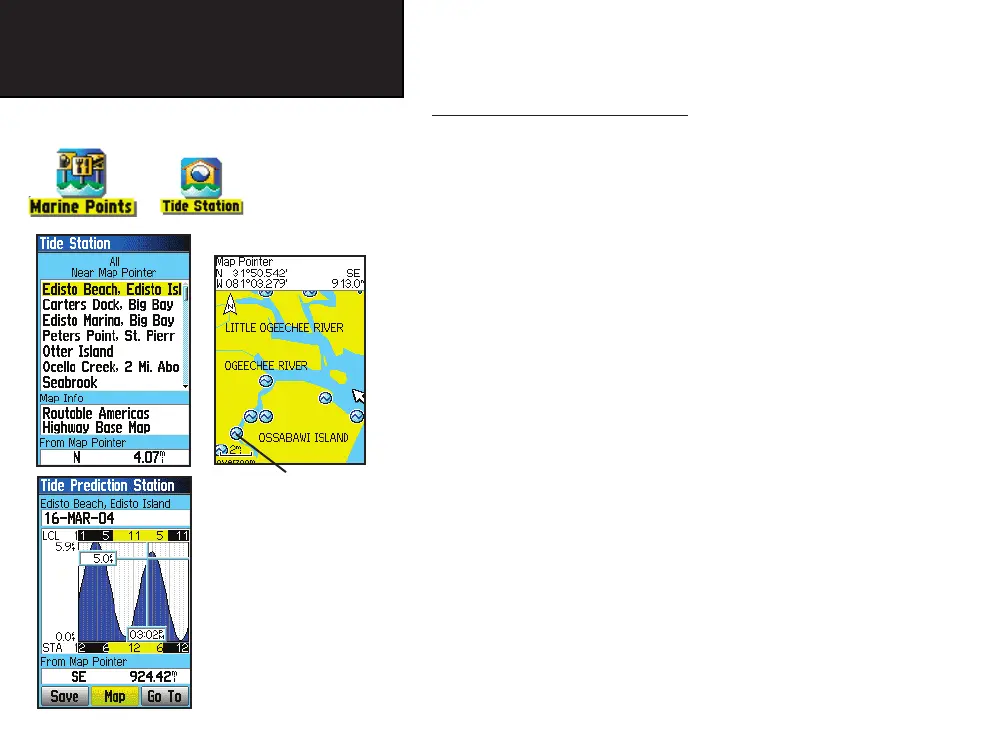
To find a Tide Prediction Station
1. Press the FIND button to display the Find Menu.
2. Select the Marine Points icon, then press ENTER to display the
sub-icon(s) for marine items supported by the basemap and
downloaded detailed marine charts.
3. Use the ROCKER key to highlight and select the Tide Station
icon, then press ENTER.
4. A list of tide stations nearest to you displays. If a “None
Found” message displays, then you are not currently located
near a coast line. Press the MENU key to display the Tide
Station Options Menu. Select from “Nearest Containing” or
“Change Reference”. You can enter a key word for a known
tide station or can use the map pointer to move to the nearest
coast line and then press ENTER to establish a location near
marine items.
5. Select a tide station from the list and press ENTER to display
the information page for that tide station.
At the bottom of the Information Page are on-screen buttons for ‘Go
To’, ‘Map’, and ‘Save’.
GPS Navigation
Using Find
Tide Station List
Tide Station
Prediction
Page
(High and Low
tides for a 24
hour period
for the date
shown)
Tide Station
Symbols on
Map Page
GPSmap 76C Owner's Guide copy.indd 30 3/25/2004, 11:30:07 AM













 To Next Page