17
Getting Started
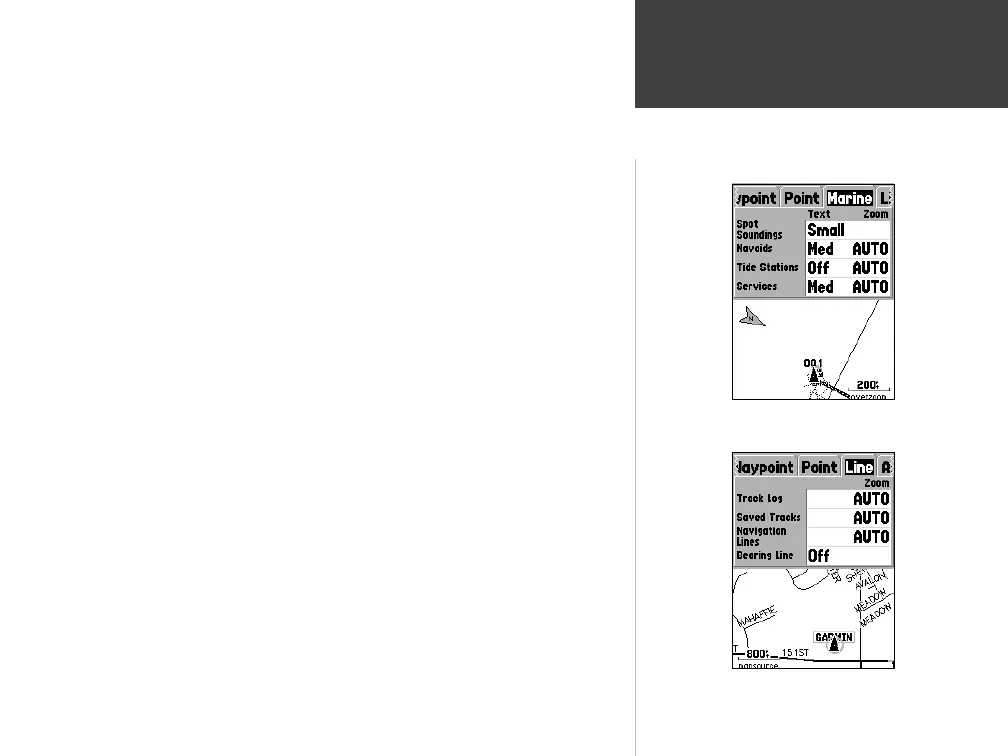
Setup Map — ‘Marine’ Tab
The ‘Marine’ Tab contains ‘Text’ settings for Spot Soundings, Navaids, Tide
Stations, and Services and ‘Zoom’ settings for Navaids, Tide Stations and
Services.
Spot Soundings —
are depth readings shown in MapSource BlueChart data.
Navaids —
are aids to navigation such as buoys and lighthouses.
Tide Stations —
are stations where Tide information is gathered.
Services —
include Marinas, Gas Stations ect.
Setup Map — ‘Line’ Tab
The ‘Line’ Tab contains the ‘Zoom’ scale settings for Track Log, Saved Tracks,
Course Lines, and the Bearing Line. To change a setting, highlight the appro-
priate fi eld then press ENTER. Make your new selection, then press ENTER
to accept the selection.
Track Log —
the Track Log is the bread crumb trail that is left behind as your
position changes on the Map Page.
Course Lines —
shows a line from the point navigation was initiated to a
destination waypoint.
Bearing Line —
the Bearing Line will show the bearing from your current
location to the active waypoint. This can be used to steer the shortest path to
the waypoint.
Setup Map — ‘Line’ Tab
Map Page Options
Reference
Setup Map — ‘Marine’ Tab
190-00249-00_0C.indd 17 5/7/2003, 9:54:39 AM













 To Next Page