Saving a Quick Timer
You can set up to ten separate quick timers.
1 From any screen, hold SET.
2 Select Timers.
3 Select an option:
• To save your first quick timer, enter the time, press UP, and select Save.
• To save additional quick timers, select Add Timer, and enter the time.
Deleting a Timer
1 From any screen, hold SET.
2 Select Timers.
3 Select a timer.
4 Press UP.
5 Select Delete.
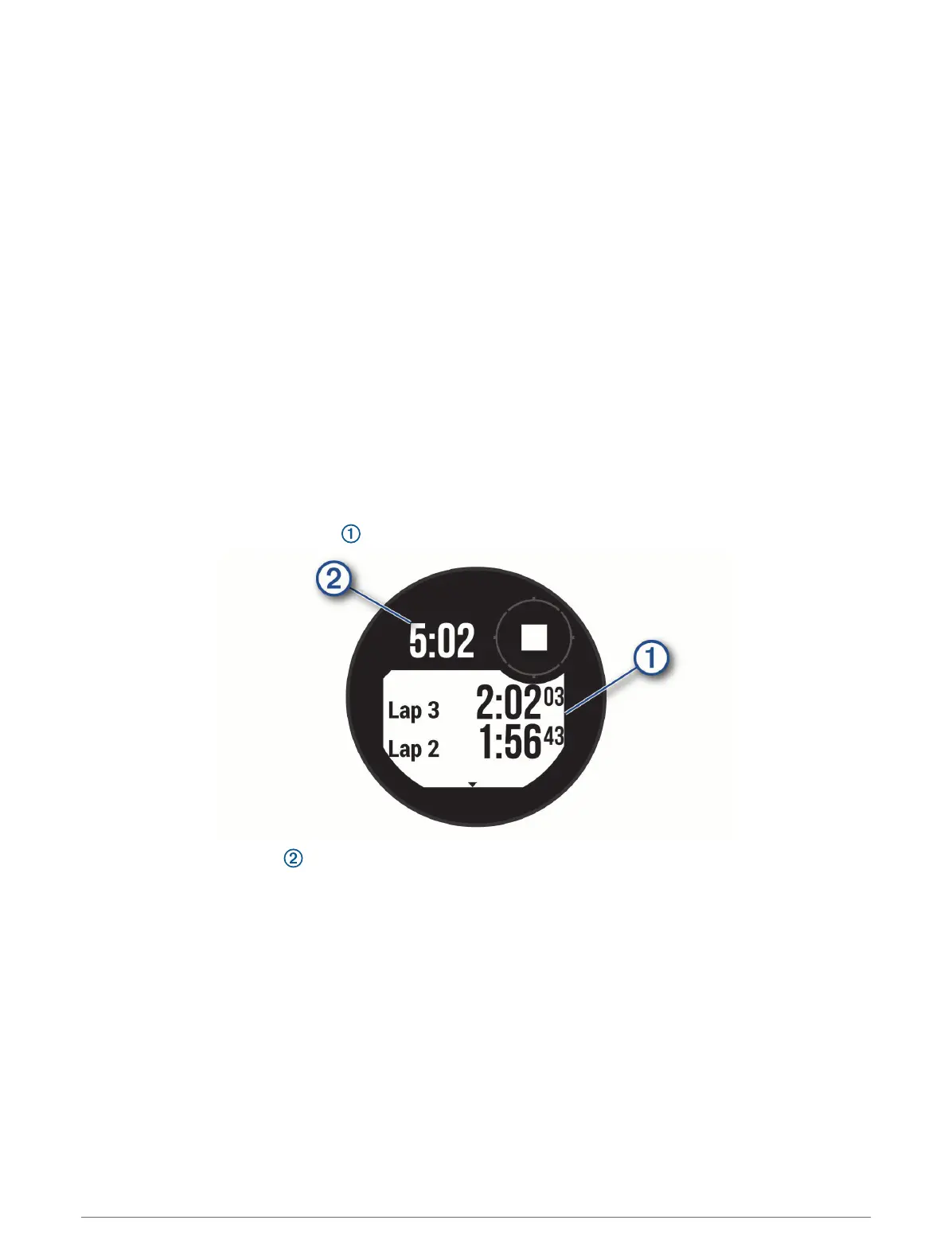
Using the Stopwatch
1 From any screen, hold SET.
2 Select Stopwatch.
3 Press GPS to start the timer.
4 Press SET to restart the lap timer .
The total stopwatch time continues running.
5 Press GPS to stop both timers.
6 Press UP, and select an option.
Syncing the Time with GPS
Each time you turn on the device and acquire satellites, the device automatically detects your time zones and
the current time of day. You can also manually sync the time with GPS when you change time zones, and to
update for daylight saving time.
1 From any screen, hold SET.
2 Select Set Time with GPS.
3 Wait while the device locates satellites (Acquiring Satellite Signals, page98).
4 Clocks













 To Next Page