3 Select an option:
• To use your current location when you are near a tide station, select Current Location.
• To select a recently used tide station, select Recent.
• To select a saved location, select Saved.
• To enter coordinates for a location, select Coordinates.
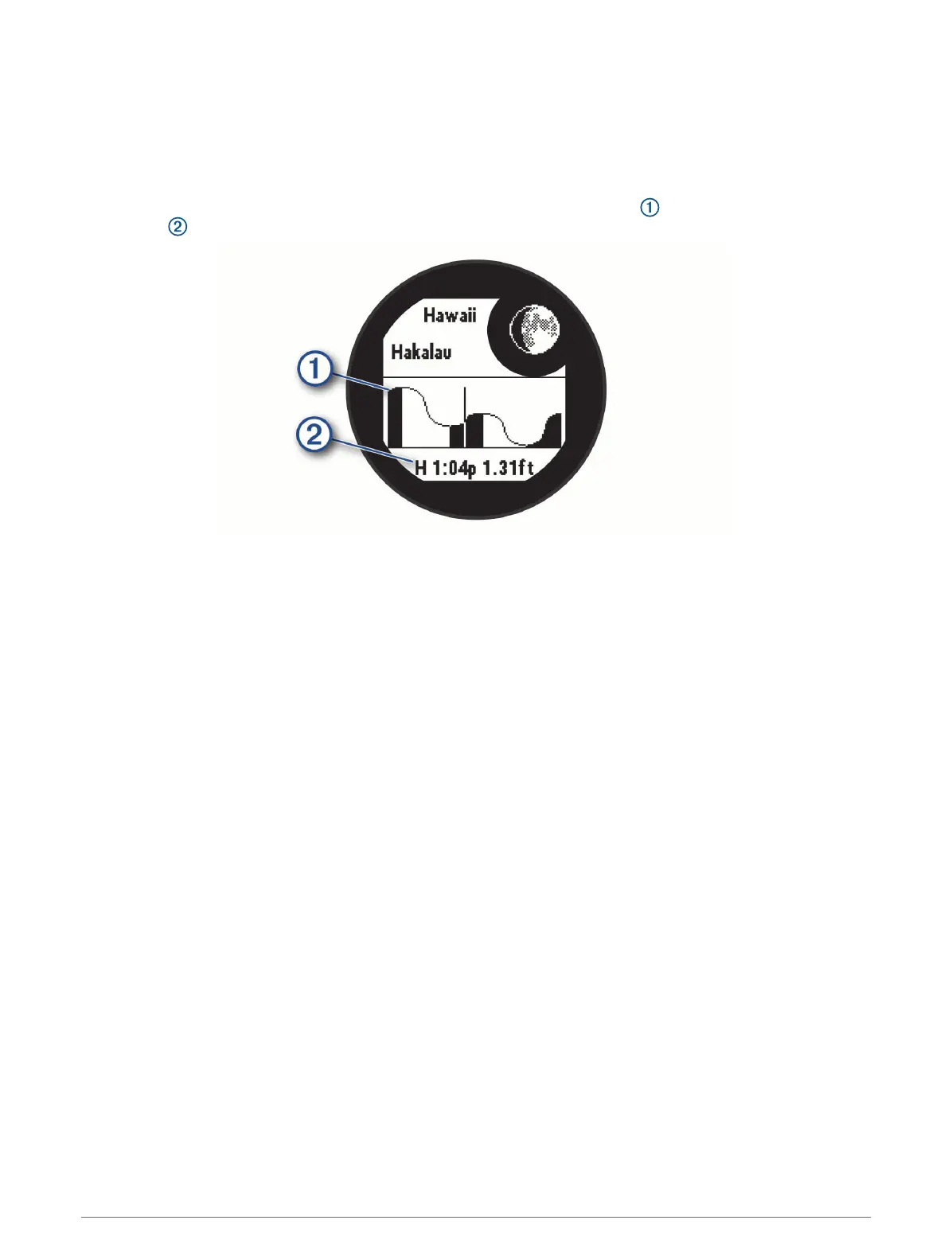
A 24-hour tide chart appears for the current date with the current tide height and information about the
next tide .
4 Press DOWN to see tide information for upcoming days.
Customizing Activities and Apps
You can customize the activities and apps list, data screens, data fields, and other settings.
Adding or Removing a Favorite Activity
The list of your favorite activities appears when you press GPS from the watch face, and it provides quick
access to the activities you use most frequently. The first time you press GPS to start an activity, the watch
prompts you to select your favorite activities. You can add or remove favorite activities at any time.
1 Hold MENU.
2 Select Activities & Apps.
Your favorite activities appear at the top of the list.
3 Select an option:
• To add a favorite activity, select the activity, and select Set as Favorite.
• To remove a favorite activity, select the activity, and select Remove from Favorites.
Changing the Order of an Activity in the Apps List
1 Hold MENU.
2 Select Activities & Apps.
3 Select an activity.
4 Select Reorder.
5 Press UP or DOWN to adjust the position of the activity in the apps list.
24 Activities and Apps













 To Next Page