nüvi 700 Series Owner’s Manual 13
Where to
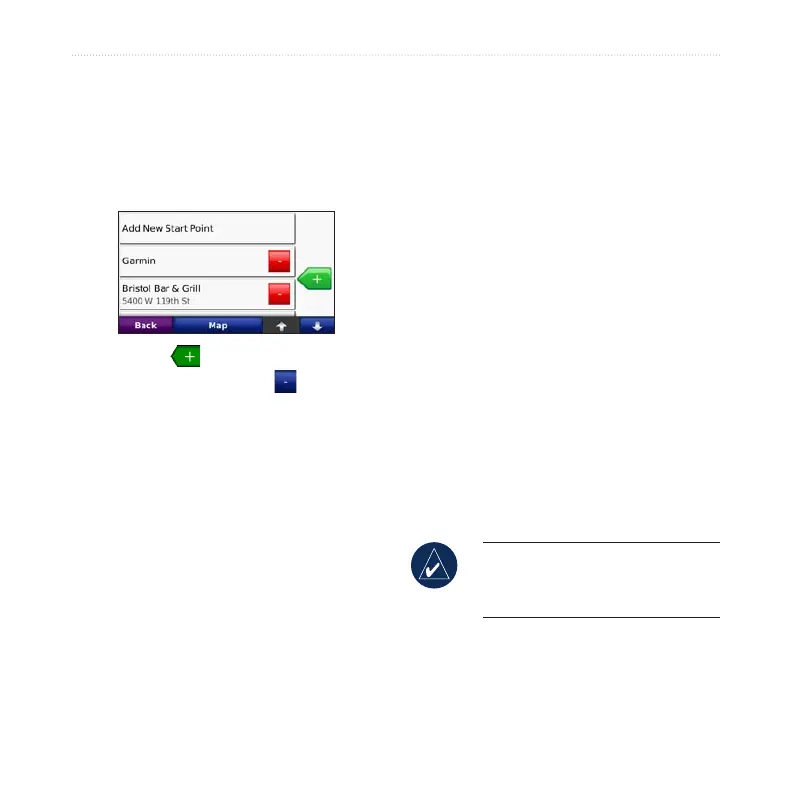
3. Find a location as your starting
point, and touch Select.
4. Touch Add New End Point.
5. Find a location as your ending
point, and touch Select.
6. Touch to add another location
to your route. Touch to remove
a location.
7. Touch Map to calculate your route
and view it on the map.
8. Touch Back to exit and save the
route.
Editing Routes
1. Touch Where to (or Tools) >
Routes.
2. Select the route you want to edit.
3. Touch Edit.
4. Touch an option to edit the route:
• Touch Change Name. Enter a
new name, and touch Done.
• Touch Add/Remove Points to
add new start, via, or end points to
the route.
• Touch Manually Reorder Points
to change the order of points
along your route.
• Touch Optimally Reorder Points
to automatically order the points.
• Touch Recalculate to change the
route preference to calculate by
faster time, shorter distance, or off
road.
• Touch Delete to remove this item.
A list of all your routes appears.
Touch the item you want to delete.
Touch Delete > Yes.
NOTE: Your changes are
automatically saved when you exit
any of the route edit pages.



 To Next Page