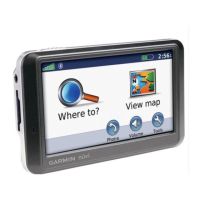
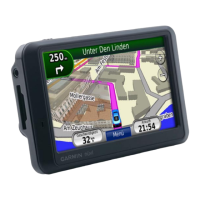
nüvi 700 Series Owner’s Manual 23
USinG Media PlayerS
Touch to adjust the volume.
Touch to skip a section and
to jump back. Press and hold
those buttons to move forward or
backward through the book.
Touch to pause the book.
Touch the book cover art to view
more detailed information about
the book.
Using Bookmarks
To create a bookmark, touch and
Bookmark. To view your bookmarks,
touch and then touch a bookmark.
Touch Play to listen to the book from the
bookmark.
Loading Audible Books to
Your nüvi
1. Create an Audible.com account at
http://garmin.audible.com.
2. Purchase a book.
3. Download AudibleManager
®
to
your computer.
•
•
•
•
4. Open AudibleManager. Follow the
on-screen instructions to activate
your nüvi (one-time process).
5. Connect your nüvi to your
computer.
6. Download the book to your
computer.
7. Use AudibleManager to transfer
the book to your nüvi or SD card.
TIP: Refer to AudibleManager’s
Help le for detailed instructions.
Select Help from the menu, and
click Help.



 To Next Page