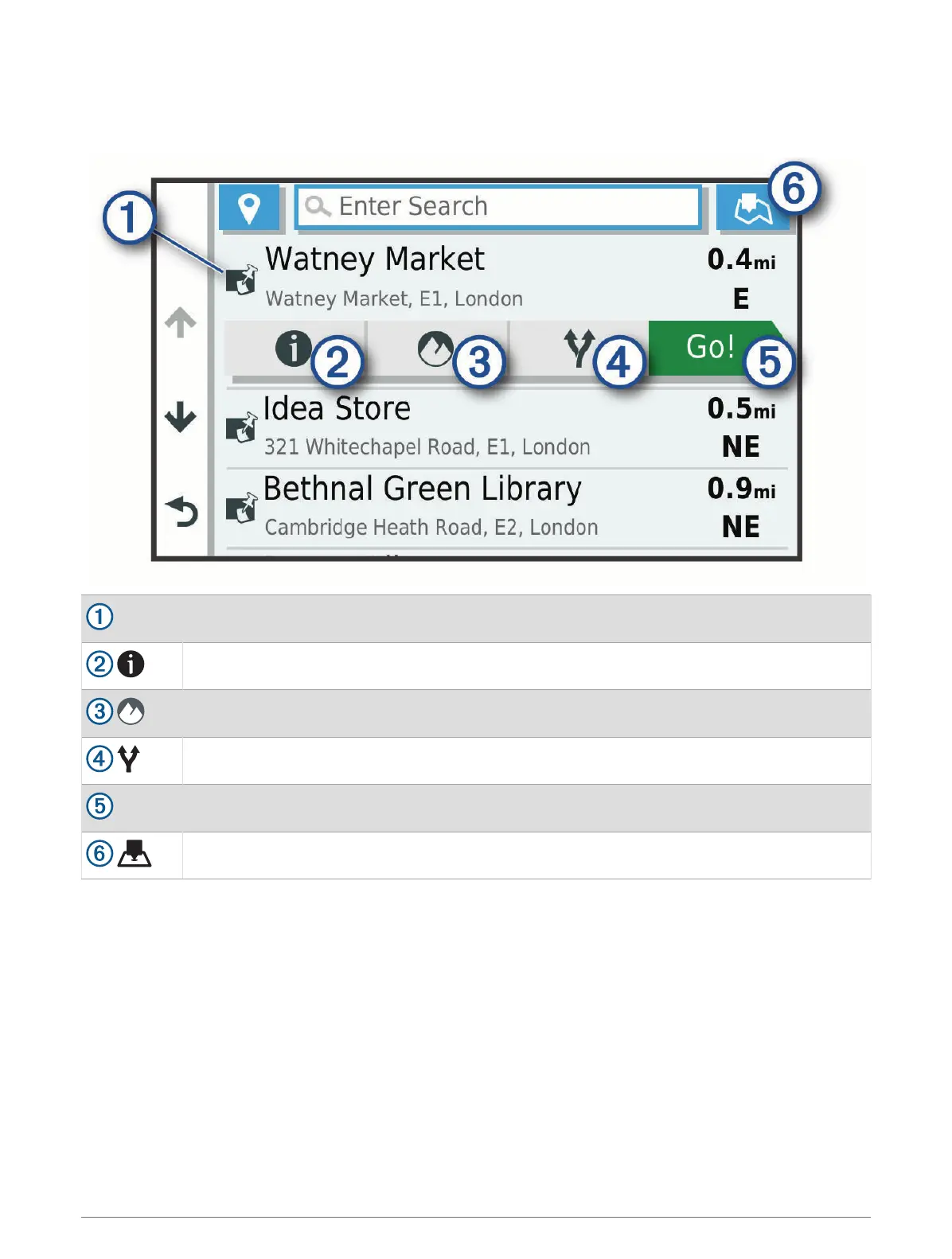
Location Search Results
By default, the location search results appear in a list, with the nearest location at the top. You can scroll down
to view more results.
Select a location to view the option menu.
Select to view detailed information about the selected location.
Select to view the selected location in the Garmin Explore app.
Select to view alternate routes to the locations.
Go!
Select to start navigating to the location using the recommended route.
Select to view the search results on the map.
22 Finding and saving locations



 To Next Page