Off-Road Navigation
Garmin Explore
The Garmin Explore website and mobile app allow you to plan trips and use cloud storage for your waypoints,
routes and tracks. Garmin Explore offers advanced planning both online and offline, allowing you to share and
sync data with your device. You can use the included app to download maps for offline access, and then
navigate anywhere without using your mobile data service.
The Garmin Explore app is included on your device. You can also download the Garmin Explore app from the
app store on your smartphone, or you can go to explore.garmin.com.
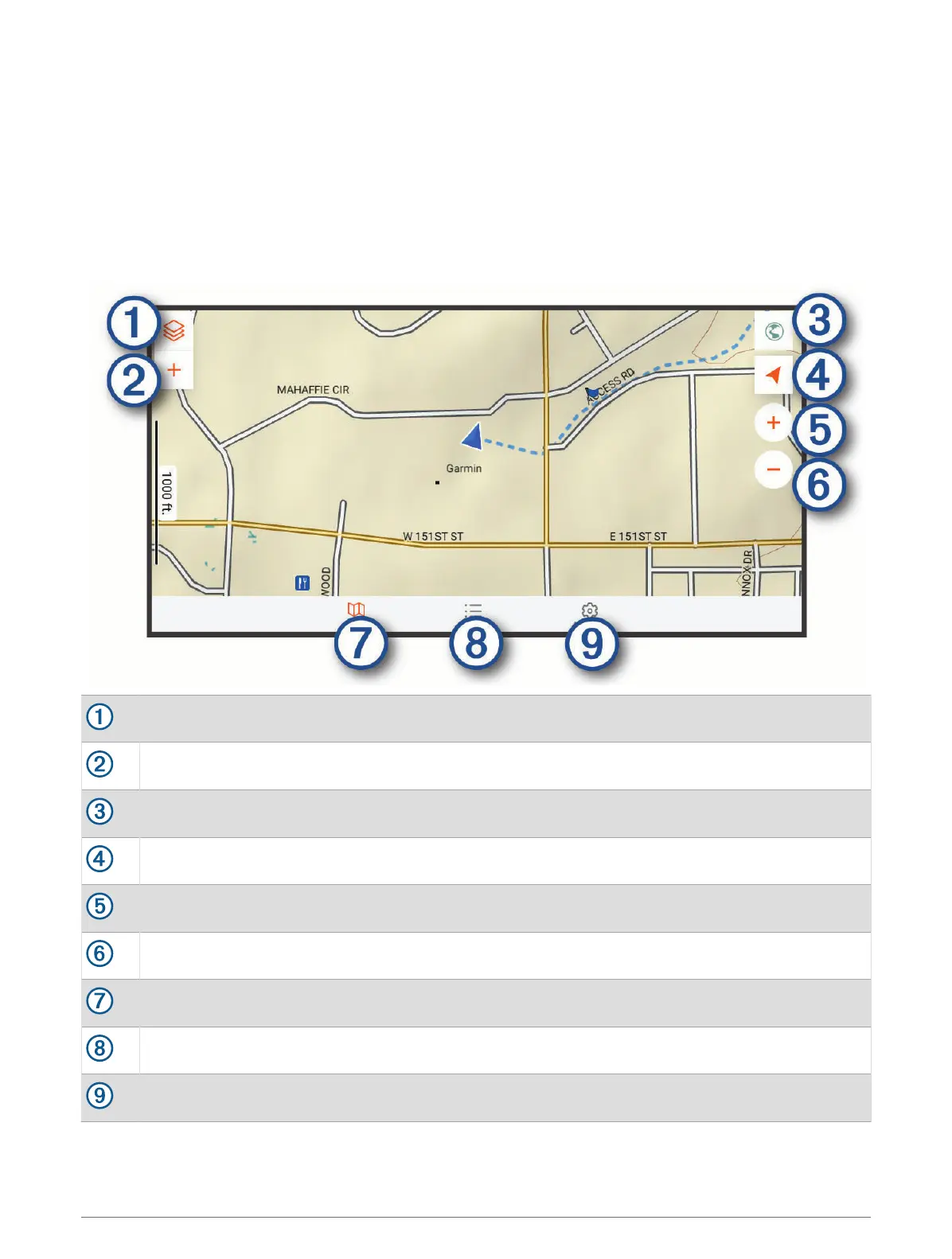
Select to open the map settings menu.
Select to add waypoints and create routes.
Select to open the Garmin Drive
™
app for street navigation.
Select to change the map orientation.
Select to zoom in the map.
Select to zoom out the map.
Select to view the map.
Select to manage waypoints, tracks, routes and activities.
Select to view Garmin Explore account information and settings.
Off-Road Navigation 33



 To Next Page