CS 5000
User Manual
©2009 GARRETT METAL DETECTORS 33 PN 1530100 REV H
10.16 NUISANCE ALARMS
Any metal detector will occasionally register what is called a “nuisance alarm,” triggered by electrical
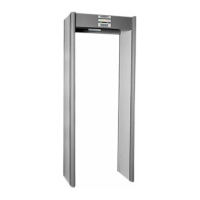
or mechanical noise from the environment. On most walk-through detectors such an alarm can sound
when a person carrying no detectable metal is passing through the archway, or even when nobody is
passing through. Audible nuisance alarms are minimized by the IR Sensor. This sensor requires that a
person must be passing through the unit for any alarm to sound. Because the IR Sensor can be turned
off by a supervisor, operators should always know whether it is functioning or not.
It is important to remember that after power has been turned on, the CS 5000 is
operating at all times. Its IR Sensor capability inhibits the alarm only when there is no object or person
within the archway.
No detector, however, is immune from nuisance alarms caused primarily by electrical
disturbances from large motors, computers, fluorescent lighting or many other sources. An operator
should not be overly concerned about nuisance alarms, but should accept that they can happen and
be ready for them. Of course, it will be necessary to retest any person passing through the detector
when a nuisance alarm is believed to have sounded.
Because of the high level of design quality represented by the CS 5000 and its IR
Sensor, it can be expected to produce relatively few “nuisance alarms” when installed properly.
Nevertheless, operators should always follow instructions from supervisors about reporting them.
On rare occasions a nuisance source might trigger the alarm just as someone is passing through the
detector. An operator should never try to guess about the source of such an alarm, and it should never
be assumed that the alarm is a nuisance. There have been occasions when an individual would inten-
tionally bump against a detector while passing through it and try to blame an alarm on the bump.
If an alarm sounds for any reason while a person is passing through the archway, that person must
be asked to walk through the unit again and/or be examined for metallic objects with a hand-held
detector.
There will be no exceptions.
10.17 TAMPER ALARM
Whenever the ACCESS touchpad is pressed, the detector will begin “beeping” for about ten (10) sec-
onds or until a four-digit numerical access code is entered with the touchpads. During these ten (10)
seconds, the detector will sound an alarm if any person or object passes through the archway. When
less than four touchpads are pressed or if no attempt is made to enter a code within ten (10) seconds,
the detector will return to normal operation. After the ACCESS touchpad is pressed, if an unauthorized
four-touchpad code is entered, an audible Tamper Alarm will sound three loud “beeps.” The detector
will then return to normal operation.
Any attempt at access to the detector’s controls will also be indicated by an increase in the SEQUENCE
code as reported on the LCD display. Any unauthorized attempt at access that activates the Tamper
Alarm will be indicated by this symbol (*) adjacent to the SEQUENCE code number. If the Tamper
Alarm ever sounds, an operator should follow supervisor’s instructions.











 To Next Page