EasyManua.ls Logo

GASLAND chef Pro Series - User Manual

GASLAND chef Pro Series
88 pages
Print Icon
To Next Page IconTo Next Page
Loading...
3330-A Marathon Ct Charleston, SC 29418
1 (844) 538-7890
www.gaslandchef.com
support@gaslandchef.com
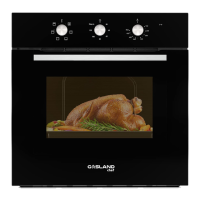
SINGLE WALL OVEN
Installation Instructions
Model No.: Pro ES710TS

Table of Contents

Other manuals for GASLAND chef Pro Series

Questions and Answers

  • M
    michaelunderwoodSep 16, 2025
    How to adjust the flame height on a GASLAND chef Cooktop when it's too high at the minimum setting?
    • H
      hernandezashleySep 16, 2025
      If the flame is too high even at the minimum setting on your GASLAND chef Cooktop, the turndown control setting is likely incorrect. Adjust the minimum screw to correct this.
  • T
    Thomas DuncanAug 25, 2025
    What to do if GASLAND chef Pro door won't open after Self-clean?
    • G
      gonzalezseanAug 25, 2025
      If your GASLAND chef Oven door will not open after a Self-clean cycle, the oven may still be too hot. Allow the oven to cool down completely before attempting to open the door.
  • M
    Melissa FieldsAug 25, 2025
    What to do if GASLAND chef Pro door is locked?
    • B
      bergerpatrickAug 26, 2025
      If your GASLAND chef Oven door is locked, and there was a tripped circuit breaker or power failure while the door was locked, activate Control Lockout, and then unlock the control.
  • L
    Linda SimsAug 26, 2025
    Why is my GASLAND chef Pro Oven not clean after Self-clean?
    • N
      Natalie BrooksAug 27, 2025
      If your GASLAND chef Oven is not clean after running a Self-clean cycle, make sure the oven controls were set correctly. Before starting the Self-clean cycle, wipe up any heavy spillovers. If the oven is heavily soiled, you may need to run the Self-clean cycle again or for a longer period.
  • R
    Rebecca HallSep 18, 2025
    Why are the burner flames very large and yellow on my GASLAND chef Hob?
    • B
      Bruce PayneSep 18, 2025
      If the burner flames on your GASLAND chef Hob are very large and yellow, it could be due to several reasons. The burner bezel ports might be clogged, or the burner ports/caps might not be correctly positioned. Another possibility is that the rangetop is using the wrong type of gas, or the regulator isn't installed correctly, is faulty, or is set for the wrong type of gas. To resolve this, try cleaning the burner bezel ring ports with a straightened paper clip, needle, or wire. Also, remove and carefully reinstall the burner bezel and caps. Make sure the type of rangetop matches the gas supply. Finally, check the installation, replace the regulator, or set the regulator for the proper gas type.
  • H
    hunterkellySep 23, 2025
    What to do if flames do not burn all around the burner cap on GASLAND chef Hob?
    • W
      woodcourtneySep 23, 2025
      If the flames do not burn all around the burner cap on your GASLAND chef Hob, the burner parts may be dirty or misaligned. Refer to the “Care and Cleaning” instructions for guidance.
  • C
    Caroline MccoySep 8, 2025
    Why won't the light turn on in my GASLAND chef Pro Oven?
    • M
      Michael BrownSep 9, 2025
      If the oven light in your GASLAND chef Oven will not turn on, the light may be loose or defective, or the switch operating the light may be broken. Tighten or replace the lamp. Call for service if the door light still does not turn on.
  • T
    Teresa QuinnSep 9, 2025
    How to fix GASLAND chef Cooktop when there is no spark when the gas control knob is depressed?
    • M
      Melody LunaSep 9, 2025
      If your GASLAND chef Cooktop isn't sparking when you depress the gas control knob, there could be several reasons. First, ensure the cooktop is properly plugged in and switched on, and check the mains circuit breaker. Second, inspect the sparker cable to make sure it's not loose. Finally, the burner might not be aligned properly; try removing and refitting it.
  • A
    andrew52Sep 3, 2025
    What to do if there is a failure of the oven door circuit in my GASLAND chef Pro?
    • B
      Bonnie StevensSep 3, 2025
      If you are experiencing a failure of the oven door circuit in your GASLAND chef Oven, the door status detection switch may be damaged, or there may be a poor connection with the door detection switch wire group plug and the connector on the circuit board, or poor contact of switch S1, or the circuit board may be damaged. Replace the switch, the connector, or the circuit board.
  • L
    Lisa CrossSep 1, 2025
    Why does my GASLAND chef Oven smell like it's burning?
    • A
      allen94Sep 1, 2025
      If you detect a burning or oily odor coming from the vent of your new GASLAND chef Oven, this is normal and will disappear over time. To speed up the process, set a Self-clean cycle for a minimum of 3 hours.

Summary

Oven Safety

Understanding Safety Alerts

Explains the meaning of the safety alert symbol and hazard levels (Danger, Warning, Caution).

Installation and Electrical Safety

Electrical Shock Hazard

Details the risks of electrical shock during installation and servicing.

Proper Installation and Grounding

Guidelines for correct installation, grounding, and service by qualified technicians.

General Operating Safety

Fire Prevention and Personal Safety

Precautions to prevent oven fires and ensure user safety during operation.

Oven Cleaning Safety

Self-Clean Cycle Precautions

Safety measures and preparation steps for the automatic self-clean function.

Oven Usage and Modes

General Use and Preheating

Basic operating guidelines and the importance of preheating the oven.

Temperature Probe Usage

Using the Internal Temperature Probe

Detailed steps for inserting and using the probe to monitor food temperature.

Broiling Function

Broil Mode Instructions and Tips

Guidance on using the broil function, including best practices and temperature settings.

Warm and Proof Functions

Convection Cooking Basics

Convection Fan and Bake Mode

Explains the role of the convection fan and how to use Convection Bake.

Advanced Convection Modes

Convection Broil and Roast Setup

Instructions for using Convection Broil and Convection Roast modes.

Convection Conversion and Tips

Convection Conversion Guide

How to use the Convection Conversion feature for various food types.

Convection Bake Application

Convection Roasting Guidance

Convection Roast Chart

Convection Broiling and Dehydrating

Convection Broil Chart

Oven Care and Cleaning

Automatic Self-Clean Function

Self-Clean Cycle Preparation

Steps to prepare the oven and ensure safety before running the self-clean cycle.

Initiating the Self-Clean Cycle

Starting and Managing Self-Clean

Detailed instructions on how to start, delay, and complete the self-clean cycle.

Oven Door Removal and Replacement

Oven Door Removal Procedure

Step-by-step guide on how to safely remove the oven door.

Component Replacement Guide

Oven Light Bulb Replacement

Instructions for safely replacing the oven light bulb, including necessary precautions.

Troubleshooting Baking and Roasting

Oven Operation Troubleshooting

Operation Troubleshooting Details

Advanced Troubleshooting Scenarios

GASLAND chef Pro Series Specifications

General IconGeneral
BrandGASLAND chef
ModelPro Series
CategoryOven
LanguageEnglish

Related product manuals